

ART, DFW Metroplex, Libraries, Memory Keeping, Photo Organization, Photo Organization Coach, Photography, Scrapbooking

Can FOREVER Save That?

MEMORY KEEPING 101: THE FORMATS FOREVER CAN STORE

What Do You Have and What Do You Want?

There is one question I ask a lot and this is it! It applies to many steps in the Memory Keeping process, but in our digital world, wondering what formats can be saved on FOREVER is a pretty important one.

If you are a general consumer with photos, video and audio on your devices and computer, then FOREVER is going to save pretty much anything you want it to. Here’s a list of all the things FOREVER will save.
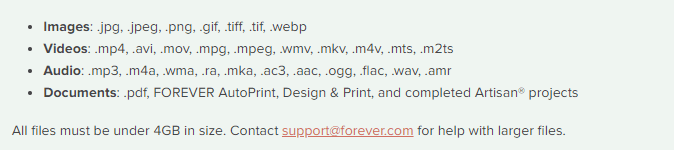
As you can see, this is a pretty comprehensive list. In fact, I don’t even know what some of those formats do. However, there are things FOREVER can’t save (yet), so let’s talk about those.

Raw Files

Many pro and hobbyist photographers take photos in Raw. This is a a generalized category which creates huge files for the purpose of file manipulation. When we were in the real estate photography business, our photographers would take their shots in raw on the HDR setting. This meant the files were huge and that basically they were in parts. Our guys would take multiple shots in a variety of exposures for each image, which would then be processed to create one data rich file for editing. The purpose was to manipulate light, so that we could take a picture of a room with the curtains open and get everything in the room and everything outside with perfect lighting. Various photographers use a variety of other methods to do the same thing, but this is the method we used and a lot of other photographers do, too.

The difficulty with this is that different cameras take different types of raw photos. Our Canon camera took .cr2 and the DGI drone took .dng. Your Nikon takes something else and other cameras will take another format. And this is why FOREVER has not yet embraced RAW in it’s suite of supported files, yet.

While FOREVER will not save all these raw files, most of the time the raw state is just a temporary destination for files which will become jpg’s. That’s what we did. General consumers don’t want to handle or store the huge, unedited files. We always converted our raw files to jpg’s as we processed the files for delivery. While FOREVER doesn’t store raw files, yet, it does realize that for some photographers, this capability is a high priority.

I have spoken with Dr. Nathan Bowers, the VP in charge of R&D and supporting these files is on the short list of development with FOREVER, but there are technical challenges associated with it. Nathan would have been happy to explain these details to me, but I wouldn’t have understood. If you would, then perhaps you should call him, but for the time being, suffice to say, FOREVER can’t store Raw files, but we’re working on it.

HEIC

Those who use and are familiar with Apple know they sort of like to be unique. If you have an Apple phone, then this is the format your photos are taken in. Not to worry! While FOREVER will not store your photos in HEIC, it will automatically convert them to .jpg as you upload them. For 99% of the population, that’s fine. They actually don’t care what extension is attached to their files, they just want to save them. There are some proponents of HEIC who want to keep their files in that format and unfortunately, at this time, FOREVER cannot save these files. I say “at this time,” because an ongoing desire at FOREVER is to never say no to any format. At this time it is not possible to store .heic on FOREVER, but that won’t be the answer forever.

Various Documents

Let me start this part of the conversation here. You can save PDF files on FOREVER. The document files on your computer are much like the raw files from a camera, because the type of file created depends on a variety of factors. That’s why PDF was created in the first place.

PDF stands for Portable Document Format. It was designed to make your files portable, whatever format they were created in. Converting most files to PDF is easy. You just change the extension to .pdf and viola, you have a PDF which can be stored on FOREVER.

So, will FOREVER store your documents? Absolutely! Just save them as jpg’s and upload.

APPS

When one of my friends bought FOREVER storage, the first thing they wanted to do was save everything on their Quickbooks. Well, for one thing, Quickbooks is already saved and backed up. Perhaps not to the extent of FOREVER, but certainly safer than the photos on your phone or the VHS tapes sitting on a shelf.

After a little discussion, I discovered that what she really needed was not the whole app, but the reconciliation she created each month. Easy peasy! The reconciliation was a PDF doc. Now she saves those to FOREVER and is perfectly happy.

The point is that while you cannot save a whole app, probably what you want to save is some document which is already in a format FOREVER can save.

Specialized Formats

The items I have covered so far in this post are the most common questions I hear, however the longer I do this, the more formats I discover. Did you know quilters have a specific format for saving their quilt patterns and genealogist have their own format? The list goes on.

If you have a specialty format that you’d like to save on FOREVER, please let them know. The development team prioritizes projects based on need and demand. I know quilters and genealogists have their own formats, because I’ve been on ZOOM calls where Dr. Bowers has mentioned these formats as items on his development list.

In the meantime, many of these formats can be converted to something like jpg or pdf, which can be saved. Or you can take a picture of the file and save the picture. It may not be the complete digital file, but it’s better than nothing, until it can be saved on FOREVER.

Summing Up

While FOREVER cannot save every type of file in the world, the list of things they can save is very comprehensive and most files can be saved with a simple conversion to PDF. FOREVER was designed for the specific purpose of memory keeping and it does that very well for the vast majority of formats in which people have captured their memories. If you have something in particular you need to save that isn’t on the list above, let’s talk. You might be closer than you realize to keeping your memories on FOREVER.
DFW Metroplex, Photo Organization, Photo Organization Coach, Photography, Scrapbooking

Taking Video to the Next Level

MEMORY KEEPING 101 – VIDEOSTREAMING FOR THE SHARE!

Don’t Be a Captive!

There’s a reason we all love YouTube and Facebook, but there are also a lot of reasons we all hate it. If you love video, then I don’t need to enumerate either set of reasons. Perhaps you’ve enjoyed both watching and sharing on these channels. If you’ve ever wished you had more control over the videos you post, then I have an answer for you. If you don’t know the pitfalls and challenges of using these channels, we should talk.

The primary problem with using YouTube, Facebook or any other streaming service for your personal videos is that once you upload them to the channel, those videos belong to them, not you. They have no duty to you. They are doing you the favor of making your videos available to others and they are in control. They can reformat, compress or delete them. Your agreement with them says so. It also says they can data mine them, sell them or whatever they want.

You might have thought you had no choice. You had to be a captive of these services or keep your videos captive on your own device. Forever offers you a choice.

Store Your Videos on Forever

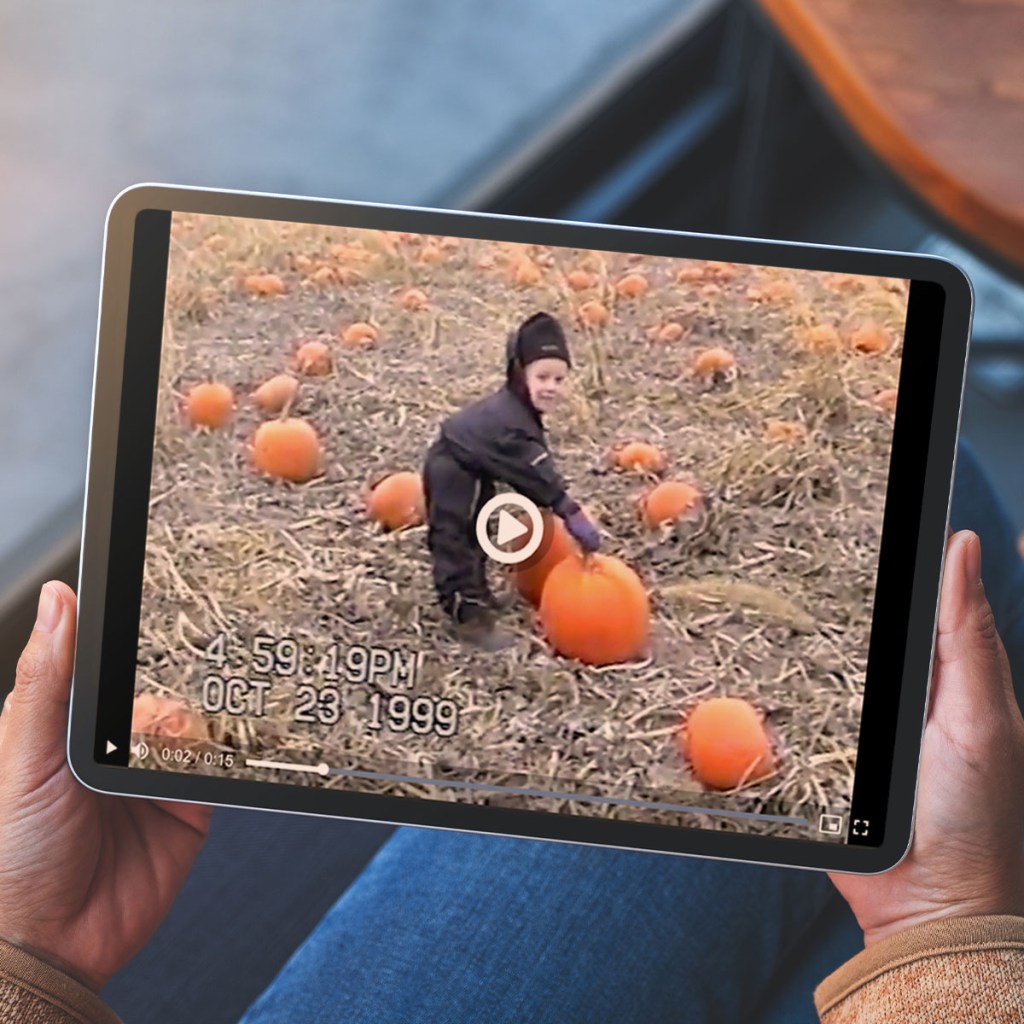
Last week I talked about digitizing videos to which you may have lost access. I touched on the fact that storing these videos on Forever would be a good idea, because DVD’s and thumb drives are not permanent storage devices. Neither is your computer or an external hard drive. I know! Before I discovered Forever I lost an entire year’s worth of real estate photography which was stored on an external hard drive. And your phone is certainly not the right place for these precious memories. We all know the horror stories associated with losing or damaging your phone.

Another answer is to rent space on a cloud – those services like iCloud, Google or Dropbox – but that’s not a good answer either, for so many reasons. If you follow my blog, then you don’t need to be reminded of all the dangers of renting storage, but in case you have missed it, when you use these services, the terms you agreed to allow them to:

  • Mine your photos and videos for marketing purposes
  • Sell your photos and videos to third parties as stock
  • Carry no responsibility if your photos and video disappear
  • Compress and/or reformat your photos and videos
  • Terminate your account when you die
  • Delete your photos and videos whenever they so desired
  • Own your photos and videos
  • Delete your account if you pay

With Forever YOU own your storage. You’re not just renting it. None of those things listed will happen to you. You pay once, you’re done and your photos and videos can be enjoyed for generations to come. Forever guarantees it.

Download or Stream?

It’s easy to share photos and video with Forever, but when what you are sharing is video, which is ok. Your recipient will just have to download the video to watch it. Or you can get video streaming. Then when you share, they just click the arrow. They will love you for it!

If you are an avid fan of video, then you know the value of your precious memories and you can appreciate the convenience of a personal video streaming service. Imagine sending video to your family and friends without forcing them to watch ads! Yes, that would be nice.

I’m not going to sugar coat it, though. There’s a price for streaming, but there’s always a price, even if it is not dollars and cents. The list above is one price. Forcing people to watch ads might be the price. Or paying every month for the rest of your life might be another price.

With Forever, you can chose to pay monthly if you want. The price is the same as you’d pay for similar services, but without being subject to the list of issues I outlined above and a few others we can talk about. This is great if you just want to try out video streaming.

You can also pay by the year and save 15% over the monthly plan – which is great. Perhaps if you’ve had a special event like a wedding or the birth of a child and you want others to easily enjoy and share the videos for a while, this would be the plan which would interest you.

However, with Forever, you also have the option of buying video streaming that will last as long as your Forever account. This means those who enjoy your videos on Forever would never have to download. They could always watch the videos right in account. You can pay for it in a lump sum or pay it out over a year. Then video streaming would belong to you always.

The retail price for this generational legacy is $1600, but with deals and The Club, you never have to pay full price. If this is the right choice for you, then I can show you how to get the best price.

Many of Forever’s customers buy their storage and video streaming as a family. They all use the account for sharing photos, videos, documents and more. It’s an investment for everyone that will be enjoyed by the family members of the future, without those future family members having to pay for it into perpetuity – and some storage solutions won’t even allow you to pass down accounts, even if they were willing to pay for it!

Everything Works Together

The real beauty of Forever is that everything works together. The reason this company even exists is because the founder got frustrated when he found out he needed several different kinds of accounts to do his memory keeping. He had to send his photos one place for digitization, store them in another and make photo books someplace else – and the compatibility of the various accounts was in no wise seamless.

With Forever, you store and share all your media in the same place and all the tools you need are right there. For instance, you could make a digital photobook and include video by adding a QR code. Or maybe a calendar with a QR code that allows a grandmother to hear her sweet grandkids saying hello, anytime she wants. When you’re using Forever, the possibilities are endless.

Video streaming may not be a service you need at all, but if you’re into video, then you should at least think about the benefits you could enjoy. Come back next week and we’ll talk photo printing. I have two choices to offer and they are both great!

DFW Metroplex, Photo Organization, Photo Organization Coach, Photography

Accessing & Preserving Your Video History

MEMORY KEEPING 101 – OFF THE SHELF AND INTO YOUR LIFE

Reclaim Your Video Memories

From old reel-to-reel home videos to moments recorded on phones, video memories have been a part of our media landscape for a long time. My family never went down the movie path, so my personal experience with them is limited. However, I have a lot of customers whose memories are more video than photograph. Forever can handle that, too.

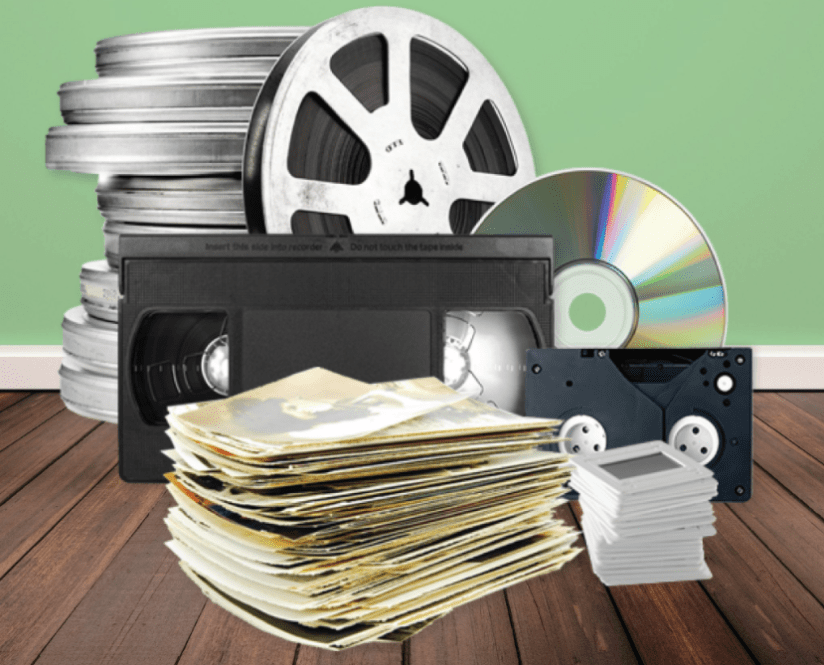
What I usually hear first from video clients is they have a stack of tapes/reels somewhere and they don’t even have the equipment to watch them. I have both good and bad news to deliver at this point. The good news is, Forever CAN convert those tapes/reels to digital. The bad news is, there is no watching service to give you a report on what the video contains before the conversion. It is during conversion the subject matter becomes knowable.

So, whether your tapes/reels have riveting moments of well-shot action or hours and hours of poorly shot videography (which would cure insomnia), you get the good with the bad. The good news is this. Once the footage is digital, there are lots of great apps and software out there with which you can turn the yawners into jewels with just a little editing. So, while we all wish our parents, grandparents and spouses were better videographers, at least we can save the good parts for future generations.

What Does It Cost?

I’m not going to lie. Pricing digital conversions is tricky. A small Forever box is regularly priced at $60 (but there’s always some kind of deal going on, so it will never be that much). That price includes the conversion of two “items” in Forever-speak. An item can be a VCR tape or a 50 ft reel (or 25 photo/slides for that matter, but we’re talking video today). If you put two VCR tapes or two 50 ft reels or one VCR tape and one 50 ft reel in the box, digitizing them will be covered. However, the boxes will hold more than two videos, and Forever encourages you to fill them in order to save shipping, but that’s where it gets confusing.

I go over this with everyone who ships in media to be converted, but often they are so excited about the project they don’t hear me. Then we have sticker shock and I hate that. While you can fill the box to the brim, whatever you put in there beyond the first two items cost extra at the regular price of $30 per item.

So, at regular price, if you had 5 tapes/reels. You’d pay $60 for the box, $90 for the extras and then shipping and taxes would be added to that. That’s $150 to reclaim your memories (at regular price) and that’s a pretty good deal – a lot better deal than storing tapes/reels you can’t watch.

Now, the more tapes/reels you have the larger that number gets. If you’re currently storing boxes and boxes of these things, then we need to get together an discuss strategies. We can watch together for the best specials on conversion. Perhaps you have family members who would share the cost with you. You could join Forever as an Ambassador for a year and enjoy that discount on your conversions. And there’s always The Forever Club to help you budget your memory keeping expenses.

Special Considerations

Certain types of media come with certain restrictions. For instance, let’s say you sent in what you thought was your wedding tape and it was all I Love Lucy reruns. It’s always best if you have some idea what’s on your media and if you don’t, please understand our technicians need to be paid for the time they spend on your material, even if it’s not what you thought it would be.

There is nothing Forever can do about the missing wedding footage and they are not allowed to reproduce copies of copyrighted material, so you’d have a conversion mess. At least if it were blank, you could get back 50% of your money, but to pay for finding out you didn’t have the wedding tape you thought you did, that would be a really bad day. Thankfully, we don’t run into many bad days.

While it might be obvious I Love Lucy or Batman Returns are copyrighted, there are other things that might not be as obvious. Take wedding videos by a professional videographer or game clips from your child’s team or video you bought at a dance competition or swim meet. Because you paid for these tapes, you might think that you own the rights to them, but in most cases you do not. Technically, you are supposed to return to the videographer who created the original.

While this is technically true, in many cases, it could be virtually impossible to find the videographer and honor the copyright. So, if you are only digitizing the copyrighted media for your personal use, then you can sign a waiver releasing Forever from any responsibility, should you be sued for improperly use of the footage. I’m warning you though, don’t turn around and use it in a “for profit” project or you could end up in the middle of a very serious law suit.

Just, in case you are wondering, if you have documents like birth, death and wedding certificates, or census and deed records or any publicly available documents, those are not copyrighted. Digitize away!

What If There’s Something Wrong with the Video?

Forever will do the very best it can to digitize whatever video you turn over to them – even if it is broken or damaged. I’ve heard many heartwarming stories about people who doubted Forever would even be able to digitize a single frame of a tape. They thought if they could get back anything they’d be lucky. To their amazement they got back a digitized copy and they couldn’t even tell there had been any damage on the original. Forever cannot guarantee you’ll get back something that looks better than the original, but that could actually be the case in many situations.

So, How Exactly Does it Work?

Well, first choose the box you think will best fit the media items you want digitized, then let’s talk so I can be sure you’ve taken advantage of all the discounts available. You pay for your box, shipping and the covered items up front. You can also choose to get thumb drives or DVD’s if you like, but we should talk about Forever storage and streaming. Soon your box will be delivered.

Materials for packing your box, packing instructions, a worksheet and your shipping label will be inside. Follow the instructions and fill up your box. I’ll be happy to help you with this step. The worksheet will show you what’s included with the purchase of the box and give you an estimate of the amount you will need to pay for extra items. Put the paperwork in with your media and put the shipping label on the outside. The let Fed Ex know there is a pick-up or just drop it off at a box or office. You can keep an eye on the Forever Box Center to know what’s going on.

When Forever gets the box, they audit the worksheet and the items you have packed, to make sure they are correct. Then they’ll start digitizing. It’s all done right here in the good old US of A and lovingly handled by gloved humans, rather than machines. The difference is noticeable take a look at the “A step above the rest” section, on the lower part of this page to see why Forever is better: https://www.forever.com/ambassador/jane-sadek/digital-conversion

When you items are digitized, Forever will notify you that your videos are in your box center. The images will stay in your Box Center for 60 days, giving you time to add them to your Forever account, download them to your computer or whatever. They’ll also ship your stuff back, along with any DVD’s or thumb drives you’ve ordered.

And that’s it. I, of course, would love to discuss the benefits of storing these precious memories on your own Forever account. DVD’s and thumb drives are not permanent storage devices. Someday folks will look at them the way you would look at a 78 rpm vinyl record – if you do have a device to play it on, chances are it won’t sound the way you though it would.

One of the best reasons to choose Forever as your online storage provider is their video streaming service. We’ll talk about that next Thursday.