Let’s face it, Memory Keeping can be a chore. It’s better than cleaning a toilet, but uploading, sorting, tagging and such can be a lot of work. Of course, there are those wonderful moments when you see a photo or video that floods you with happy memories and those where you relish telling a story in the description, but most of the time it’s a job.
However, when it comes to sharing your memories, that’s a whole different thing. Something as simple as posting a memory on social media or sending it directly to someone with a text or email, can make your day and the day of those you share with. You can up that game with digital photobooks and a wide variety of photo gifts from FOREVER (or maybe even a scrapbook from Creative Memories).
Oh, but I can hear you telling yourself that you’re happy with Snapfish, Shutterfly, Minted, ChatBooks, SmugMug, Mixbook, Walmart or your local drug store. To that I would say, “Are you sure?”
CHOOSE FOREVER!
My job on Fridays is to woo you away from whoever you’ve used in the past and introduce you to the absolute best. Most people dislike change and it’s just easier to keep using whoever they’ve been using in the past when they come up with future jobs. I say you owe it to yourself to at least take a peek at my Friday posts and be sure you’re really getting the best prices, service, quality and selection from whoever your go-to provider is.
DO IT YOUR WAY!
Perhaps the most important difference in FOREVER and the other guys is that each of them offers their products their way. You fill in their blanks and that’s your option. With FOREVER you can do it your way. If you run into trouble with the other guys, good luck getting a customer support rep to help. With FOREVER, just contact me. I’ll help you out of your conundrum.
Enjoy Auto Print that allows you to load your photos and have a printable photo book with hundreds of photos in seconds. You always have the option of making edits, but it really is as easy as 1-2-3.
Create & Print provides an overwhelming choice of templates for pretty much anything you might want to make from coffee mugs to beach towel and from blankets to photo books. If that sounds a lot like those other services, that’s because you really haven’t done a side-by-side comparison of the results. If you had, then you could see the superiority of the products you get from FOREVER for practically the same price.
For most of you, that’s all you need to know – unless you’re a serious crafter and you want to do it your way! My favorite way to make photo books, stationary, wall décor, calendars, drinkware, blankets, puzzles, coasters, ornaments and magnets is Artisan 6, a digital scrapbooking software that goes far beyond any scrapbook page. What’s more, Artisan 6 is supported by an online community of crafters, digital scrapbookers and the people who train them to do it better called pixels 2 Pages. I could go on, but I’ll save it for another day. I hope you’ll join me then.
Getting any message out these days is hard, because there are so many people out there shouting at the top of their voices, trying to get your attention. With everyone screaming at you at once, it’s hard to get a word in edgewise.
You’re busy, I get it. The last thing you want is one more person telling you something you absolutely must get done right now.
Besides, you might have already “done something” about your memories. You think you’re done and if you’re not, then you don’t want to hear about it.
And you probably think you already know what it is I’m doing. The most frequent assumptions run from hosting scrapbooking classes and selling stickers to professional photo organizing, but that’s not exactly what I’m up to. The funniest assumption was that I work with memory care facilities in some capacity, but I don’t.
If you do know what I’m doing, you presume what I’m offering is exactly the same thing you already get from someplace or someone else that’s a more common household. It’s a misconception, but it’s a common one.
Memory Preservation Posts
What I actually do is come alongside people with Memory Messes and help fix them – the Memory Messes, not the people. I know you’re busy! That’s why I offer to step in to help do whatever needs to be done to preserve your memories for the future, and that looks different for everyone I meet. That’s what I’m going to address in my Wednesday posts.
Everybody’s Memory Mess is unique, but what they all have in common is that their memories are at risk.
Take the people who think they’ve already “done something.” These are the people who are probably the hardest for me to reach. They’ve already spent time and/or money on this and they’re done. The problem is that they are only almost done, if their goal was to preserve their memories for the future.
The easiest people for me to reach are those who KNOW they need to do something and are already thinking about what that is. They know there has to be something they can do, but they’re also scared to death of taking on a big job that’s going to cost a lot of money they don’t have. That’s where I can help the most, but getting them to move from worrying about it to doing something isn’t easy.
So, on Wednesdays, I will share a little information about Memory Preservation and how I might be able to help you. I offer both traditional and digital Memory Keeping Solutions. I can help you whether you want to do it yourself, you just need a little help or you just want me to make it go away. I hope you’ll join me!
I got distracted! That’s the bottom line. But a recent call from a new customer got my attention. She found my website on the internet. This website, whose blog I’ve been ignoring for about a year and a half now. She had a custom scrapbooking job for me, which reminded me that my love of scrapbooking was what started this business.
I sat there, for a while, basking in the sunshine of all the beautiful custom scrapbooks I’ve done and how much my clients love them. Then I had to have an uncomfortable conversation with myself. “Hey Jane, if doing custom scrapbooks is the part of this business you love best and the part which brings you the best profit, why aren’t you working harder to get more of that business. Why do you spend all of your time posting stuff about FOREVER?”
After a heated discussion about how much I love FOREVER, which is very true, I had to do a reality check. My primary FOREVER customers are my best friend, my cousin and myself. I’m grateful for them and I love doing Memory Keeping with them, but other people are not exactly crashing through my door for digitization, storage and such. If you take FOREVER out of the equation, my best customers are and have been custom scrapbook customers. And how did most of them find me? Through my website.
So Here’s What I Am Going to do About That!
I won’t bore you with all the marketing wisdom I’ve gained over the years, all of which I put on the shelf and ignored for a while, but what I will tell you what I am going to do about it. I’m coming back to blogging. Blogging supports my website and that’s where I get my best customers.
But what to blog? Well, when I mentioned to a few people I planned to return to blogging, they were very excited and told me how much they had been missing my travel blogs. That was gratifying and I decided to call posts related to travel Memory Making posts.
During Memory Making most of us create and collect memorabilia and media. Preserving those Memories is really the second step to Memory Making. So, Memory Preservation posts will be my second blogging focus.
The third part will be Memory Sharing. From traditional scrapbooks from Creative Memories to Beach Towels and Wedding Invitations from FOREVER, I know of so many ways to share the memories you make – both with the people in your life today and for future generations.
That’s it – Memory Making, Memory Preservation and Memory Sharing! I hope you’ll tune in and be a part of the conversation.
In reality, FOREVER doesn’t say much about Historian these days, because they have plans to incorporate much of what Historian offers into your storage – things like facial recognition, for instance. Only there’s no date offered for when the storage upgrade will happen, so I think Historian is a great program now and FOREVER allows you a 30 Day Trial to find out if it is for you.
Historian is a desktop program. It’s a place to sort through your photos BEFORE you take them to your permanent storage account, so you won’t have duplicates and outtakes filling up your GBs. It automatically bundles things into the year they were taken and has a timeline at the bottom, so you can easily focus on the year you want to organize.
I mentioned facial recognition and it’s a wonder, but then again so is the star rating system. As you go through your images you can give them 1-5 stars so you can quickly see which are the best.
If you’ve got a great picture with poor quality, then you’ll love the Auto-fix feature. A photo can go from mediocre to spectacular with one click. You’ve also got a lot of other editing tools at your fingertips for cropping, fixing red eyes and so forth and so on, but the Auto-fix feature is marvelous.
When I’m working on a custom album, facial recognition and the album planner are my friends. Tagging people in photos is a huge time suck, but so important. You’ll need to spend a little time training it to know your people, but once it knows, it knows What a boon.
The album planner is particularly important for me, because I’m not sorting through the photos to save in my storage. I’m sorting through them to fill the pages of a scrapbook or photobook. It’s easy to move them from the cabinet I’m working in to the album planner and from there, just a click or two to put them in a print project or order copies.
I like it for scanning, too. When I scan from my printer, I sometimes have a hard time finding it on my computer. Using Historian to initiate the process means the items scanned will be in Historian and much easier to find. I love it.
Some people, who have more time than money, might run all their photos through Historian (or at least a lot of them) during the 30 Day Trial. If you love it at the end of the trial, it’s only $129.99 and yes, it’s eligible for Club Dollars and Club Discount. (After a recent price change, it is no longer included on monthly deals.)
It will be at least a year and maybe more before the upgrade to storage is done and even then, many of the improvements will be add-ons to basic storage. According to how you use your account, Historian might be a better deal than a Facial Recognition add-on to your storage, but if you’ve got work to do with photos on your computer, it will be worth every penny to get it done now and not wait to see the upgrade. YOu can check it out, here: https://www.forever.com/ambassador/jane-sadek/historian .
For most people who are interested in FOREVER’s permanent online storage, the biggest obstacle to getting it done is their Media Mess, but there is another group. Their obstacle is that the images on their computer are already organized in folders and perhaps tagged.
There was a time when I would explain to these people that safe is better than at risk, even if it requires a little extra work. And besides, if you’ve got it organized on your computer, part of the work is already done. They’d just need to bring it over in smaller batches.
I was one of those people who had already organized their photos on their computer before I found FOREVER, so I was speaking from experience, but that didn’t really make it much better. Moving a photo cache of decades and keeping the already instituted organization to it was daunting.
Then Came Valet!
My first purpose for owning FOREVER storage was our real estate photography company. We’d killed one external drive and lost about 12 months of photos. I needed safe. Besides, I was up to date on my scrapbooks, so even if I lost my personal photos, I hate a physical backup.
Then we sold the company. I needed to get the archive to the new owner with all the organization and tagging intact. Thankfully, as if they’d done it just for me, that’s when FOREVER introduced Valet. It was designed primarily for professional photo organizers, but an amateur version was offered at a reduced price.
My first Valet operation was to download the archive from FOREVER to a disk, so I couldn’t use the free demo, which only allows uploads, not downloads. I had to invest in the software, right off.
We’re talking years and years of real estate photography, but it was done so fast I was amazed and I knew was never going to migrate files from one place to another without Valet. Once the new owner verified he had our stash, I saved some of the archive for the sake of nostalgia and started deleting the rest. I couldn’t wait to upload my my personal photos.
Valet was brand new to FOREVER, so I admit I was a little apprehensive about migrating from my computer to FOREVER. From FOREVER to a disk was one thing, this was something else. Other Ambassadors were raving about it, but I couldn’t help but be skeptical. To boot, even though the photos on my computer were organized, I had some ideas about how to reorganize them, which would take better advantage of FOREVER’s features.
The day came for the migration and just as it had been with the real estate photos, Valet finished the job in record time – even though I’d moved the cache over in several batches rather than just letting Valet do it’s thing. I’m sure if I had moved all of it right as it had been, things would have been fine, but I do love the new organization.
So Is Valet Something You Need?
If the photos on your computer are organized and you want to move them into FOREVER, then Valet is the best way to do it. Spend some time getting it just like you want it – maybe adding photos from your phone or other devices. Then when you get everything just so, get the free 30 Day Trial version of Valet. I’m guessing you’ll be through in a couple of hours, but you’ll have 29 more days to play with it. As I said, you can only upload with the demo, but for most people, that’s all they really want and you probably won’t need Valet again after the job is done – standard or pro version.
Or Maybe You Will!
Perhaps you are the family historian and while all of your photos are organized, you are also collecting items from others. If this is you, according to the the size of your family and the state of their files, you may, you may be able to use the standard version to help. As long as you are uploading to your own FOREVER account, you can log in on any computer and do so. The pro version is for downloading to and from other FOREVER accounts.
The Future of Valet
So, Valet just came out in May, but improvements are already in the works. While the current version is focused on images stored on devices, they are working on making it work with other cloud formats, so that if you have at risk images on Google Photos, Dropbox, i-cloud and other places, bringing them home to FOREVER will be a one step process. I love Valet just the way it is, but I’m really excited about that improvement. Believe me, I will keep you abreast of any developments I learn of. In the meantime, you can try Valet with this link: https://www.forever.com/ambassador/jane-sadek/valet .
MEMORY KEEPING 101: ARTISAN & PIXELS 2 PAGES – A DYNAMIC DUO
A 30 Day Free Trial in Digital Scrapbooking Heaven
Two things in FOREVER go together like a horse and carriage – that’s Artisan and Pixels 2 Pages (P2P). If you are perfectly satisfied with the templates FOREVER offers for photobooks, photo gifts, greeting cards and calendars, then you need not read any further. Artisan and Pixels 2 Pages are for digital scrapbooking aficionados and they can try out both during a 30 Day Trial. Keep reading to find out why NOW is the perfect time to take advantage of your free trials.
Artisan is a very powerful design hardware. With it you can create a wide variety of digital print projects – everything from greeting cards to photobooks, but I even use it for social media memes. You can design virtually anything with Artisan and FOREVER offers a wide variety of digital art to use with it.
Pixels 2 Pages is an online community for Artisan users. The primary focus is digital scrapbooking, but the skills taught are applicable to whatever you want to create in Artisan. However, developing your skills is just one of the benefits of membership. The real drawing card is the fun. P2P Artisan specialist are called Pixies and they sprinkle a little magic into every corner of the community.
Let’s consider the icing on the cake! Since we’re talking FREE today, let’s talk about all the stuff included when you purchase Artisan and join Pixels 2 Pages.
Artisan is a one time purchase of $129.99. That’s it. You will own the world’s most powerful, most comprehensive tool for digital creation. Not only does it include the powerful Perfectly Clear Auto-Fix, but what you will also get is a lot of other built-in resources – page templates called blueprints, shapes, fonts, frames and strokes, to name a few. Then there’s digital art – so much free digital art that I created photobooks and other items for over year without even checking out what FOREVER offered for purchase. And, generous FOREVER keeps offering free digital art. So every once and I while I just do a search and see what new free stuff I can find.
With your Artisan purchase, you also get a peek into P2P. You’ll have access to the Pixie created How-To Manual, public posts in the P2P community and partial access to P2P events throughout the year. If that peek perks your interest, which it most likely will, then you’ll want to join and there are two ways to do that – monthly and annually. The monthly price is $19.99 or you can save a little with the $189.99 annual membership.
For many, the P2P community, sharing ideas and offering encouragement is reason enough to belong, but there’s more, like the Facebook page group, monthly newsletter, monthly blueprint downloads, weekly guides, videos and project ideas and such. You also have access to the library where they’ve archived years of training, so at your fingertips you have answers to more questions than you’ll ever think to ask. There’s a free quarterly crop and while anyone can attend parts of it, only P2P members have the inside track.
Oh yes – and every year there is a huge Virtual Party for P2P members that’s spread out over weeks and culminates in a weekend binge of creation. There is a fee for this event, but guess what, it only costs half of the value you will receive in digital goodies. The fun starts with weekly classes in March, to give you a head start on what will be introduced at the weekend crop. Then for an entire weekend in April, you crop with the Pixies. Everything is recorded, so if you have to miss a class or can’t attend the crop, it will all be there for you to enjoy anyway. For many people that weekend is their favorite thing of the year.
Do It Now!
I am sharing this with you today, because now is a special time to take advantage of this Dynamic Duo. If you sign up for your free trials in January, you can enjoy full access to the “Let’s TACO About It” quarterly crop (January 12-13) and for only $19.99 you can participate in FOREVER Virtual (January 20), which will offer lots of FOREVER training and the “Party After Dark” P2P Crop.
After these special events and a month’s access to these wonderful resources, I’m betting you will be hooked. Why don’t you check these out: Artisan, Pixels 2 Pages, Forever Virtual or just call me at 972-971-5263 and let’s TACO about it!
There may be no free lunch, but there is a free FOREVER account. If you’ve chosen Memory Keeping as your New Year Resolution or if you’re just curious, there is no cost and no obligation when you try out FOREVER.
When you click the link, it will take you to FOREVER and walk you through the sign up process. Then FOREVER will send you an email to verify your address. You’ll want to do that, because the reward is a $20 Off Welcome Coupon and you have 60 days to spend it. If you decide against FOREVER, no harm, no foul, but you’ll have 60 days to try it out and if you find something you love, just apply the coupon code.
So, I Have the Account, What Now?
Now, that you’ve signed up, start checking things out.
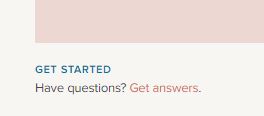
If you’re the kind who likes to start with a little how-to, then right on the first page under the big picture, you’ll see this. Click “Get Answers” and you’ll enter a world of how-to intro videos. That should keep you busy for awhile!
Or if you learn by doing, look for the avatar icon in the upper left hand corner. Hover over it and choose “Library”. FOREVER gives you 2GBs of storage for free, which is 375-1250 images depending on their size. You can upload some images and get started with your curating!
Whether you start with the videos or just start, you can’t blow up FOREVER, so try everything. The Library is where your images will live, but you can set up albums according to how your brain works. FOREVER does not create duplicates, so you’re not using up GBs. The albums can be nested for ease of handling. There’s also great tagging tools that let you cross reference the ways you find images. Don’t forget to name the photos and write a description.
Check Out the FOREVER Guarantee
You may not be impressed, yet. I loved FOREVER from first sight and couldn’t wait to put all my memories there, but you might be telling yourself you haven’t seen anything you can’t get with other cloud providers. Well, there is the fact that you own FOREVER storage rather than rent it. That’s a big deal, but the really big deal is the FOREVER Guarantee. You don’t just get FOREVER for your lifetime, but access to the images is guaranteed by FOREVER for 100 years after you are gone, without anyone having to pay another penny.
After you’ve looked at what FOREVER does for you and for your images, go check out the terms you agreed to with whoever has your digital images now. Basically those other agreements say that when you load your images, you give us all rights to those images to whatever provider you’ve chosen. They can compress them, delete them, transfer them, mine them for ads, etc. etc. etc.
One Stop Shop
And speaking of those other providers, how many of them would you need to do all the things for you that FOREVER can? We don’t just store your images, we’re a platform for sharing them. We can digitize your hard copy media. You can make photo books and photo gifts. We have video streaming and family history research. There’s a world of amazing software available for managing your images and using them everywhere. There’s even an online community you can join who know everything there is to know about Memory Keeping. There’s a blog. There’s pages and groups on social media. Whatever Memory Keeping tools, devices and support you need, you can find them with FOREVER. No need to juggle multiple photo-related accounts and apps.
Test Drive Our App
Your FOREVER account is free and so is the app. It is available for both Apple and Android phones. Go to the App Store on your phone to install the app and then see what it does. Imagine being able to have access to your images on your phone without having to worry about losing your phone, damaging your phone, having your phone stolen or having it die. That’s what the app does. It does more than store your images – it protects them. You can set the app to auto-synch with your phone and every picture and video you take can go right to FOREVER.
Drive-Thru Create & Print
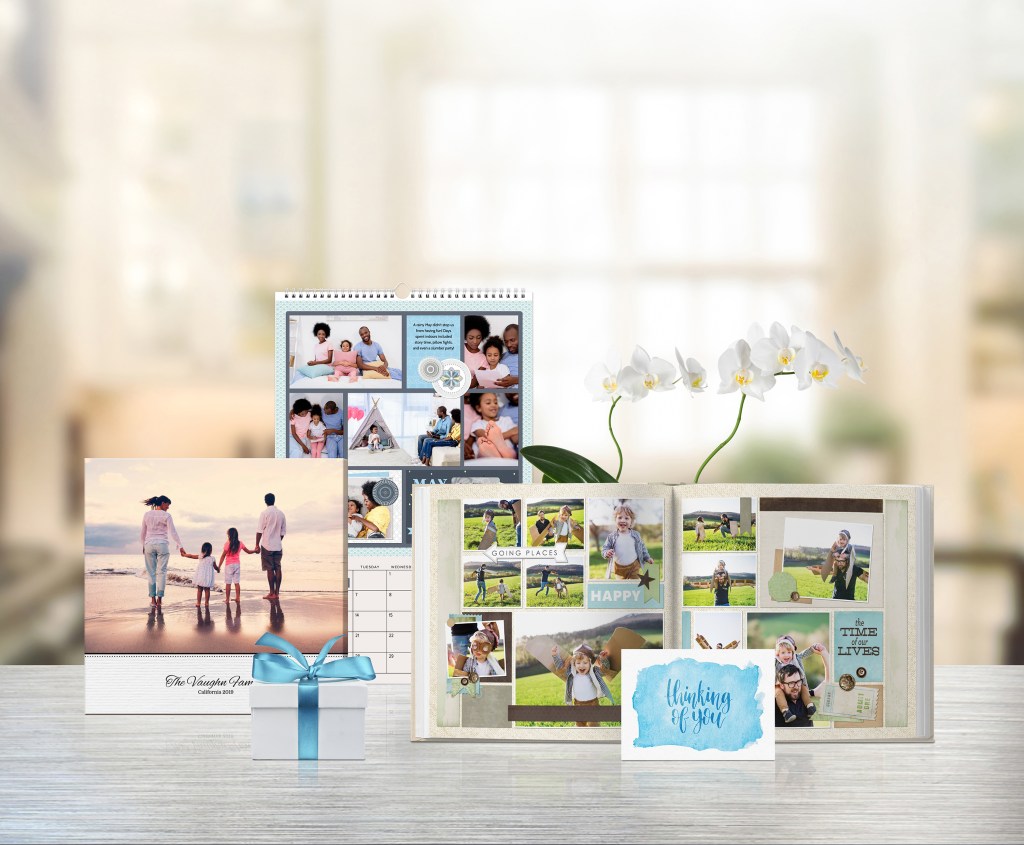
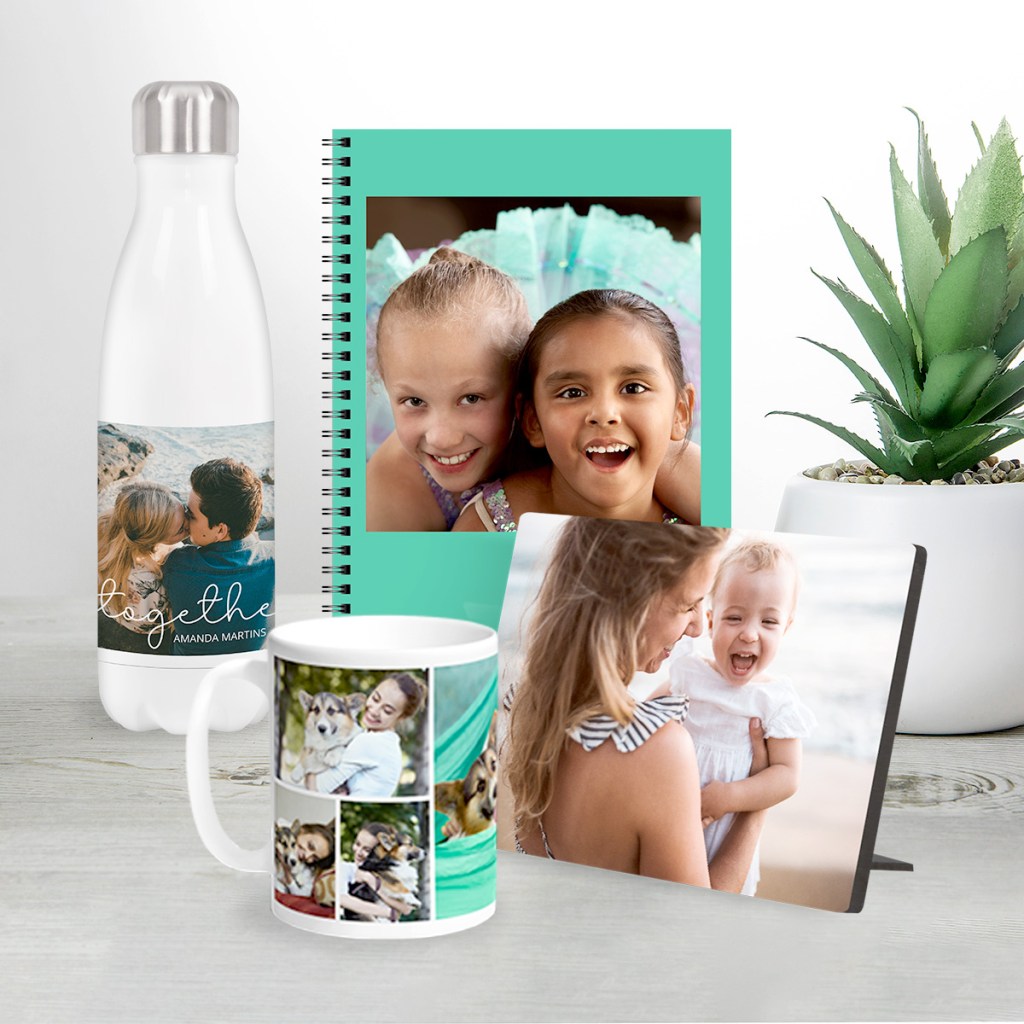
Though FOREVER is great for storage and sharing, it’s also good for photobooks and gifts. Click the Create & Print tab, choose a product and try out our interface. There are lots of great products to personalize with your photos – from greeting cards and calendars, to photobooks and coffee cups. Though our products might look like some you’ve seen on other sites, I assure you that when you hold them in your hand, you’ll understand why FOREVER is a better choice.
It’s OK to create a few things, just for the fun of it. It doesn’t cost you a thing until you actually order it. You can try things out and change them a zillion times. You can even share your creation and show off your ideas without spending a cent. Sometimes the process of creation itself is enough, but it is tempting to buy and share your creations.
Will It Be a Yes or a No?
I hope you’ll take FOREVER up on it’s free account. Check out all the pages, load up some photos, look at the deals, take advantage of the free trials and see how FOREVER fits into your life. If you need a guided tour, we can jump on Zoom and I’ll show you around.
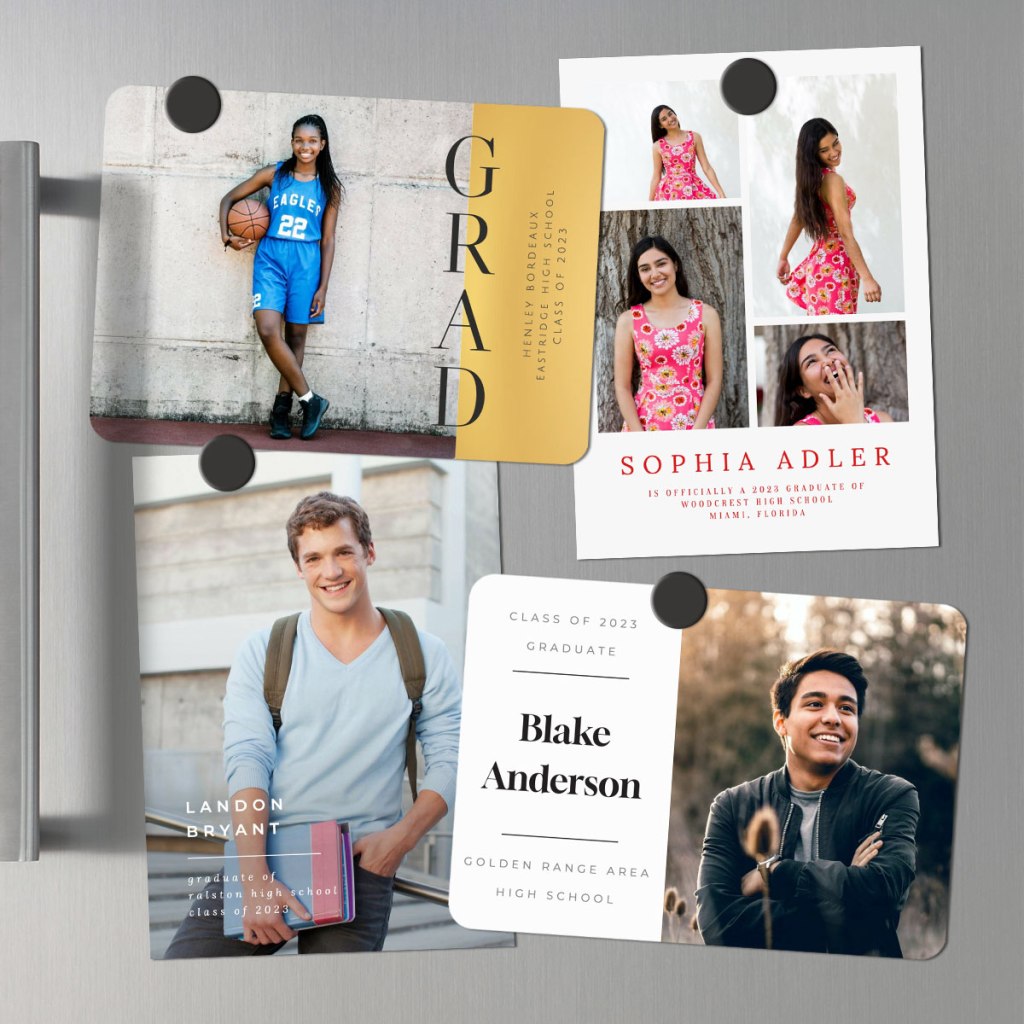
Once you’ve gotten your account, find something to spend your $20 on. Coaster sets and magnets are a fun inexpensive way to check out our print products. Or you can invest that $20 towards storage or digitization. Or you’re welcome to delete your account and walk away.
I’m Jane Sadek, your Memory Keeper. I’m Saving Legacies and Sharing Smiles. Let’s talk, 972-971-5263.
You’ve heard the BIG FIVE a million times – fitness, finances, reducing stress, weight management and a better diet. How many times have you made them yourself? All of these are great resolutions, but the truth is, you’re going to have limited success, because life happens. These aren’t just New Year Resolutions, these are commitments we need to make and remake throughout the year. We should be setting small daily/weekly/monthly goals and you’ll have more success if you have an accountability partner.
Try Something New
Instead of the same old thing with a dose of guilt and a gallon of reluctance, why not try something new this year. This year why don’t you tackle your Memory Mess? We’ve all got them. Think of all the places you have photos! Crates, boxes, drawers, your phone, your computer, thumb drives, discs and probably 3-5 places on the cloud. And what about videos – VHS, beta, Hi8, Mini DV, DVD’s and U-matic? Negatives? Slides? How about audio? Historical documents, newspaper clippings and awards?
How great would it be to turn that headache into a blessing you, your friends and your family can enjoy for generations to come? Let me assure you it would be pretty darned cool! You’d get to get rid of of a burden and the value of the gift you pay forward into the future would be immeasurable.
You Won’t Be Alone
If you choose one of the BIG FIVE, you’ll start the year with a lot of support. People will be impressed by your motivation. The gym will be crowded. Social media will be full of great memes and recipes. You’ll have friends choosing the same resolutions. You can even buy a coach for for most of these. January will be a lot of fun!
But face it, the support for the BIG FIVE won’t last. Well, maybe the coaching bills will, but everybody else will go back to their lives. By February they’ll be tired of hearing about saving money, nutrition, work out routines, affirmations and salutations. You’ll be working out alone, pinching pennies by yourself, eating too many salads and you’ll be stressed out! So just don’t!
The truth is, if you choose to tackle your memory mess instead, you may start out alone, but you don’t have to stay that way, because I’ve got you. My advice is free and I’ve been memory keeping since I was nine. It’s my thing and it’s going to stay that way. So, if you tell me you’re ready to tackle your memory mess, I’m going to come alongside and help, but you’ll find a growing crowd of supporters.
As you begin to make headway in the project however, something interesting will happen. When the dieters, the exercisers and the savers are turning off everyone around them with their preoccupation, you’ll be gathering up a cheering squad. As you rediscover your memories, you’ll also be saving the memories of those around you. When you’re reminded of a funny situation or a special occasion, you’ll be inspired to reach out to friends and family and remind them. Perhaps you’ll text them a copy of the photo or you’ll give them a call, so you can laugh or cry a bit with them.
No Effort is Wasted
How many times has one of these happened to you? You start a new workout routine which is derailed by an injury, a new schedule at work, your trainer quits, the gym closes etc. etc. etc. You start on a new savings plan, but your car breaks down, the water heater floods, you have a health crisis etc. etc. etc. You’ve embraced yoga, meditation or affirmations and suddenly your life goes to hell in a handbasket. You start a new diet for weight loss or healthiness and your schedule goes haywire, making you feel lucky if you get to eat at all, much less have time to shop and cook healthy.
That’s why the BIG FIVE need to be more than a New Year Resolutions. These plans and commitments have to be adjusted, rearranged and recommitted to over and over again. When you fall off the wagon, that wagon is gone. You have to build another one from the ground up.
Let’s say that you decide to start tackling your Memory Mess instead. You go around the house gathering up all the images and memorabilia you can find, but before you can do anything about it, here comes a crisis. That’s OK, take care of the crisis and all those things you gathered up will be waiting for you. You will have made progress and you can pick up where you left off – not five pounds heavier with no muscle tone, not deeper in debt and totally stressed out.
And I’ll Be There!
Once you tell me you’re committed to Memory Keeping, I’ll stay with you. My social media accounts are full of Memory Keeping, to encourage you, to gently remind you of why you do this, how to do this and I’ll keep you abreast of all the sales. You can call me anytime, but I’ll also reach out to you from time to time. I’m going to be most interested in what’s up in your life and how things are going, but I’m also going to ask about your Memory Keeping. Not to create guilt or shame you, but to keep you going, to help you over humps and to share the Memory Keeping road with you. If you say, “I’m just overwhelmed and can’t think about Memory Keeping right now,” then I’ll first find out if there’s any way I can help and then I’ll go away – for awhile…but I’ll be back, to see how you are and to get you back on track.
I’d love to help you launch a Memory Keeping resolution in 2024. Let’s sit down and talk about what you have and where you’d like it to be. Let’s talk about your audience and your budget. Let’s talk about setting up a plan that is doable and a schedule that is flexible. And if the truth is you just want it done and don’t want to do it yourself – well I can help with that, too. Let’s talk – my number is 972-971-5263.
MEMORY KEEPING 101: NEVER TOO EARLY, ONLY TOO LATE
Christmas 2010
So, I went and grabbed the oldest Christmas picture I had on my computer. One picture and so many stories. You see me and two pets. Let me tell you the memories I see in this photo.
Let’s start with the purple wall!
This house was the first one we bought after we moved back to Texas from our sojourn in California. Bill had detoured through a year in Iraq, interpreting for the Army and I had come back to Dallas to be near my aging parents back in 2006. He was back from Iraq in 2007. We were both in school until about 2008 and we had lived in a rent house, because we didn’t know what we wanted to do when we grew up. We were both in our 50’s. I guess we were having a mid-life crisis.
At the end of 2008 we bought a house in Far North Dallas. The house had great Mid-Century Modern Bones, but it needed love. My mother thought we had lost our minds and perhaps all our money, if this was the best we could do. By 2010, she decided we were OK, because we’d totally renovated it with the help of a decorator who thought a purple wall was a good thing.
If you had a few hours, I could tell you some stories about the decorator – how Bill wanted help, but he didn’t want the usual services and fees of the standard decorator. Looking at wallpaper we found Christine and while she was very affordable, we also got an education in the mess people can make of their lives.
Why don’t I have on any make-up?
This was the Christmas of the infamous rolls! One of Mom’s friends kept half of East Dallas supplied with bread and desserts, but in particular my parents, because they lived down the street. Eddie Jo was always finding a reason to pop down to their house with a pie or a cake. When Eddie Jo offered to make something for our Christmas, Mom suggested yeast rolls. I know why, Eddie Jo’s were delicious. I’m sure my mom was imagining the final product, not the batch of dough Eddie Jo had me come by and pick up on Christmas Eve.
I woke up very early and set about trying to follow Eddie Jo’s instructions, which had sounded quite easy when she gave them to me. HA! I ended up with a kitchen covered in flour and I seemed to be covered in sticky dough from the top of my head to the bottom of my feet, but I had no balls of dough rising under a dish towel. I had the whole rest of the meal to complete (Thank goodness it was catered in from Market Street, but it did need to be heated.)
At the end of my last nerve, I woke up Bill and shared my dilemma. He powered through the dough balls while I got everything else ready. I’d already done everything ahead that I could on the previous day, such as set the table, but there was a lot of last minute items on my list.
About 15 minutes before the family arrived, I ran in, took a shower, washed my hair and put on something festive. There was no time for makeup. In this picture I was trying to pretend everything was OK.
As the rest of the meal finished up, I took the rolls out of my office where they’d been rising and put them in the oven to bake while I dished everything up and put it on the table. At the last moment, I opened the door to the oven and there sat the unbaked rolls. My Aunt Edie had “helped” me, by turning off the oven when I took out the turkey.
Who was I supposed to be mad at? Eddie Jo for her aggressive food offerings. My mom for suggesting something as insane as yeast rolls. Aunt Edie for turning off the oven. Well, one thing was for sure, I wasn’t going to be mad at Aunt Edie, because she was in the process of dying of cancer. I wouldn’t have another Christmas with her.
My Jewelry
One of my rings is, of course, my wedding set. Every time I see it, I think of the New Years Eve Party Bill threw the evening he proposed to me. I had no idea he was going to and certainly had not contributed to his selection process.
The other ring is my UTD ring. I was so proud to have graduated Magna Cum Laude with school honors, but there’s a reason that 50 some-odd-year-old woman wanted to have a school ring. I only had my high school ring for a few days. It disappeared. I always say the house ate it, but Mom was convinced the girls down the street stole it. They’d come by when I was washing the dishes and my ring had been sitting on the top of the TV, where I’d put it to keep it from getting in the dishwater. I’m sticking with the house ate it.
The necklace is an enameled replica of a Fabergé egg. My sister-in-law had picked it up for me during her travels. I chose it to go with the red sweater vest, which was a hand-me-down from Aunt Edie. Throughout her life, the hand-me-downs from Aunt Edie were always my favorite clothes. She’s gone now, but her jewelry, accessories and clothes still populate my wardrobe and are worn with pride and joy.
There’s More!
I still haven’t told you about my short-lived career as an Avon lady, which provided me with the red earrings I was wearing and the poinsettia throw on the back of the sofa. I haven’t told you a single story about my beloved Shih Tzu, Precious, or Princess the Pound Cat.
I am a Memory Keeper. Sure, that means I help people resolve their Media Messes and turn them into Memories to be shared with their family and friends for generations to come. It also means that I treasure and share my own memories – and not just my photographs. A true Memory Keeper captures all the memories wherever they are found – in a purple wall and a poinsettia throw.
Once a networking friend said I probably cared more about her memories than she did herself. I can’t say whether or not that was true, but I can tell you how important my own memories are to me. That’s why I am doing everything I can to capture every single one – to set them in stone and provide the stories behind everything you see in my media. Who knows, maybe I actually care more about your memories than you do, but someday, somewhere, someone is going to look at some random photo that you have and wish you’d kept all the memories in them. Let me help you do that. Call me today at 972-971-5263.
MEMORY KEEPING 101: BUDGETING YOUR MEMORY KEEPING EXPENSES
It’s Like Layaway, but in Reverse!
Remember Layaway? I’ve got something better.
There was a time when only a few of us carried credit cards. Hard to believe, I know. But we also used paper maps rather GPS, as hard as that is to grasp. Not everything from those days-gone-by was awful. Take Layaway, for instance! You’d see something you liked, but couldn’t afford. If you put it in layaway, the store would hold it for you and give you several months to pay it off. The plans varied, but they let you stay in your budget and still get special items you couldn’t afford otherwise.
Then we all got credit cards and the debt just keeps adding up. The flip side of the coin is that when you see something you want, you can get it immediately. The downside is that you may still be paying for a purchase long after the item you bought is useful to you.
The FOREVER Club is like a mashup of credit cards and layaway. It’s a tool you can use in several ways to make Memory Keeping affordable.
The Layaway Plan
I know Memory Keeping is not cheap. It’s worth every penny and every hour, but it’s an investment you make in yourself, your family and your future. Let’s say you do want to get started, but you really can’t afford it right now. Could you afford $25? Especially if that $25 would spend like $26.25. Sounds better doesn’t it.
So, join the Club! Invest $25 a month. Charge it to your credit card or put it on your debit card. Forget about it for a few months and soon you’ll have paid for a lot of Memory Keeping. In fact, in about a year, you’ll have saved up enough money for a large digitization box, one that holds 20 VCR tapes or 500 photos. During the year you can be organizing your media, so that when your box comes, you’ll be ready.
Don’t need digitization, just a safe place for all your digital images. Great, start putting that $25 a month away and in a year, instead of a large digitization box, you’ll have enough saved for about 25 GB. What will that hold? Up to 25K digitized images. Would that help?
Using The Club as a layaway plan can help get you to any of your Memory Keeping goals without getting into deep debt. You want Artisan 6 Scrapbooking software – less than 6 months of savings. The same with Historian. Save up for Family History Research or Video Streaming. You don’t get the 5% discount on Family History Research, but you can use the Club to save up for it.
The Credit Card Plan
If delayed gratification is outside your wheelhouse, then The Club can still help you. Not everything in FOREVER can be purchased today and paid out over time, but some of the large ticket items can. Take that Video Streaming Plan for instance. You can get it now with the 60 month Payment Plan and use the The Club to cover your payments. That way, instead of incurring $1600 on your credit card today, you’ll be charged about $26 a month and can cover it with the Club. Imagine the interest you’ll save.
Or how about that storage? Step up to 50GB and pay it off in 24 months, covering your payments with The Club. You could even join Pixels 2 Pages, the amazing online community of digital scrapbookers and let The Club cover your monthly payments.
The Automatic Discount Plan
So, perhaps you don’t need to save up for your Memory Keeping Purchase, but don’t believe you should pay a penny more than you need to for anything. You want a TB of storage, a video streaming plan and a large digitization box. Cool. You’ll need to spend about $7800, but with The Club you can save about $300. Just join The Club, invest your $25 and get 5% off everything you buy. After your shopping spree is over, just get out of The Club and enjoy your purchases. Or stay in for future purchases. It’s up to you.
The Budgeting Plan
Another great way to use The Club is as a budgeting tool. Let’s say you’ve got several Memory Keeping Projects you need to do, but you don’t want to spend more than $100 per month on your projects. Welcome to the Club!
You sign up for The Club and choose the $100 level. Job one is digitizing some precious memories which are at risk, so you invest in a small FOREVER Box. Using your Club Membership and your $20 Off Welcome Coupon, you order your box and use about $35 of the money you invested in the Club, leaving you about $65 in the Club.
You get your photos and videos together while waiting for your box. When it arrives, you’ve got 2 VCR tapes and 100 photos you want to have digitized. The 2 VCR tapes are covered by the price of the box, but with your Club Discount the photos would be just under $69. You go ahead and return the box to FOREVER, who will audit the box and verify the price of your extra items. In the meantime a month has passed, you’ve put another $100 in The Club and when the $69 comes out, you’ve still got $96 in The Club.
When your items have been digitized, you have 60 days to decide what you want to do with them, but you’ve always known you wanted them to go into your FOREVER storage you own rather than rent. After your third Club payment is made, you’ve got $196 dollars to spend and that easily covers the price of 10GB of storage. You buy the storage you need for your images and still have money left over for your next FOREVER purchase and because it’s the third month of the plan, you’ll get 2 extra GB of storage – something you’ll get every third month you belong to The Club. At this point, you probably also have plenty of room for the hundreds of images you’ve got stored on you phone.
Using this example, let’s say that you spend a couple of months curating the images you’ve uploaded to FOREVER. You’ve also been sharing them with your family and friends through FOREVER’s connections and a few times you even shared some on social media, which is so easy with FOREVER. Then things get crazy at work, you go on vacation and a couple of months pass where you don’t get anything done in your account.
Don’t worry! Club Dollars never expire and while your back was turned you got another 2GB of storage. When you get back to your projects you have about $440 waiting for you. You’re ready to start getting creative with Artisan 6 and you want to join the Pixels 2 Pages Digital Scrapbooking Community Online. Go for it and you’ll not only have the software and belong to P2P for a year, but you’ll have plenty of money left to shop for some digital art to go with all the free art you got with Artisan and with your P2P membership.
Getting Even More Creative
These are just a few of the scenarios I’ve seen with The Club. I’m surprised every day by the way people discover to use it. Remember the client who saved $300 on a $7800 purchase. Well, some people make the whole purchase with Club Dollars to also get free storage.
So, they know they need to stay in The Club for 3 months to earn free storage. They divide the $7500 they need to spend into a three month investment, buying $2500 worth of Club Dollars (i.e. that’s 10 $250 memberships). At the end of the 3 months, they buy the things they wanted and they get 50 GB of free storage – a value far above $600 on top of the $300 they saved on their purchases and their savings are near $1000!!
The Club comes with other benefits. Free shipping for print projects on Club Weekend, Quarterly Zoom Calls with the Founder and even a CLUBload contest every month, where you can win gift certificates for uploading the most images! Specials offered only to Club Members. The list goes on.
I know few people will be stepping up to buy $7600 of Memory Keeping at one time, but whatever your project and your budget, share that information with me and I’ll help you get the very best deals possible. With Christmas just around the corner, you may need to touch base immediately, but I’m always here to help you with your Memory Keeping.


















 jane sadek