MEMORY MAKING: BETWEEN A ROCK & A HARD PLACE IN PISMO BEACH
Deja Vu All Over Again
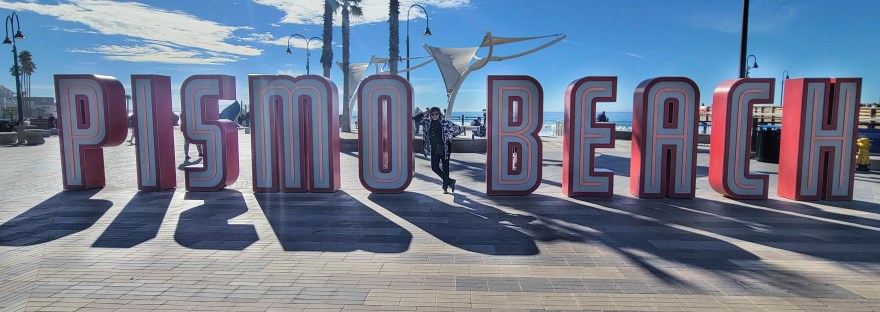
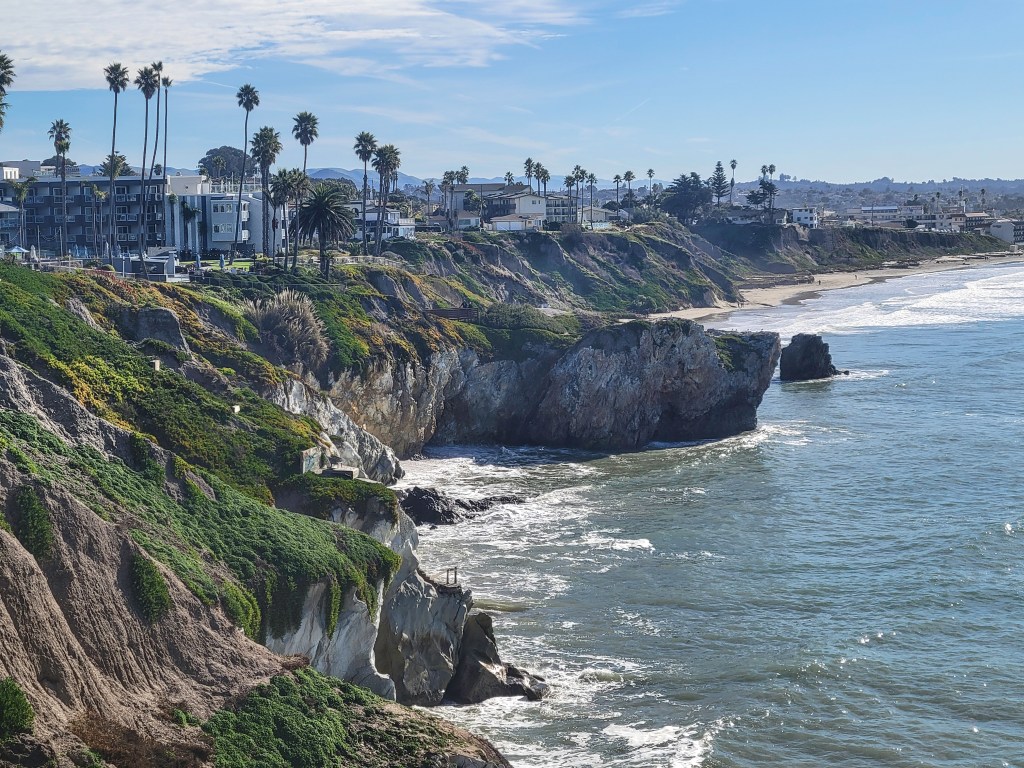
Though we hated to leave our glamorous digs in Huntington Beach, it was time to head up the road to see other good friends in the Pismo Beach area. The day was uneventful until we decided to get off Highway 1 and take a scenic backroad. Then it was deja vu all over again.
My plan was to meet Deni in an Orcutt coffee shop called Plenty on Bell and then drive on to Pismo for dinner with, let’s call them, A & B. Dinner is something you have around 7:30, right? Well, A & B had decided, since we’d seen them last, that it’s at 5. Things were about to get tight and that’s where the deja vu came in.
The last time we’d been to Pismo, we stayed with A. We also had plans with another friend we’ll call C, but as we drove into town, A called us with the news they’d gotten us tickets to some gala and we had no time to see C. We were between a rock and a hard place with no place to win. We went to the gala (which was not a gala at all, more of a drunken brawl) and missed the time with C. A went on to monopolize the rest of our time, so I never got out to C. My friendship with C cooled to an acquaintance sort of relationship after that (and who can blame her). That was a great loss for me.
I thought I’d learned the lesson I needed to learn. So I booked our hotel before we even told A we were coming. We love her to death, but after living out there for six years, she’s not the only person we love in the area. We thought staying in a hotel would keep her from monopolizing all of our time, but the struggle was not over.
Back to the Present
So, here we were on the backroad to Orcutt. The GPS had been very wrong at estimating our arrival at Orcutt, so our time with Deni was already shrinking and A is on the phone demanding we get our butts to Pismo posthaste. Lesson learned, I wasn’t going to let A’s demands cost me another friend. So I pushed back and made room for Deni. It wasn’t enough time, but my friendship with Deni is longer and deeper, so she got both the rock and the hard place. We chatted for a while, shared a couple of hugs and I got back on the road to Pismo with that friendship intact.
Our dinner with A & B was lovely. We laughed so hard we cried. At the end of the meal, A started trying to organize the next day around their schedule, not ours. It was hard, but I pointed out the brief nature of our visit and the long list of people we needed to see.
Despite my many protestations, I was to call her as soon as I was free the next day. Not to worry by lunchtime she called us and demanded to know when we’d be there. As I had told her at dinner, we weren’t.
The lesson I learned this time was to let A know we are visiting Pismo after we’ve already seen the rest of our friends. I hate that it has to be like that, but it’s that or not have any other friends in the area and I plan on keeping them all.
MEMORY SHARING: HELLO & FAREWELL IN PRINT PRODUCTS
One of the things I love about FOREVER is that there’s always something new – a new feature in storage, a new product in print, a new event to enjoy and even new software from time to time. But sometimes there are also some farewells. Let’s talk about some of both!
Hello to Greeting Cards, Thermal Cups, Towels & More
FOREVER has been ever so busy this year. I’ve seen many products come along. Some of them are not completely new products, just new styles of standard products. Take Greeting Cards for instance.
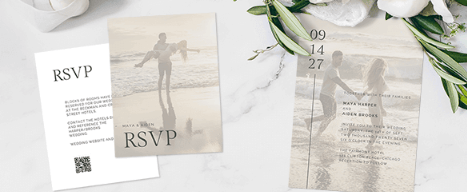
FOREVER has been a great source for stationary for many years, but they don’t rest on their laurels. They are constantly adding new, fresh designs to match current trends. Have you seen the price of cards in retail outlets, like grocery and drug stores. Oh my, by the time you put a stamp on them you’ve made a huge investment, so cards from FOREVER are a great way to save money and keep up the tradition of greetings in the mail.
There’s always something new and you can customize them all with your own photos, multiple fonts and colors. And the personalized touch sends a message your recipients will appreciate – so next time you want graduation announcements, wedding stationary, holiday greetings or any other cards, see us first.
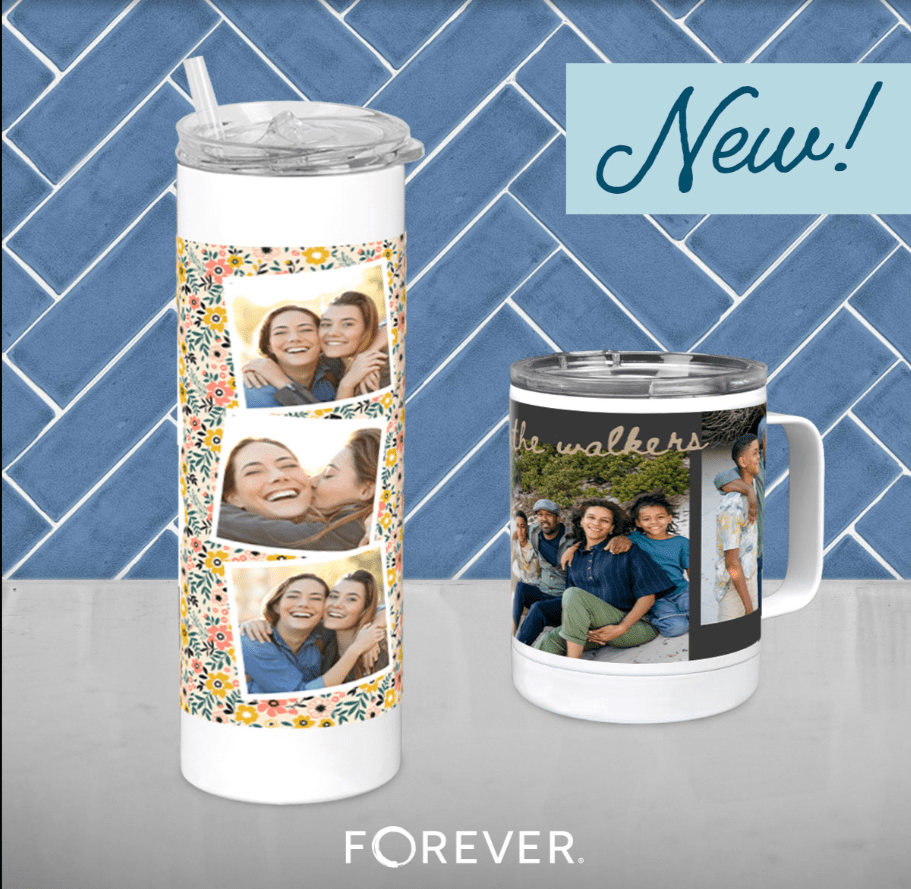
This year FOREVER has been very prolific in creating completely new choices. Just last month they added two new thermal cups – a 20 ounce tumbler and a thermal mug – to complement the 40 oz Tumbler with a handle. You can get drinkware lots of places, but not with your own photos and words on them!
And Towels! Earlier this year, FOREVER introduced beach towels, kitchen towels and golf towels. I ordered a tea towel right away and display it proudly in my kitchen. They’ve been a big hit! But there’s also an au revoir in the near future!
Golf Towels Will Be Seasonal
It may have more to do with their vendor than it does with FOREVER, but it’s been announced that Golf Towels will only be available seasonally. If, like me, you thought, “Christmas Presents!”, then you need to order what you want now, because after September, they’ll be unavailable for a while. Don’t miss out!
Only in Artisan
Most of the items you might want are in both Create & Print and Artisan. Create & Print gives you thousands of templates to help you design your photo gifts, stationary and such. Artisan gives you a blank page, so you can create your own from scratch, but Artisan also has some items or sizes of items you can’t get in Create & Print. Like Mousepads! Did you know FOREVER had mousepads? Well, you do now! And folded cards? I’ve used those for Christmas greetings the last few years. So, if you’re looking for a particular item and can’t find it in Create & Print, I might be able to get it done in Artisan.
Fond Farewells
Fashions change, trends change and tastes change. What was hot last year might be passe this year. FOREVER keeps up with that, too. So, sometimes things are just taken out of the product line. Take water bottles for instance. Before giant thermal cups became a thing, stainless steel water bottles with a twist cap were all the rage. The stainless steel bottle was discontinued to make room for the 40 ounce Tumbler.
One of the most recent changes to the FOREVER line up has been a readjustment of the calendar products. Why? Because there’s been a readjustment to what people actually use. We’ve several styles of calendars available for a long time, but virtually all the calendars sold were 12X18. So, they trimmed the line to fit the demand and all calendars are 12X18!
One other item has gone away this month and that’s 8.5X11Page Prints. Unless you’re a digital scrapbooker, you may not even know what a page print is. Some people like to design their scrapbook pages in Artisan and then print them for a traditional scrapbook, rather than for a photo book. This change has come about, because the makers of traditional scrapbooks are no longer offering 8.5X11 albums. Instead 8X8 albums are preferred and those Page Prints we will continue to carry.
So that’s what up in gorgeous items designed to share your memories! What’s your next project! Can help?
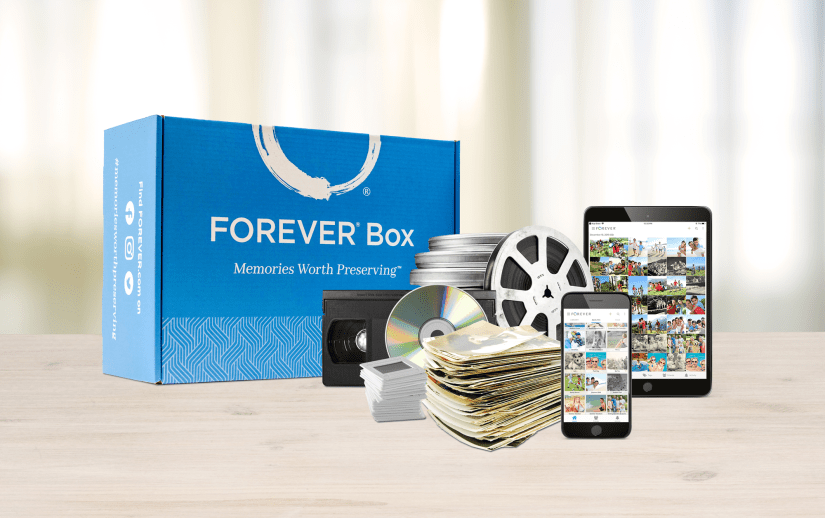
Many of my new clients come to me because they are looking for a solution to their obsolete memory media, things like film reels, slides and VHS tapes. I’m always happy to help, but I hate it for them when their project ends with digitization and they haven’t prepared a permanent home for their valuable memories.
The Best Digitization in the Industry
It’s no wonder people come to me for digitization. FOREVER leads the pack in digitization services. Our quality is unsurpassed, our turnaround times are remarkable and we do it all, not just photos and VHS tapes, but all the obsolete media – even scrapbook pages.
The process is simple. Order a box. When you receive it, fill it up and return it. Track your box online and then enjoy your digitized memories. And yes, unlike other digitizers, we do return the original items to you.
The Best Keeps Getting Better
Even though we’ve led the way in digitization for a while now, we’ve stepped up to make the process even better. Tracking your box online was always easy, but it was a completely different experience than the rest of FOREVER. We wanted new digitization clients to have a seamless experience from ordering their box to making their memories permanent and that just wasn’t happening. On August 14th, FOREVER released the new digitization tracking system with many improvements built in.
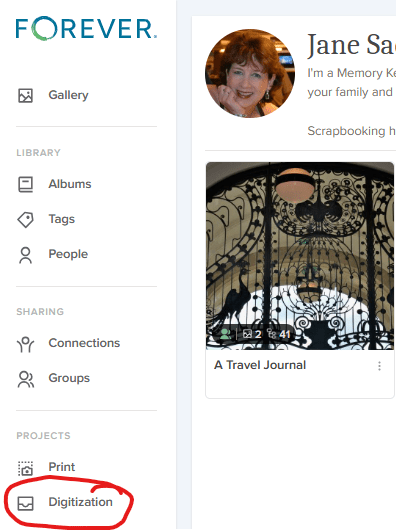
First and foremost, notice the Digitization tab in the standard FOREVER menu. You won’t have to go to the Digitization Page or find a link in an email, to follow your digitization, like before. It will be right there with everything thing else.
The viewing time will be expanded to 90 days rather than 60 and sharing from your Box Tracker will be seamless. In the past, you had to download it or add it to your storage to share it. Now, you’ll be able to share from the Box Tracker directly – a huge improvement.
Keep FOREVER
And here’s where the two step comes in. Getting your memory media digitized is only half the battle. What are you going to do with the digitized files? Over 40% of new FOREVER customers, whose first purchase is digitization, then buy storage at the same time or shortly thereafter. CONFETTI!! That’s a win! They understand getting it digitized is just the first step. The second step is making it safe permanently.
To help make this transition easier, the new Box Tracker will have a great big blue button that says “Keep FOREVER”. Click that and automatically purchase the amount of storage you need for your newly digitized items. Every digitization customer who doesn’t already own storage should take this step. The other options can lead to heartbreaking results.
The Unfortunate Alternatives
But what about that 50%+ who choose NOT to take that second step? What happens to their memories? Honestly, I feel personally responsible when clients choose not to invest in permanent storage for their digitized memories. I feel as if I have somehow failed them. It happens a lot more than I want it to and it breaks my heart every time, but without FOREVER storage, you’re guaranteeing obsolescence, device failure and other unfortunate results. Here’s what I hear people do instead of permanent storage and the results they will eventually suffer.
Downloading to a Device
Oh, I’m going to download it to my computer OR I’m going to put it on a thumb drive OR I’m saving it to an external drive – someone will say. EEEEEEKKK! Name any device you want: PC, laptop, tablet, thumb drive, EHD, phone. All of them are temporary solutions. They were not designed to last forever. PC’s and laptops are designed to last about 8 years – that’s if the files aren’t corrupted and the device isn’t damaged. Some drives promise to last 14 years, but before the thumb drive or EHD dies, it is more likely to be lost! Your memories should be prepared for a future you’ll never see.
Today’s devices are remarkable, but they will soon be obsolete. Do you remember the floppy disc? It was the answer for tomorrow when it came out, but now it’s just data you can’t access. Look at all the VHS tapes being digitized these days, because people no longer have a player. Even CD’s and DVD’s are obsolete, because new computers don’t come with slots for them. Technology moves too fast to be reliable for the future and with out FOREVER, your memories are toast.
In addition, it’s your technology. How is someone else supposed to know which files on your computer are worth saving and which need to be wiped? If you have a box or bag of thumb drives, those will most likely go into the trash. No one these days wants to spend time sorting through them. Memories on devices are eventually headed to the landfill! Memories on FOREVER are shared for generations to come.
Uploading to a CloudOther Than FOREVER
Perhaps you’ve invested in a cloud to protect your data and if so, you’re not alone when you think that’s where your memories should go. Your Amazon or iCloud (or whatever cloud you rent) absolutely will protect the valuable data you need to run your life, but access to the cloud depends on you making a monthly or annual payment. What happens then. Will your next generation continue paying for your cloud?
What your memories need is a cloud you own, that can be enjoyed in the future without someone keeping up the payments. Perhaps your next immediate generation isn’t interested in your photos of Great Uncle Jimmy, but that doesn’t mean the next generation won’t be. Save your legacy on FOREVER. Someone in the future will thank you.
Uploading to Free
Instead of renting your cloud, perhaps you’re using one of the free storage solutions offered all over the internet. Every wonder why they’re free? It’s because you’re not the customer. You’re the product. Perhaps they’ll mine your images for advertising or just enjoy the income from the advertising they surround your images with or maybe it’s all about keeping you tied to some other program that is making them money, but one things for sure, when it’s not profitable to them anymore, you’re free service will be gone. Maybe they’ll warn you to claim your photos before they leave, but they aren’t required to. Oh the horror stories I could tell!
Bottom Line!
Do the two-step! If you’re going to spend the money to digitize your memories, then don’t waste that investment by allowing your digitized memories to disappear into the ether. Invest in Permanent Storage you own rather than rent and the only place to get it is FOREVER.
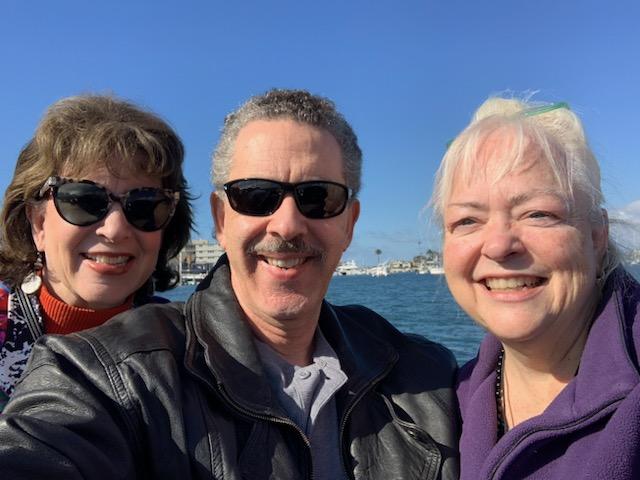
My friendship with Lizbet started at work many years ago. I was in a bind with a customer and she fixed it, when everyone else in the company shrugged their shoulders at me. I was in sales back in those days, which I hated, and when I moved to admin, one of the best things about it was being in the same building as Lizbet. What started as a transactional solution, led to being lunch buddies and on to her being one of my favorite people on the face of the earth. There’s a lot of water under that bridge.
No one can make me laugh the way she can. We love talking about odd, esoteric things that few others care about. And she gets Bill. There’s more, but that’s enough!
Tour Guide Extraordinaire
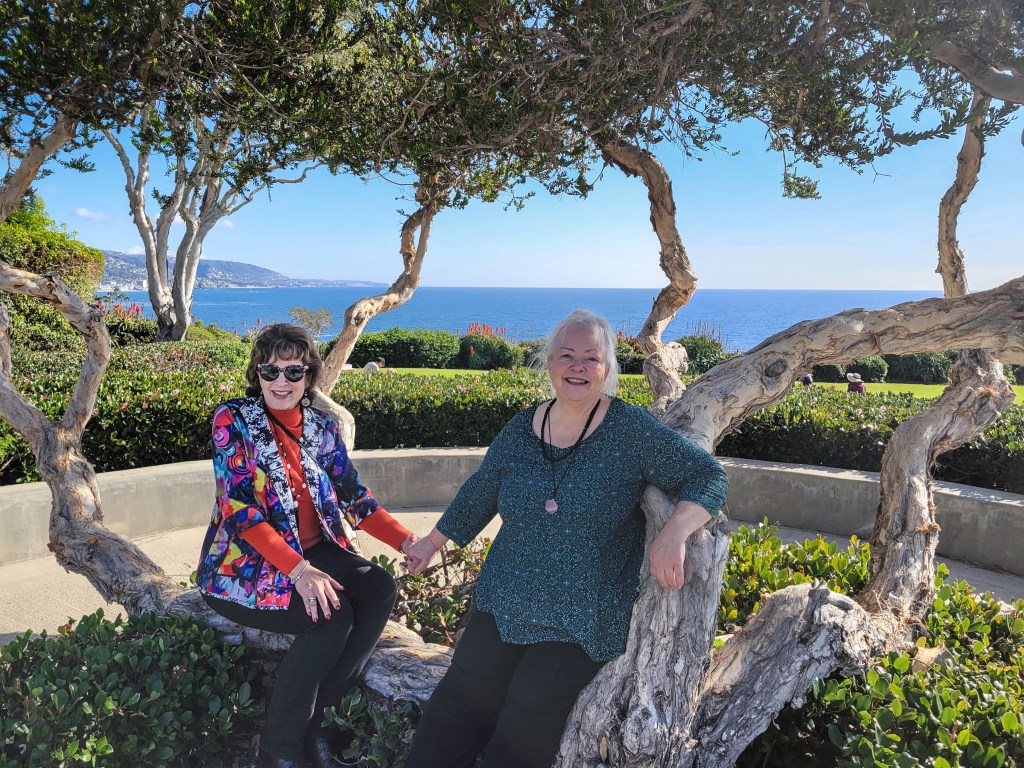
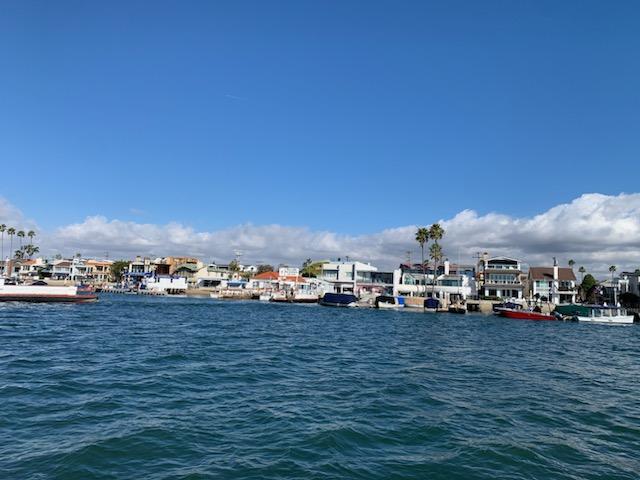
Because she gets me and she gets Bill, she knew we’d love the things she loves about the area. Such as the ferry to Balboa Island, which was her first treat of the day. It’s a tiny ferry that only holds one or two cars. These days there’s a bridge that takes you there without waiting for the nostalgic reminder of yesteryear, but we loved the experience. She also took us up a winding Laguna Beach road which leads through gorgeous residential areas to an overlook that’s known as Top of the World. Bill’s favorite thing was Crescent Bay Point Park, which was a lovely park high above a beautiful bay.
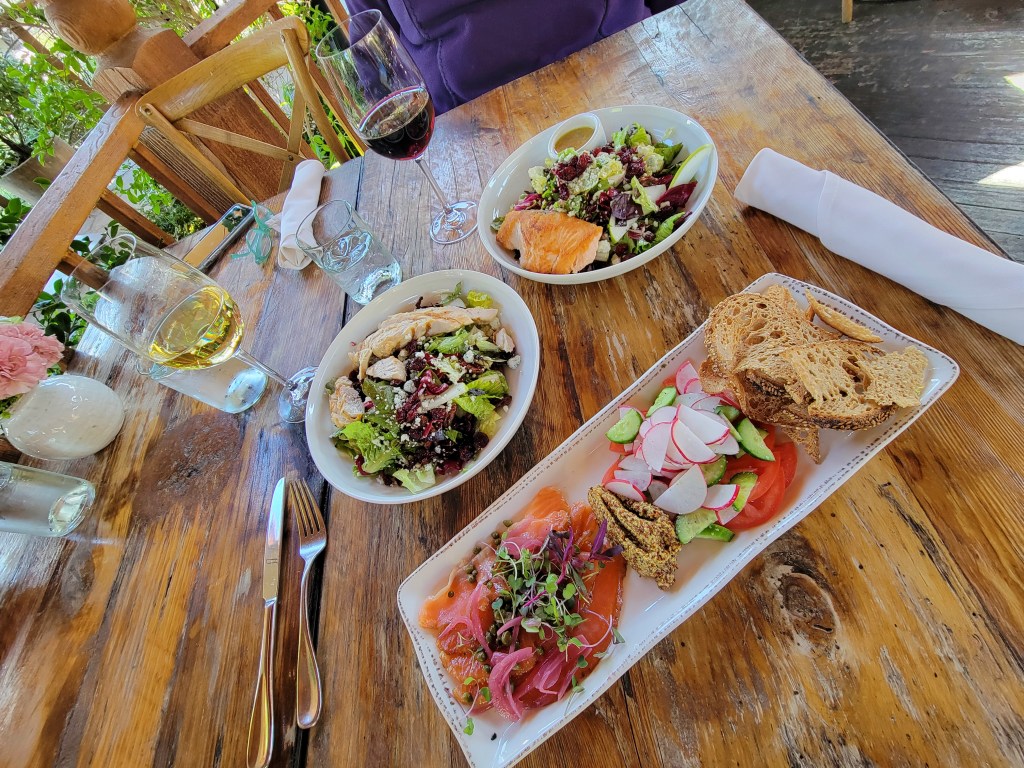
For lunch she chose a very unique Corona del Mar establishment, Roger’s Garden which is part restaurant, part garden center, part event venue and part home décor store. The closest Dallas might have to this experience would be Jackson’s Home & Garden, but you wouldn’t have your wedding there and there’s no restaurant. As to the rest of the day, Dallas has nothing to compare. That part of California is unparalleled.
But the best part of the day, by far, was spending time with such a good friend. Neither one of us is particularly good about staying in touch, but the occasional holiday greeting and texted update keeps the friendship alive, until we spend another wonderful day together. From a day like that, there should be hundreds and hundreds of photos, but there’s not! Here’s some that we did take.
MEMORY KEEPING: START YOUR RELATIONSHIP WITH ARTISAN 6
Not Exactly Point & Click
Have you ever used Canva or another program like it? Yes, they’re great and it’s easy, but at some point, it’s just not going to allow you to do what your imagination can dream up.
How about Photo Shop or Lightroom? They’re amazing, but a lot of overkill and not designed for scrapbooking.
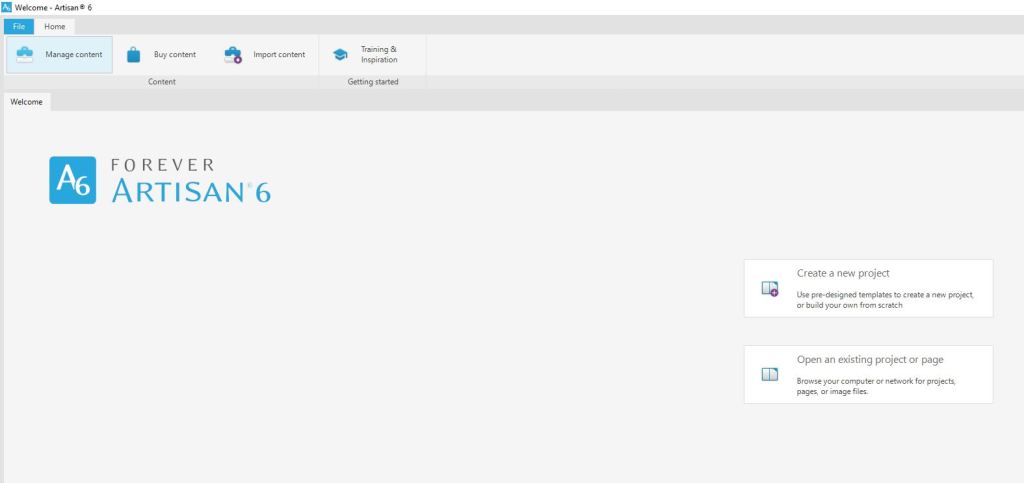
I’ve used all these and I don’t love any of them the way I do Artisan 6, the scrapbooking software from FOREVER, but the relationship was rocky at the beginning. When it comes to digital stuff, I rarely read the instructions. I just start clicking and somehow things work out. When I bought Artisan 6 and downloaded it to my computer, I couldn’t even figure out where to point and click!
So, I followed some breadcrumbs to download the Getting Started Guide. I have to tell you honestly, it wasn’t the greatest documentation in the world and honestly, IMHO it’s still not. All of the videos were made for Artisan 5 and even though they promised everything was in the same place, “the fresh new look” for Artisan 6 threw me for a loop. But I kept on trying. Then I hit Lesson 2: Create a new project using the FOREVER Design Maps Template Book.
I tried. I really tried. Tameka, the head Pixie and the voice on the training videos, kept telling me to trust the process and just do what she said, but I ran into a brick wall. She talked about using templates like it was something everyone in the world had a familiarity with, but I was lost!
After a very emotional confrontation with the Getting Started Manual, I was crying and the manual was bouncing off my wall. This doesn’t sound like much of a recommendation, but I hope you can appreciate that in spite of this, I now love Artisan 6. Your brain may work completely differently or you might already be a template queen, so you might breeze right through all this. The point is this, even if you don’t, don’t give up!
I skipped to Lesson 8: Starting with a Blank Page and after a few false starts was creating pages, which in a day or two became a photo book.
I’d be lying if I pretended it was happily ever after for Artisan 6 and me. I also doubt that I would have ever gotten a handle on it without pixels 2 Pages and the annual Online Party. I’d also be lying if I tried to pretend I was some sort of Artisan 6 guru, but then again who is? Every time I sit in on a training, one of the Pixies says, “I didn’t know it could do that!! With Artisan I’m always learning and to be honest, that’s part of the fun.
So, Why Do I Love Artisan& pixels 2 Pages
Reason #1: You can do things with Artisan you could never dream of with paper and tools. The layering, the frames and masks, the cut & color tools – if you can dream it you can do it!
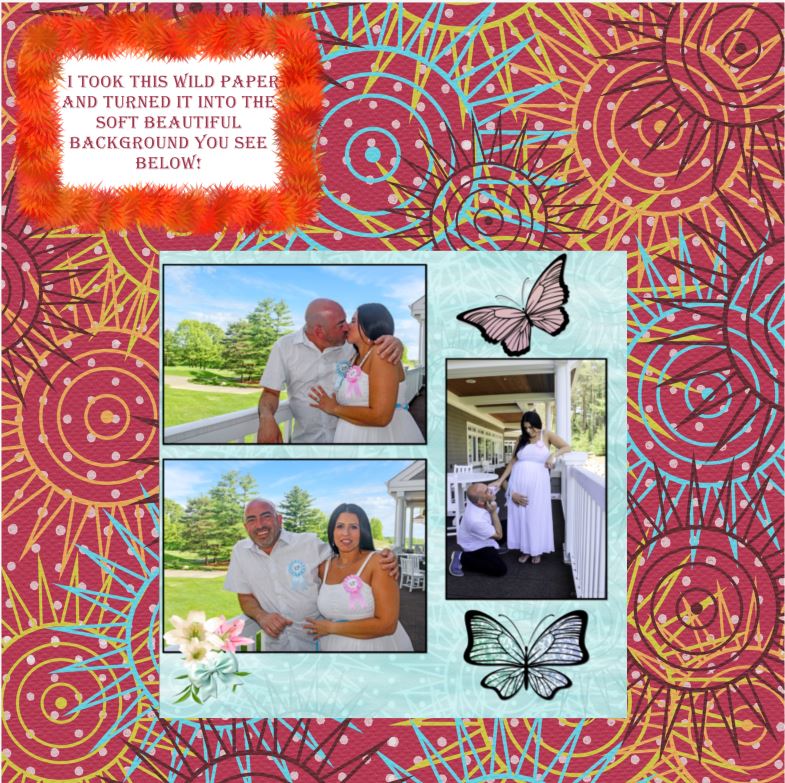
Reason #2: Digital is forever. You never run out of embellishments or paper. When you buy Artisan 6 you get so much free art you can make pretty much anything and when you use an item, it’s still there to use again. In fact, you could use it on the very next page and no one would even know it, because there are so many ways to change it up! See, the wild maroon and soft blue paper are the same thing with edits.
I remember the day I used up my last sheet of polka dot paper from Creative Memories and when I used the last of a floral embellishment kit I adored. I was bereft. I still run onto scraps of favorite CM papers no longer printed. You never run out with digital.
What’s more, you can’t ruin a digital photo. Crop it too close, cut it by mistake, whatever! As long as you have it digitally you can put it back on the page and give it another try. You can use it in more than one album without having to reprint. Heck you can even print multiple albums from just one creation.
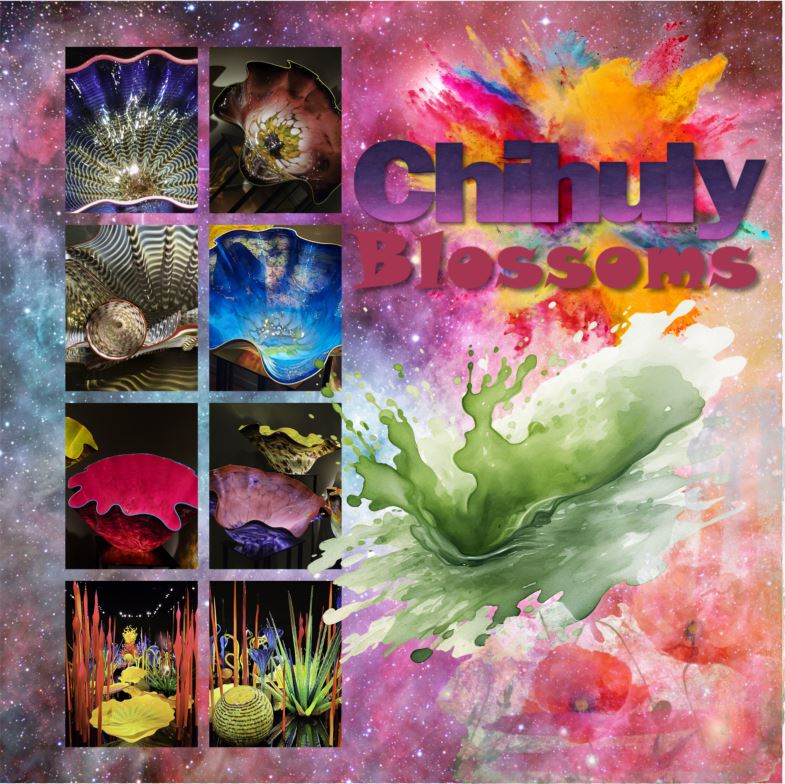
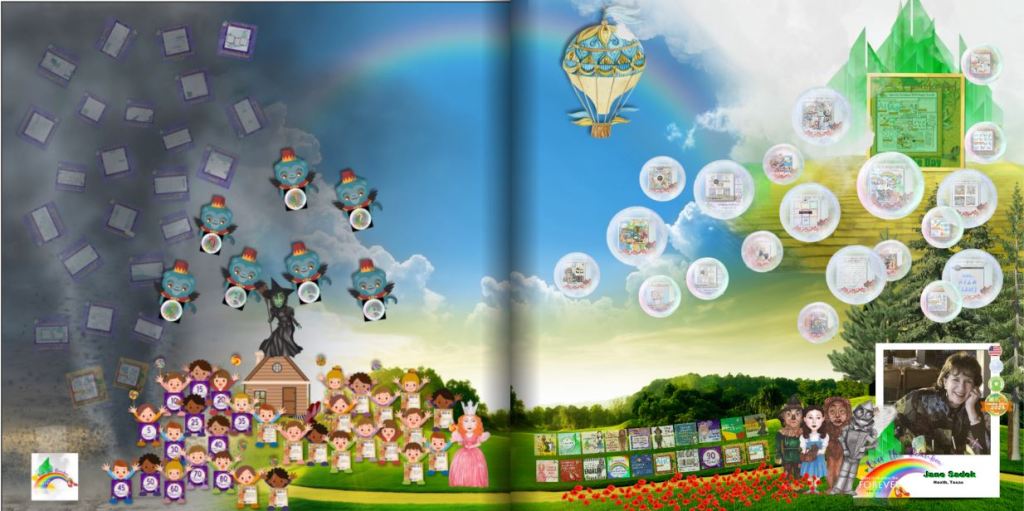
Reason #3: I love the feeling of accomplishment I get from winning things, sharing things, learning things, getting bargains and downloading free stuff. The image above is my badge page from Over the Rainbow. Each item on the page represents a badge I earned for something. Once you’ve gotten a certain number of badges you earn a free blueprint and those are my favorite blueprints. Online crops bring a great way to learn more and the pixels 2 Pages gives you someone to celebrate with.
Reason #4: Blueprints are flexible templates! I explained that the Create & Print Templates have limitations, but the limitations disappear completely when you move into the world of Artisan and p2P. The Blueprints are merely places to start! You can move the title, delete it, reduce it, enlarge it, change the font and so forth and so on. You can add photo drop points, remove photo drop points, enlarge them, reduce them and the same with the rest of the features on the page. Each Blueprint has limitless possibilities and when you belong to p2P, you get new Blueprints every month as part of your membership.
Reason #5: The Productivity Challenge! Sometimes I need a little incentive to participate. It doesn’t have to be anything big. I can get excited about badges and I love sharing my pages. The Productivity Challenge gives me both. As I complete a page to go along with all the Blueprint offerings in a month, I add them to a badge page and I show them off with appropriate hashtags. At the end of the quarter I post my badge page and get a prize. It could be a Blueprint or perhaps some digital art. At the end of the year, I qualify for a bigger prize. But at the end of the year, if I complete it all, I will have created 108 pages. That’s a lot!
There’s more to love, but I’ll stop there. If you have questions, let’s talk. Otherwise, your subscription to Artisan is waiting. You can get started NOW!
MEMORY KEEPING: LEARN TO STACK YOUR DISCOUNTS WITH FOREVER DEALS
With FOREVER there’s always a deal to be had and if you play it smart, you can just keep adding up discounts to find the very best price!
The Deals Page
Your savings always start on the Deals Page. It lists every deal that’s available right now. It will tell you what the deal is, what the time frame is and how to get that deal. So basically, never buy anything unless you’ve looked at the deals page.
Don’t see what you were hoping to buy on the Deals Page? Then let me know. I have access to all the deals for the month and maybe what you want to buy will have a Deal tomorrow or next week. I love any excuse to talk to you, so you won’t be bothering me. You can let me know what you want and I can let you know if it’s going to be available for less soon.
Always the Best Dealon Basics
There are several items from FOREVER that never go on sale, because they are always sold at the best price. Those would be Storage, Video Streaming, Facial Recognition, Genealogy and Programs like Artisan, Historian, etc. However, that doesn’t mean you can’t sometime earn a discount, one way or another. Let’s talk about those opportunities!
I could give several examples, but for this example, during the Second Quarter of 2025 FOREVER had a Digitization Promo. During the last few weeks of the Promo, they sweetened the deal with a 5% off Coupon for Storage. If you had digitization done during that time, then you were sent an email with your 5% off storage coupon. This coupon is good for two storage purchases if used by September 30th. So, some of you may be holding on to this valuable coupon and hadn’t realized it was still good. If you lost your code – I have it AND there are ways for you to get even more off your storage purchase.
Always 5% Off for CLUB Members
The Club is a tool you can always use to get 5% off most everything from FOREVER and in ALMOST every situation you can stack this 5% off with whatever other deals are going on. There are rare exceptions, but they make it very clear when those occur.
The CLUB is designed for serious Memory Keepers. CLUB Members invest in dollars in the CLUB each month, like a savings account. The money is theirs from the get go and they can use it whenever they want – right then or or they can use it to cover monthly payments or they can save their dollars up to buy something special. However, pretty much whatever they buy, as long as they belong to the CLUB is 5% off. But there’s more! Every third month you belong to the CLUB you are awarded free storage. 5% off, free storage – what’s not to like. There are other benefits, but those are the biggies.
So, remember those people who earned the 5% off coupons for the Q3 promo? Well, now they have 5% off from that AND if they are CLUB Members, they have another 5% off. They just doubled their discount.
Or There’s a Back Pocket Discount
Some people have no desire to join the CLUB, but they’d like to make a large one-time purchase. As an Ambassador, I can give them a one-time 5% Discount. So, if you purchased Digitization in late June and have one of those coupons, but you don’t want to join the CLUB, then you can use your coupon and my one-time discount so that you too, can double your discount.
I did this for a family recently who was buying a TB of storage. That’s $6,000! The guy who was buying it isn’t going to be using it himself, but he’s turning it over to the Family Historian. Why would he join the Club? But, with my 5% Back Pocket Discount, he saved $300!
And Then There’s This Quarter’s Storage Offer
My July TB of Storage customer was brand new to FOREVER, so he couldn’t take advantage of the Q2 Bonus, BUT he did qualify for the Q3 Bonus. Because he bought storage last month, he had the opportunity to also buy Facial Recognition and/or Video Streaming at 5% off. So, he went ahead and purchased Permanent Facial Recognition for the Family Historian. Permanent Facial Recognition is $1300. He got 5% off with because he bought the storage AND another 5% off because he was using my one-time Back Pocket Discount. That was $130. So he stacked and saved a total of $430!
New Customers $20 Off Welcome Coupon
But that’s not the end of it! Since this customer was also brand new to FOREVER, he got a $20 off coupon from FOREVER and I was able to apply it to that transaction, for a total savings of $450!! Isn’t that amazing! What would have been a $7300 purchase was instead $6850!
Are You Ready to Stack Up a Great Deal?
With FOREVER, every purchase can be a great deal. With tools like the CLUB, Back Pocket Discounts, Welcome Coupons, Referral Coupons and Monthly Deals the value of your Memory Keeping investment just gets greater and greater. Whatever you need, let me know and I will dig deep to get you every discount you qualify for!!
Whether you’ve been my customer for a long time or you’ve just now decided to start rescuing your memories, let’s talk! You’ve got a great discount waiting for you!
However, in recent years, Bill has demanded I be a little more discriminating in my bargains, because I have landed him in some dumps. Even so, luxury resorts are not our go-to choice. As I researched Huntington Beach, however, pretty much everything was expensive and the Hyatt Regency deal I found was only a small stretch. I was so glad when I sold it to Bill and made the reservation.
The Parking & Checking-In Thing
Bill may prefer I upgrade our accommodations these days, but he draws the line at exorbitant valet parking. Take our almost disaster in Detroit, for instance. As we drove around the exterior of the Hyatt Regency in Huntington Beach I knew we were in for another adventure in parking. I left Bill to it and went in to claim our room.
I admit I’m chatty and often find myself in a little trouble with Mr. Bill for my gift of gab, but this time my chattiness paid off in a big way. The hotel clerk was clicking away on her computer. She felt they’d booked my room a little too far from the lobby. Perhaps she thought an ancient senior citizen like me was too feeble to walk very far. I told her I was more interested in view than proximity to the lobby and about that time Bill comes in gawking around said lobby like a rube on his first visit to the big city. I said, “You’ll have to excuse him, this is a bit of a splurge for us.” She replied, “Then how about a full ocean view!”
What a Room!
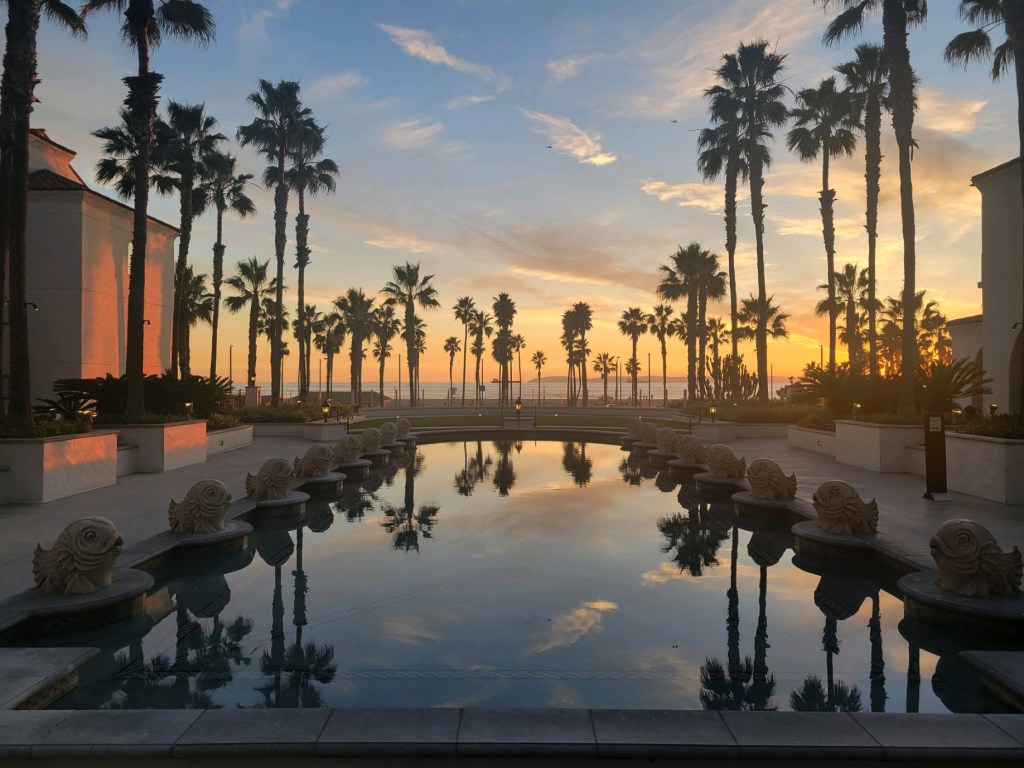
Convinced I was hearty enough to make my way around the hotel grounds, this wonderful lady put us into what has to be one of the greatest hotel rooms in the world. This was the view as we opened the door to our room!
Once I got over that and looked around, I was even more astounded. This room was huge and gorgeous and well appointed. I wanted to move in forever!
There was an entry area with furnishings to accommodate all those little things you like to leave by the door. The bathroom would have pleased any ancient Roman. There was an area with a desk and bed raised on a dais like a throne room on the other side of some columns was a lovely sitting area next to the balcony.
I never wanted to leave, but we still had economy parking to deal with. It turned out to be not big deal at all. Apparently, we’re not the first people to think $65 a day is a little steep. There’s a public parking area right across the street from the hotel for like $10 a day – a far cry from $65. The hotel gives you a permit to stay there overnight. They even have a very elaborate pedestrian bridge to get you safely back to the hotel. We parked near the bridge and enjoyed the stroll back to our room, because the resort is beautiful.
For dinner, we found a place called Baja Sharkey’s at a nearby shopping center where we had margaritas and nachos. Then time for bed, because we were going on a tour the next day.
Here’s my photo book pages of the resort, made in Artisan, of course. Bill would want you to tell me that the fuzzy image on the left is the result of me trying to create a heavenly effect on the page, not his photography.
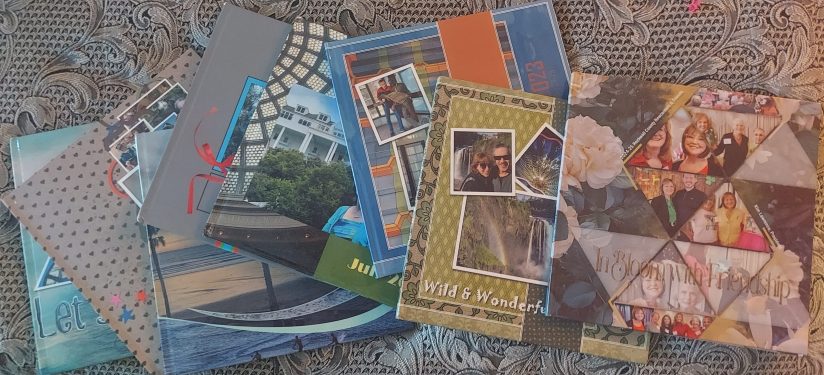
For those of you who are already digital scrapbooking fans, perhaps you remember way back in the early 2000’s when Creative Memories offered Storybook. Then they went bankrupt, for a lot of reasons that had nothing to do with how wonderful their products were and Storybook began a journey that has turned it into one of the most powerful and most popular digital scrapbooking software programs in the world. It’s more wonderful than ever, it was renamed along the way to Artisan and the only place to get it is FOREVER.
I’ve been a Creative Memories customer since the nineties, through both bankruptcies, but in the infancy of digital scrapbooking I did not embrace it. I held firmly to my traditional scrapbooks and printed all my photos. Eventually, I did try creating photo books with some of the popular sites like the fish and the fly, but I hated it. How could they expect me to be satisfied with pre-programmed, pre-designed photo slots, when I had enjoyed the freedom and creativity of blank pages.
Then I decided to have this Memory Keeping business and realized I needed to offer options for people who did not love traditional scrapbooking the way I do and I needed to know how to use them. So, I bought Artisan software and did battle with the Getting Started Manual. Then I threw the manual across the room and started clicking buttons. I wanted to do this. With the purchase of Artisan comes a truckload of digital art and what scrapbooker can resist using embellishments? Through gritted teeth I created my first album and even though there had been some things I liked about the experience, I retreated back to my comfort zone of traditional scrapbooking.
My Cousin Led the Wayto pixels 2 Pages
One of my very best FOREVER customers is my cousin Debbie. She embraced scrapbooking a long time ago – thanks to me. I took a pile of my scrapbooks to a family reunion and the rest is history. She also went places with it I never ventured. I was pretty focused on Creative Memories, with a few sticker and paper purchases from craft stores, but when I found Artisan, I introduced her to it and she was off again – and again she embraced it with more fervor than I did. She joined the online community called pixels 2 Pages (p2P) and was whipping out digital pages to beat the band.
In the next year or so, I created a few more items with Artisan, but I was embarrassed by the fact that my cousin had gone so much further with it than I had. She asked me questions about the software I was selling that I couldn’t even answer.
So, in 2024 I joined p2P and attended my first online crop. I’d been on vacation and had just gotten back into town in time to join one of the final sessions. Tameka Bond, the Boss Pixie, was teaching some technique and as I tried to follow her lead, I felt as if someone had thrown me back into Getting Started Manual hell.
I might have quit right then and there if I hadn’t already bought my ticket to the Over the Rainbow Online Party. I had no clue how I was going to get through six weeks of training in March and April, when I couldn’t even figure out how to make it through one lousy session in January, but I was determined to do it.
I’ll confess, the first day or so of Over the Rainbow was a baptism by fire. I was back in Getting Started Manual hell, but this time I dipped into the power of p2P, an online community of scrapbookers who had walked my path. I’ll never forget what it was like to post my first page. I hated the page, but by golly I was going to get that badge! Moments after it went up, the designer of the kit I used commented on it and told me it had been a great use of her artwork. I’m addicted to praise, so it was just enough to push me on to the next seminar.
Six weeks later I was also addicted to my new hobby, digital scrapbooking. Yes, I had struggled, but the p2P Community was amazing. They oooohed and aaaaahed over my pages, commiserated with my frustrations and encouraged me to keep trying. I was also earning badges and filling up my bingo card. I’m not much on games in general, but hang a carrot out for me, let me win a badge or get a free blueprint and I’m there.
Why am I telling you all of this? Why aren’t I telling you how easy peasy this digital scrapbooking thing is? Well, it’s not easy. I don’t want you running off to buy it after I sing its praises and then hating it and me. Next week I’ll take you on an overview. I want you to share my addiction, but you have to get past the Getting Started Manual.
MEMORY PRESERVATION: LEARNING THE BASICS OF FOREVER STORAGE– The Gallery
FOREVER’s Main Menu
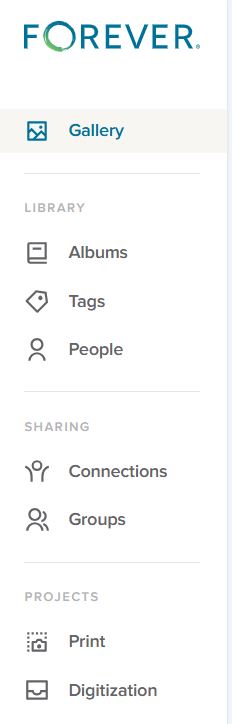
The menu you see on the right is the basic menu of your FOREVER Storage. Whenever you are in your personal storage account, this is what you will see on the left hand side. Some of the terms may seem familiar to you from other websites you’ve been on and chances are the uses are similar, but let’s make sure they actually mean what you think, because originally I assumed I did, and I was wrong.
The Gallery
In FOREVER land, all of your photos, videos and documents live in your Gallery. You have other tools like Albums, Tags and People to organize your access to these images, but the images don’t actually go there. They stay in the Gallery.
I didn’t understand that at first. I thought the Gallery was a place and Albums were a place and I didn’t need the items in two places. So, after I uploaded the first photos and put them in an Album, I deleted them from the Gallery. WRONG! Then I had an empty Gallery and an empty Album.
Thankfully, the Delete Bin stores deleted items for 30 days. I restored those I’d deleted to the Gallery, added them back into the Album and realized I’d learned an important lesson. Galleries on other sites work the same way, but I wasn’t familiar with them, because the only place I’d stored photos in the past was on my computer.
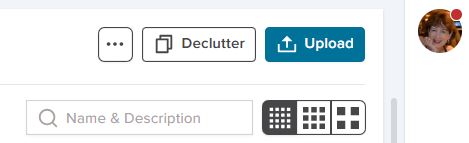
Images are added to the Gallery in two ways. In the upper right hand corner of the Gallery page is a blue Upload button to add images manually or the images can come there through the free FOREVER app, which can be set to automatically synch with Storage. Whether images are added manually or automatically, the Gallery will automatically sort them by the Date Uploaded (Newest First).
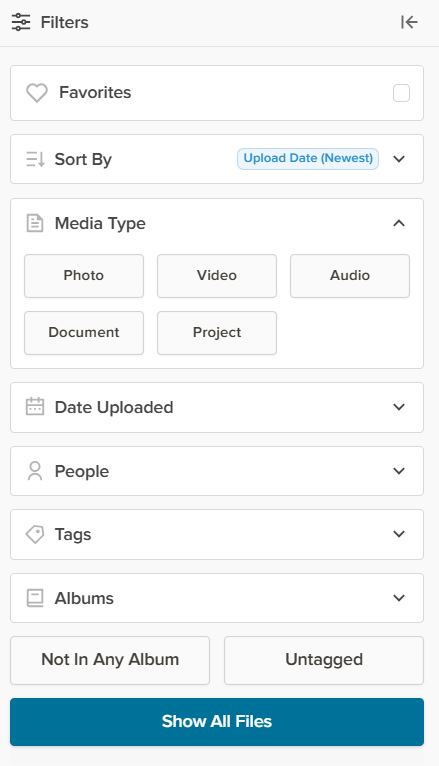
Beneath the word Gallery on the left side of the page (next to the Main Menu) there’s a Filter button and it will open up the Filter Menu, (illustrated below) which allows sorting by a wide variety of values.
The Favorites button will hide all images which have not been selected as a Favorite. Any image can be made a Favorite by double clicking the image to open the Lightbox and once there clicking the heart in the top row.
The Sort By button tells FOREVER how you want to see the images in your Gallery. As mentioned the automatic choice is Date Uploaded (Newest First). The other choices are Date Uploaded (Oldest First), Date Taken (Newest First), Date Taken (Oldest First), Names (A-Z), Names (Z-A), and File Size (Largest) or File Size (Smallest). At first you may wonder why they have so many choices. In part, that’s because people have different preferences, but the more I use my account, the happier I am FOREVER gives me so many choices.
Sorting by Media Types shows only one type of media at a time and the selections are Photo, Video, Audio, Document and Project. Date Taken allows you to pick a Date Range, from 2 days to whatever you need. People, obviously allows only images of the person you choose to show, but you will have to have set up people albums to select them from (which we’ll talk about another time). Tags works the same way as the People filter, but with Tags rather than People. Albums works like People and Tags with the Albums you set up.
The bottom two buttons – Not In Any Album and Not Tagged – are my favorites, because I try to keep my images organized in Albums with Tags. With those buttons I can quickly see how far behind I am, because it will show me just those images I need to work on.
Now, the real magic happens when you start getting fancy. You can mix & match the filters, choose more than one person, pick a date range and more – all at once. The more you narrow it down, the fewer images you see.
We’re almost through, but before I finish, I wanted to show you these last few buttons on the Gallery Page.
The box with the three buttons let’s you View a Slideshow. Now you can see why the filters can be so great. You could select just the images from a vacation you just had, hit the slideshow button, sit back and enjoy. The box will also give you automatic access to the delete bin, if you need it.
Declutter is something for another day, but it’s a great tool, and I’ve already told you how to use the Upload button.
The search bar allows you to search by text for a photo. Let’s say you know you had several photos you named “Bob’s Graduation”, but you weren’t sure exactly what album they were in. Just type “Bob’s Graduation” in the box and it will find the images.
That bar with the dots in them selects the size of the images in the Gallery. The more dots, the smaller the images. The less dots the larger. You’ll love that the thumbprints show the full image with orientation, not just some sliver or portion.
I confess, on some travel days, I get a little stressed. On this one, I’d just been to LACMA for a long anticipated visit and the only thing left on the day’s itinerary was to get to our hotel in Huntington Beach. So, we stopped along the way to run personal errands, like stocking up on fruit for Bill and beverages for me and generally took our time.
Before leaving the Nephew, we’d asked them about their favorite beach along our route and they recommended Hermosa. So when a sign pointed the way to it, we decided to take a look.
Parking is a real challenge in Hermosa Beach. It’s not cheap and you’re lucky to find a space, but it is worth a stop. We were there towards the end of the day on a Tuesday, so there was the occasional open space, but of course, Bill had to satisfy himself he was getting the best deal.
Surfer’s Walk of Fame
Did you know there was a Surfer’s Walk of Fame? Would you have gone looking for it in Hermosa Beach? I had no idea! Remember, I had depended on my nephew’s skills as a tour guide in LA and we were headed to Huntington Beach, where my primary focus was visiting one of my very best friends, Lizbet. Hermosa Beach hadn’t been on my radar.
There’s a wonderful, serendipitous feel to wandering around without an agenda. I get why people do it and on occasion I enjoy it, too. However, during these spontaneous moments you sometime find yourself meditating over a dandelion in the sidewalk, a block over from one the coolest things in the world. So, FOMO keeps me carefully researching most of our trips.
We strolled along a paved walkway toward a pier, taking photos along the way. For us, taking photos is part of seeing. Our eyes graze our surroundings, looking for vignettes to capture. We lift our cameras to snap a photo and move on. Later we enjoy the images and for me at least, sharing them is part of the fun.
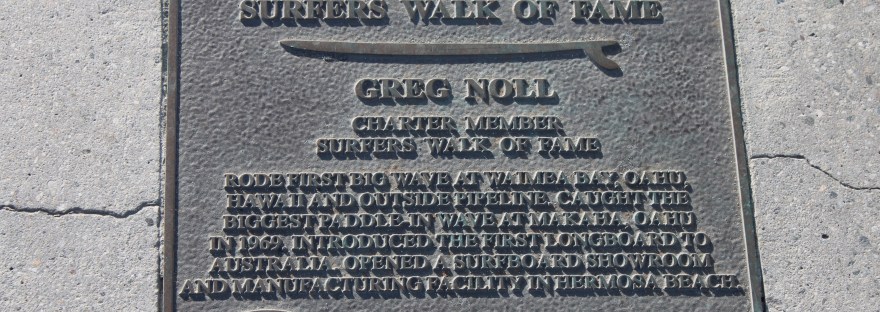
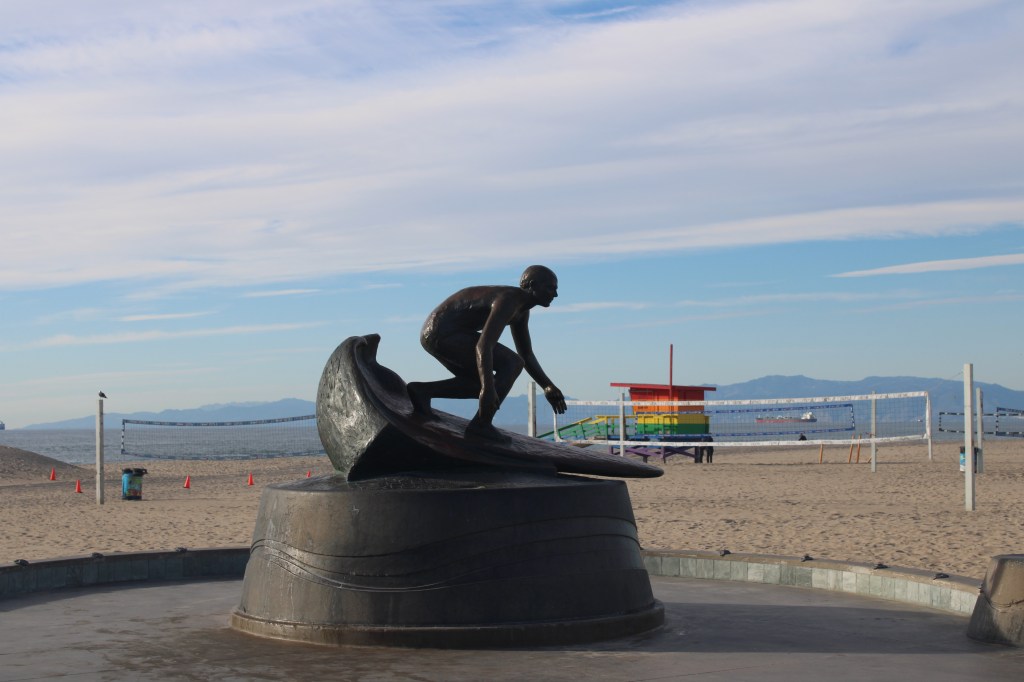
At the entry to the pier stands a very cool statue of a surfer dude catching a wave. As you stroll out to the of the pier you really begin to see why it’s called Hermosa (Beautiful) Beach. Then a plaque on the pier caught my eye. Surfer’s Walk of Fame? What was that?
Looking more closely along the pier, I realized there were many plaques, spaced evenly along either side. Bill continued to snap photos of the scenery and I started reading the plaques. It was a love story, written for surfer dudes and all the dudes loved the same mistress. I now had a new affection for Hermosa Beach.
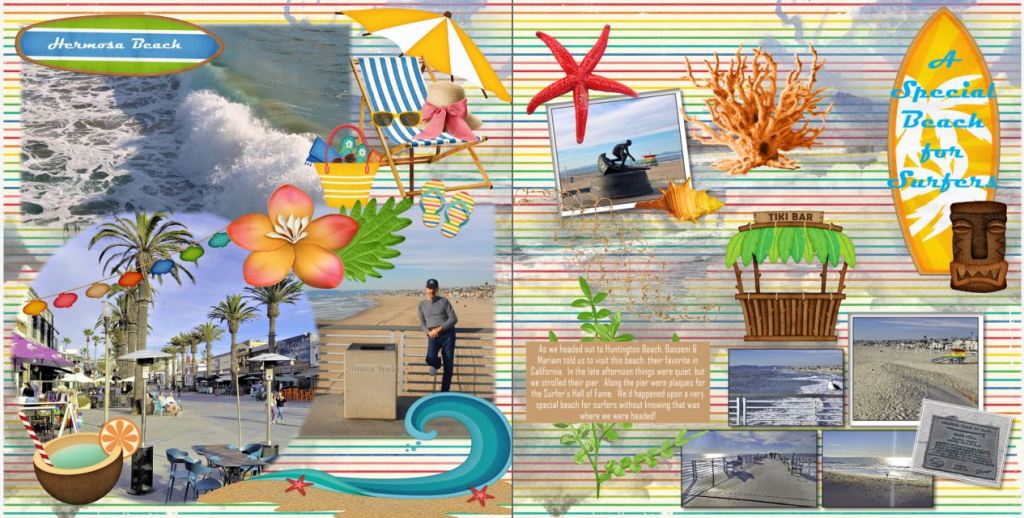
I wouldn’t recommend making a special trip to California just to see the Surfer’s Walk of Fame, but if you’re driving along Highway 5, it’s worth the parking fee. I hope you’ll drop by on Wednesday and Friday for Memory Keeping and Memory Sharing, but for now I’ll leave you with my Hermosa Beach pages, made in Artisan 6.



















 jane sadek