Memory Keeping, Photo Organization, Photo Organization Coach, Photography, Scrapbooking

Get Out Your Holiday Greeting List

MEMORY SHARING: GREETING CARDS THEY’LL LOVE

Would You Like to be a Holiday Hero?

If you’re in the habit of sending Holiday Greeting Cards, then I don’t have to tell you how appreciated they are by the people on your list. If you can’t remember the last time sent out cards, then why not do it this year?

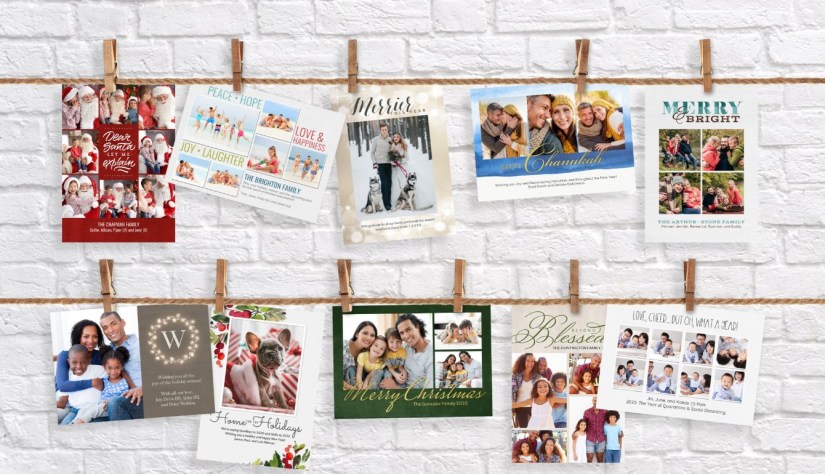
FOREVER makes greeting cards easy all year long, but the holidays are their season. You can find gorgeous cards for Thanksgiving, Hannukah, Christmas, New Years or whatever you celebrate right here on FOREVER. We’ve had gorgeous cards for a long, long time, but now there are more choices than ever. There are standard cards and foiled cards. There are three different card stocks. Every card has a long list of available fonts. You can edit the front as well as the back. You can set up a free Address Book and never have to worry again about addressing your cards. Many cards even have a choice of colors to choose from. There is seriously no reason to go to the fish or the fly.

So Why Now?

Why? Because now means you don’t have to worry about it later! No matter what your good intentions might be, you know you’re going to be running out of time. One day you’re putting out your Halloween decorations and the next you’ve got a NYE celebration hangover.

Seriously, here’s your to-do list.

  1. Gather up all your various address list from all the places you have them stored (including wherever you’ve ordered your cards from before) and upload them to FOREVER. This will be the hardest part and that’s why you start here. Getting databases to agree about anything is difficult, so get on it and get it done. If you have any questions along the way, call me or customer service. (And by the way, you won’t have to do this next year. The list stays on FOREVER forever – or until you take it down.)
  2. Go through your photos of the year and choose your favorites. They’ll be your friend and family favorites, too. Don’t forget the pets! (If you’re a FOREVER storage customer, you could have been adding hearts to your favorites all year long and only have to choose your favorites among favorites.
  3. Shop the Cards on FOREVER: https://www.forever.com/create-and-print/cards-and-stationery/cards. You’ll find helpful filters on the left side to help you pinpoint exactly what you want and if you already have what you want and just need a place to print it – we’ve got that, too. Even folded cards! Or, if you want to design something special, don’t forget Artisan 6 or you can have me design it for you.
  4. Personalize your card and hit print. Once you’ve selected which card design fits you best, FOREVER will walk you through all the steps you’ll need to take to get exactly what you want.
  5. Feel smug for weeks on end, because you are so far ahead of the game. Stuff your addressed cards while you binge some great series. Then send.

Are you still here? Go order your Holiday Cards!
Memory Keeping, Photo Organization, Photo Organization Coach, Photography, Scrapbooking

Digitization Just Got Better

MEMORY KEEPING: THE BEST JUST KEEPS GETTING BETTER

Always Striving to Improve

One of the best things about FOREVER is that they never just sit around congratulating themselves on how great they are. Instead they continue to review every single thing about our services and listen to every comment and suggestion that comes their way. Their motto could be, if if’s not broken, improve it. Another great thing is that instead of spending money on advertising, they invest in making FOREVER better.

The latest improvement introduced is in the Digitization department. I mean you do know that not too long ago they opened the largest, most technically advanced digitization center in the world. But that wasn’t enough. They felt the online experience for our clients should match the world class treatment their media was getting in the digitization center. So they took a long, hard look at every inch of the process and considered how to make it better.

Improvements That Matter

I hate when a company raves about their new stuff, but it’s just a repackaging of the old stuff. That’s not what happened in the Digitization department. Here’s what they’ve done:

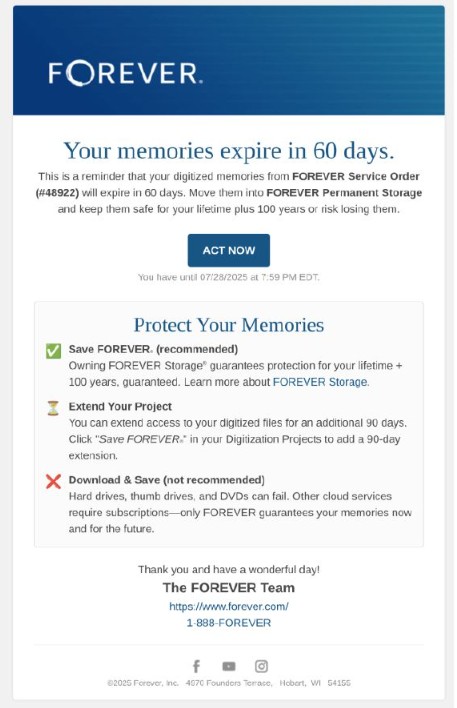
  1. A longer period of time to preview your project: Clients used to have 60 days from the time of digitization to decide what to do about their newly digitized items. For many, digitization is a huge investment, so people would just download their newly digitized images and hope for the best. FOREVER has extended that to 90 days. By extending the time the images can stay in the preview area, clients have more time to make arrangements for permanent storage, so they’ll have the best, rather than just hoping for it!
  2. Sharing from the preview area: In the past, to share newly digitized images, clients either had to move them to FOREVER storage or download them to their devices. Now, the images can be shared immediately from the preview area for 90 days. That’s better for new clients and also for the people they want to share with. What’s more, the preview area has been improved to operate just like regular storage. No more handling things one way in the preview area and another way once the items are in your storage. The experiences will be the same.
  3. Making it easier to do what’s next: Ordering, filling and returning a digitization box for the first time can be challenging. Even though I explain exactly what is going to happen to each new client, there always seems to be something they miss. “Oh, I didn’t realize I would be charged for extra items,” is the usual one, even though I know I explained the box would be inventoried and they would be billed for anything over the digitization allowance they’d purchased. So, it’s no surprise that whatever I told them about permanent storage, facial recognition and video streaming is totally forgotten by the time they get their images in the preview area. So, FOREVER gently reminds them and gives them the opportunity to purchase these services right in the preview area.
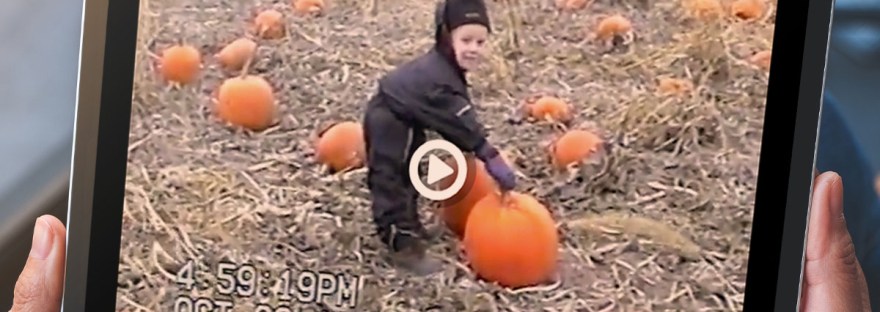
  4. Another 90 Days of Video Streaming for New Paying Customers: One thing new customers love is the click & play of videos available in the preview area. So, when that new customer purchases storage for their digitized videos, they get a 90-Day extension of free video streaming, so they can continue to click & play their videos. Without video streaming, they must download to play. That’s a $70 bonus for new storage clients.
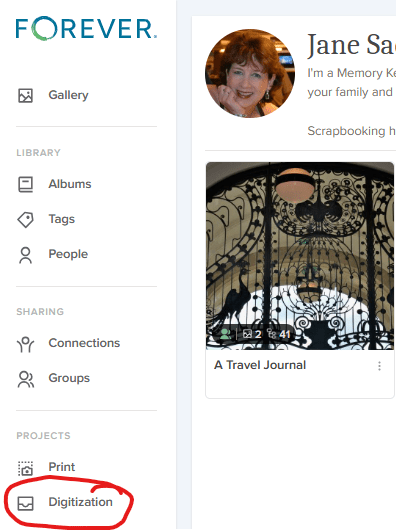
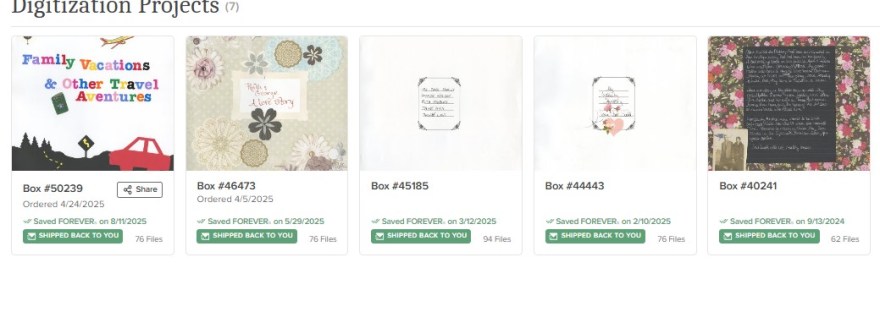
  5. Something that matters to me: Digitization projects now have a home, just like print projects do. I ordered my first print project from FOREVER back in March of 2021. If I want to take a look at it or show it to someone, it’s right there in my account, just like all the images I have stored in my account. Now, Digitization is the same way. Even if I’ve spread the items in a box all over my account, I can still go to the digitization tab and see each project. It’s another short quick way to access my stuff.

Better Follow-up

Once your digitized images have been in the preview area for 30 days, FOREVER reaches out to remind you to save them and it reminds you of the various ways you can preserve those memories, while pointing out the dangers of merely downloading. This is the easiest way to go about purchasing the amount of storage you need for your project AND you have the choice of a one-time payment or a 24 month payment plan.

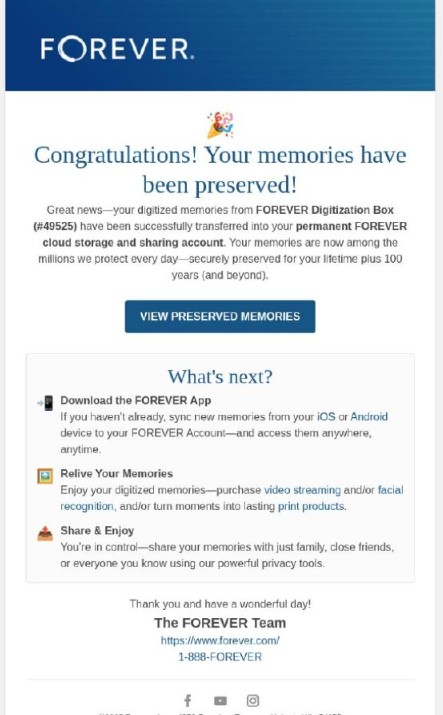
If you choose to purchase permanent storage for your project, FOREVER follows up with an email to remind you to download the free FOREVER app and to introduce other wonderful services you might be interested in taking advantage of.

I hope these new improvements inspire you to take the leap and order your first or second, or third…digitization box!

Memory Keeping, Photo Organization, Photo Organization Coach, Photography, Scrapbooking

Print Products Coming & Going

MEMORY SHARING: HELLO & FAREWELL IN PRINT PRODUCTS

One of the things I love about FOREVER is that there’s always something new – a new feature in storage, a new product in print, a new event to enjoy and even new software from time to time. But sometimes there are also some farewells. Let’s talk about some of both!

Hello to Greeting Cards, Thermal Cups, Towels & More

FOREVER has been ever so busy this year. I’ve seen many products come along. Some of them are not completely new products, just new styles of standard products. Take Greeting Cards for instance.

FOREVER has been a great source for stationary for many years, but they don’t rest on their laurels. They are constantly adding new, fresh designs to match current trends. Have you seen the price of cards in retail outlets, like grocery and drug stores. Oh my, by the time you put a stamp on them you’ve made a huge investment, so cards from FOREVER are a great way to save money and keep up the tradition of greetings in the mail.

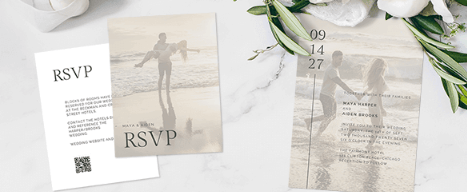
There’s always something new and you can customize them all with your own photos, multiple fonts and colors. And the personalized touch sends a message your recipients will appreciate – so next time you want graduation announcements, wedding stationary, holiday greetings or any other cards, see us first.

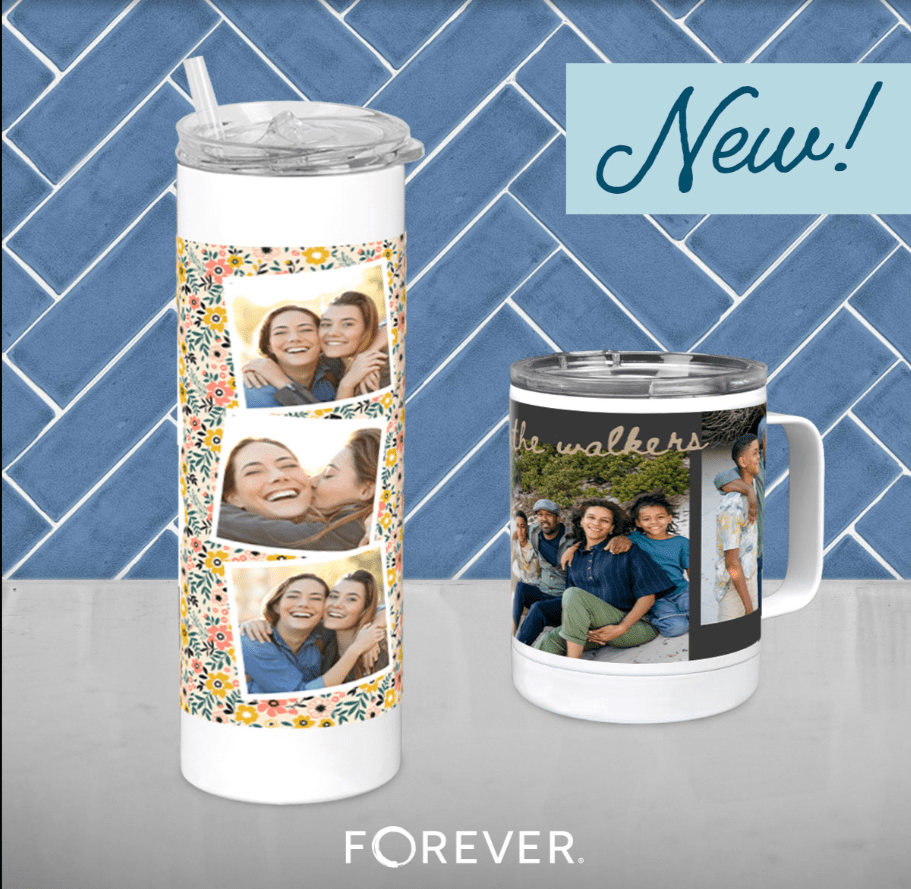
This year FOREVER has been very prolific in creating completely new choices. Just last month they added two new thermal cups – a 20 ounce tumbler and a thermal mug – to complement the 40 oz Tumbler with a handle. You can get drinkware lots of places, but not with your own photos and words on them!

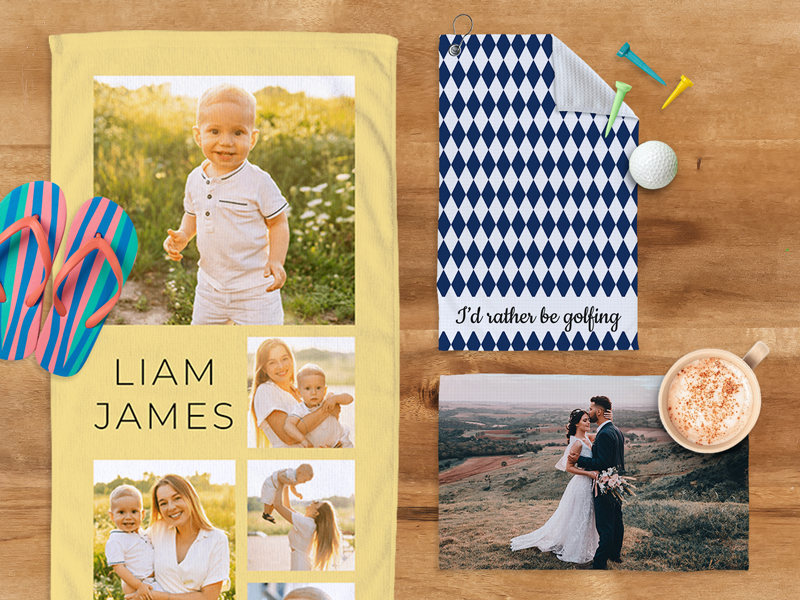
And Towels! Earlier this year, FOREVER introduced beach towels, kitchen towels and golf towels. I ordered a tea towel right away and display it proudly in my kitchen. They’ve been a big hit! But there’s also an au revoir in the near future!

Golf Towels Will Be Seasonal

It may have more to do with their vendor than it does with FOREVER, but it’s been announced that Golf Towels will only be available seasonally. If, like me, you thought, “Christmas Presents!”, then you need to order what you want now, because after September, they’ll be unavailable for a while. Don’t miss out!

Only in Artisan

Most of the items you might want are in both Create & Print and Artisan. Create & Print gives you thousands of templates to help you design your photo gifts, stationary and such. Artisan gives you a blank page, so you can create your own from scratch, but Artisan also has some items or sizes of items you can’t get in Create & Print. Like Mousepads! Did you know FOREVER had mousepads? Well, you do now! And folded cards? I’ve used those for Christmas greetings the last few years. So, if you’re looking for a particular item and can’t find it in Create & Print, I might be able to get it done in Artisan.

Fond Farewells

Fashions change, trends change and tastes change. What was hot last year might be passe this year. FOREVER keeps up with that, too. So, sometimes things are just taken out of the product line. Take water bottles for instance. Before giant thermal cups became a thing, stainless steel water bottles with a twist cap were all the rage. The stainless steel bottle was discontinued to make room for the 40 ounce Tumbler.

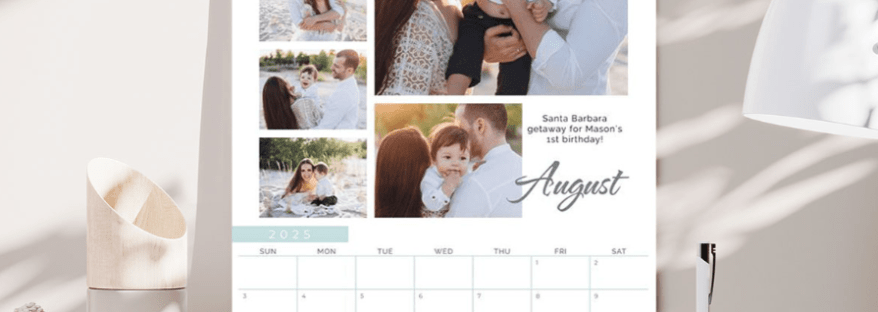
One of the most recent changes to the FOREVER line up has been a readjustment of the calendar products. Why? Because there’s been a readjustment to what people actually use. We’ve several styles of calendars available for a long time, but virtually all the calendars sold were 12X18. So, they trimmed the line to fit the demand and all calendars are 12X18!

One other item has gone away this month and that’s 8.5X11Page Prints. Unless you’re a digital scrapbooker, you may not even know what a page print is. Some people like to design their scrapbook pages in Artisan and then print them for a traditional scrapbook, rather than for a photo book. This change has come about, because the makers of traditional scrapbooks are no longer offering 8.5X11 albums. Instead 8X8 albums are preferred and those Page Prints we will continue to carry.

So that’s what up in gorgeous items designed to share your memories! What’s your next project! Can help?

Memory Keeping, Photo Organization, Photo Organization Coach, Photography, Scrapbooking, TRAVEL

Your Digitization Project Needs Permanent Storage

MEMORY KEEPING: DOING THE TWO STEP

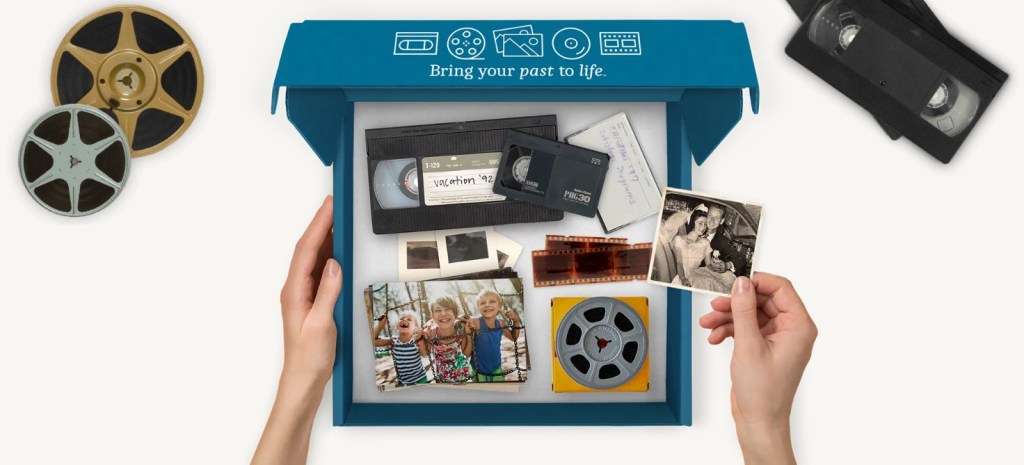
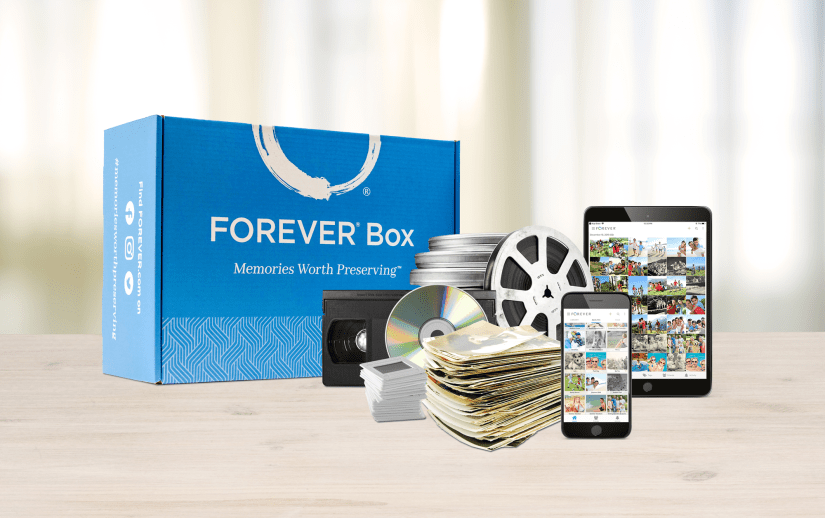
Many of my new clients come to me because they are looking for a solution to their obsolete memory media, things like film reels, slides and VHS tapes. I’m always happy to help, but I hate it for them when their project ends with digitization and they haven’t prepared a permanent home for their valuable memories.

The Best Digitization in the Industry

It’s no wonder people come to me for digitization. FOREVER leads the pack in digitization services. Our quality is unsurpassed, our turnaround times are remarkable and we do it all, not just photos and VHS tapes, but all the obsolete media – even scrapbook pages.

The process is simple. Order a box. When you receive it, fill it up and return it. Track your box online and then enjoy your digitized memories. And yes, unlike other digitizers, we do return the original items to you.

The Best Keeps Getting Better

Even though we’ve led the way in digitization for a while now, we’ve stepped up to make the process even better. Tracking your box online was always easy, but it was a completely different experience than the rest of FOREVER. We wanted new digitization clients to have a seamless experience from ordering their box to making their memories permanent and that just wasn’t happening. On August 14th, FOREVER released the new digitization tracking system with many improvements built in.

First and foremost, notice the Digitization tab in the standard FOREVER menu. You won’t have to go to the Digitization Page or find a link in an email, to follow your digitization, like before. It will be right there with everything thing else.

The viewing time will be expanded to 90 days rather than 60 and sharing from your Box Tracker will be seamless. In the past, you had to download it or add it to your storage to share it. Now, you’ll be able to share from the Box Tracker directly – a huge improvement.

Keep FOREVER

And here’s where the two step comes in. Getting your memory media digitized is only half the battle. What are you going to do with the digitized files? Over 40% of new FOREVER customers, whose first purchase is digitization, then buy storage at the same time or shortly thereafter. CONFETTI!! That’s a win! They understand getting it digitized is just the first step. The second step is making it safe permanently.

To help make this transition easier, the new Box Tracker will have a great big blue button that says “Keep FOREVER”. Click that and automatically purchase the amount of storage you need for your newly digitized items. Every digitization customer who doesn’t already own storage should take this step. The other options can lead to heartbreaking results.

The Unfortunate Alternatives

But what about that 50%+ who choose NOT to take that second step? What happens to their memories? Honestly, I feel personally responsible when clients choose not to invest in permanent storage for their digitized memories. I feel as if I have somehow failed them. It happens a lot more than I want it to and it breaks my heart every time, but without FOREVER storage, you’re guaranteeing obsolescence, device failure and other unfortunate results. Here’s what I hear people do instead of permanent storage and the results they will eventually suffer.

Downloading to a Device

Oh, I’m going to download it to my computer OR I’m going to put it on a thumb drive OR I’m saving it to an external drive – someone will say. EEEEEEKKK! Name any device you want: PC, laptop, tablet, thumb drive, EHD, phone. All of them are temporary solutions. They were not designed to last forever. PC’s and laptops are designed to last about 8 years – that’s if the files aren’t corrupted and the device isn’t damaged. Some drives promise to last 14 years, but before the thumb drive or EHD dies, it is more likely to be lost! Your memories should be prepared for a future you’ll never see.

Today’s devices are remarkable, but they will soon be obsolete. Do you remember the floppy disc? It was the answer for tomorrow when it came out, but now it’s just data you can’t access. Look at all the VHS tapes being digitized these days, because people no longer have a player. Even CD’s and DVD’s are obsolete, because new computers don’t come with slots for them. Technology moves too fast to be reliable for the future and with out FOREVER, your memories are toast.

In addition, it’s your technology. How is someone else supposed to know which files on your computer are worth saving and which need to be wiped? If you have a box or bag of thumb drives, those will most likely go into the trash. No one these days wants to spend time sorting through them. Memories on devices are eventually headed to the landfill! Memories on FOREVER are shared for generations to come.

Uploading to a Cloud Other Than FOREVER

Perhaps you’ve invested in a cloud to protect your data and if so, you’re not alone when you think that’s where your memories should go. Your Amazon or iCloud (or whatever cloud you rent) absolutely will protect the valuable data you need to run your life, but access to the cloud depends on you making a monthly or annual payment. What happens then. Will your next generation continue paying for your cloud?

What your memories need is a cloud you own, that can be enjoyed in the future without someone keeping up the payments. Perhaps your next immediate generation isn’t interested in your photos of Great Uncle Jimmy, but that doesn’t mean the next generation won’t be. Save your legacy on FOREVER. Someone in the future will thank you.

Uploading to Free

Instead of renting your cloud, perhaps you’re using one of the free storage solutions offered all over the internet. Every wonder why they’re free? It’s because you’re not the customer. You’re the product. Perhaps they’ll mine your images for advertising or just enjoy the income from the advertising they surround your images with or maybe it’s all about keeping you tied to some other program that is making them money, but one things for sure, when it’s not profitable to them anymore, you’re free service will be gone. Maybe they’ll warn you to claim your photos before they leave, but they aren’t required to. Oh the horror stories I could tell!

Bottom Line!

Do the two-step! If you’re going to spend the money to digitize your memories, then don’t waste that investment by allowing your digitized memories to disappear into the ether. Invest in Permanent Storage you own rather than rent and the only place to get it is FOREVER.

Memory Keeping, Photo Organization, Photo Organization Coach, Photography, Scrapbooking

Try It! You’ll Like it!

MEMORY KEEPING: START YOUR RELATIONSHIP WITH ARTISAN 6

Not Exactly Point & Click

Have you ever used Canva or another program like it? Yes, they’re great and it’s easy, but at some point, it’s just not going to allow you to do what your imagination can dream up.

How about Photo Shop or Lightroom? They’re amazing, but a lot of overkill and not designed for scrapbooking.

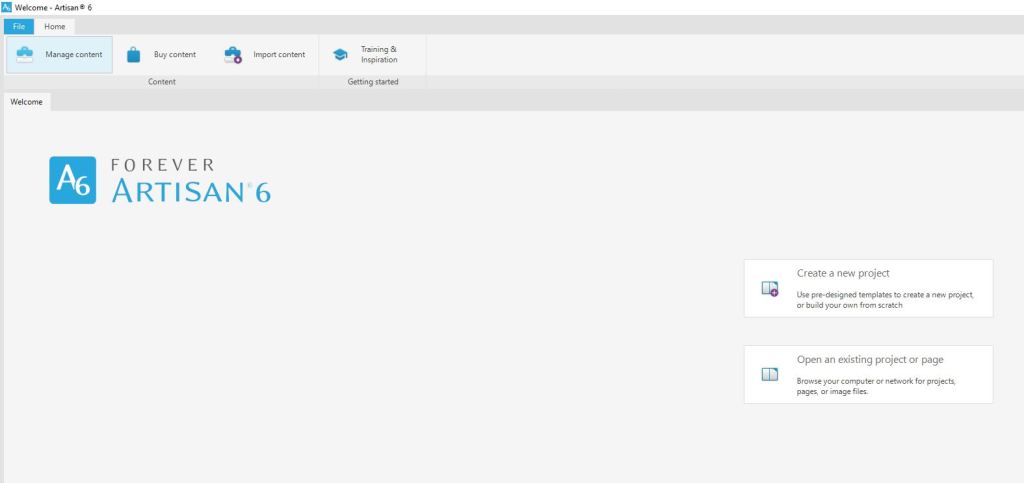
I’ve used all these and I don’t love any of them the way I do Artisan 6, the scrapbooking software from FOREVER, but the relationship was rocky at the beginning. When it comes to digital stuff, I rarely read the instructions. I just start clicking and somehow things work out. When I bought Artisan 6 and downloaded it to my computer, I couldn’t even figure out where to point and click!

So, I followed some breadcrumbs to download the Getting Started Guide. I have to tell you honestly, it wasn’t the greatest documentation in the world and honestly, IMHO it’s still not. All of the videos were made for Artisan 5 and even though they promised everything was in the same place, “the fresh new look” for Artisan 6 threw me for a loop. But I kept on trying. Then I hit Lesson 2: Create a new project using the FOREVER Design Maps Template Book.

I tried. I really tried. Tameka, the head Pixie and the voice on the training videos, kept telling me to trust the process and just do what she said, but I ran into a brick wall. She talked about using templates like it was something everyone in the world had a familiarity with, but I was lost!

After a very emotional confrontation with the Getting Started Manual, I was crying and the manual was bouncing off my wall. This doesn’t sound like much of a recommendation, but I hope you can appreciate that in spite of this, I now love Artisan 6. Your brain may work completely differently or you might already be a template queen, so you might breeze right through all this. The point is this, even if you don’t, don’t give up!

I skipped to Lesson 8: Starting with a Blank Page and after a few false starts was creating pages, which in a day or two became a photo book.

I’d be lying if I pretended it was happily ever after for Artisan 6 and me. I also doubt that I would have ever gotten a handle on it without pixels 2 Pages and the annual Online Party. I’d also be lying if I tried to pretend I was some sort of Artisan 6 guru, but then again who is? Every time I sit in on a training, one of the Pixies says, “I didn’t know it could do that!! With Artisan I’m always learning and to be honest, that’s part of the fun.

So, Why Do I Love Artisan & pixels 2 Pages

Reason #1: You can do things with Artisan you could never dream of with paper and tools. The layering, the frames and masks, the cut & color tools – if you can dream it you can do it!

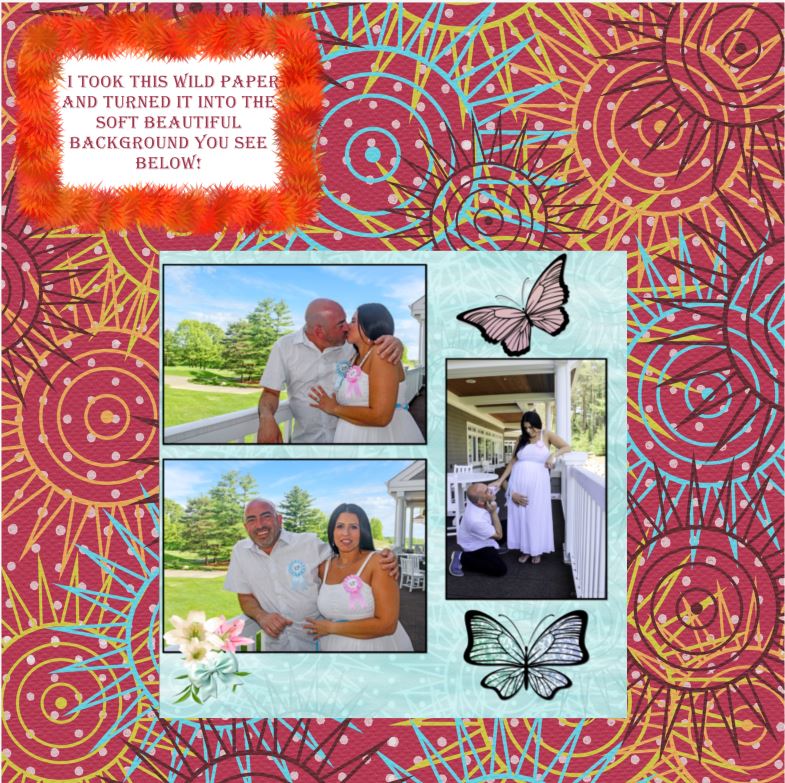
Reason #2: Digital is forever. You never run out of embellishments or paper. When you buy Artisan 6 you get so much free art you can make pretty much anything and when you use an item, it’s still there to use again. In fact, you could use it on the very next page and no one would even know it, because there are so many ways to change it up! See, the wild maroon and soft blue paper are the same thing with edits.

I remember the day I used up my last sheet of polka dot paper from Creative Memories and when I used the last of a floral embellishment kit I adored. I was bereft. I still run onto scraps of favorite CM papers no longer printed. You never run out with digital.

What’s more, you can’t ruin a digital photo. Crop it too close, cut it by mistake, whatever! As long as you have it digitally you can put it back on the page and give it another try. You can use it in more than one album without having to reprint. Heck you can even print multiple albums from just one creation.

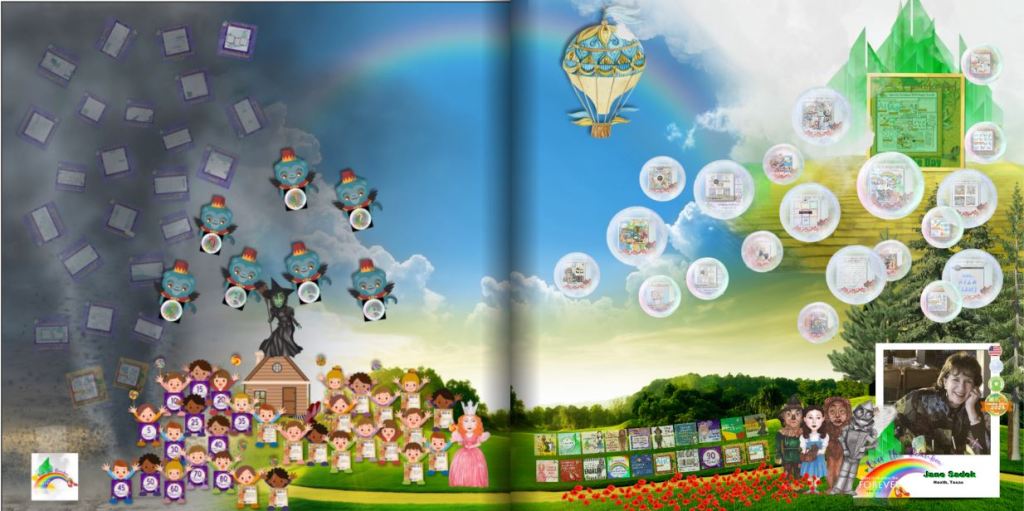
Reason #3: I love the feeling of accomplishment I get from winning things, sharing things, learning things, getting bargains and downloading free stuff. The image above is my badge page from Over the Rainbow. Each item on the page represents a badge I earned for something. Once you’ve gotten a certain number of badges you earn a free blueprint and those are my favorite blueprints. Online crops bring a great way to learn more and the pixels 2 Pages gives you someone to celebrate with.

Reason #4: Blueprints are flexible templates! I explained that the Create & Print Templates have limitations, but the limitations disappear completely when you move into the world of Artisan and p2P. The Blueprints are merely places to start! You can move the title, delete it, reduce it, enlarge it, change the font and so forth and so on. You can add photo drop points, remove photo drop points, enlarge them, reduce them and the same with the rest of the features on the page. Each Blueprint has limitless possibilities and when you belong to p2P, you get new Blueprints every month as part of your membership.

Reason #5: The Productivity Challenge! Sometimes I need a little incentive to participate. It doesn’t have to be anything big. I can get excited about badges and I love sharing my pages. The Productivity Challenge gives me both. As I complete a page to go along with all the Blueprint offerings in a month, I add them to a badge page and I show them off with appropriate hashtags. At the end of the quarter I post my badge page and get a prize. It could be a Blueprint or perhaps some digital art. At the end of the year, I qualify for a bigger prize. But at the end of the year, if I complete it all, I will have created 108 pages. That’s a lot!

There’s more to love, but I’ll stop there. If you have questions, let’s talk. Otherwise, your subscription to Artisan is waiting. You can get started NOW!

Memory Keeping, Photo Organization, Photo Organization Coach, Photography, Scrapbooking

The Savings Are Adding Up

MEMORY KEEPING: LEARN TO STACK YOUR DISCOUNTS WITH FOREVER DEALS

With FOREVER there’s always a deal to be had and if you play it smart, you can just keep adding up discounts to find the very best price!

The Deals Page

Your savings always start on the Deals Page. It lists every deal that’s available right now. It will tell you what the deal is, what the time frame is and how to get that deal. So basically, never buy anything unless you’ve looked at the deals page.

Don’t see what you were hoping to buy on the Deals Page? Then let me know. I have access to all the deals for the month and maybe what you want to buy will have a Deal tomorrow or next week. I love any excuse to talk to you, so you won’t be bothering me. You can let me know what you want and I can let you know if it’s going to be available for less soon.

Always the Best Deal on Basics

There are several items from FOREVER that never go on sale, because they are always sold at the best price. Those would be Storage, Video Streaming, Facial Recognition, Genealogy and Programs like Artisan, Historian, etc. However, that doesn’t mean you can’t sometime earn a discount, one way or another. Let’s talk about those opportunities!

I could give several examples, but for this example, during the Second Quarter of 2025 FOREVER had a Digitization Promo. During the last few weeks of the Promo, they sweetened the deal with a 5% off Coupon for Storage. If you had digitization done during that time, then you were sent an email with your 5% off storage coupon. This coupon is good for two storage purchases if used by September 30th. So, some of you may be holding on to this valuable coupon and hadn’t realized it was still good. If you lost your code – I have it AND there are ways for you to get even more off your storage purchase.

Always 5% Off for CLUB Members

The Club is a tool you can always use to get 5% off most everything from FOREVER and in ALMOST every situation you can stack this 5% off with whatever other deals are going on. There are rare exceptions, but they make it very clear when those occur.

The CLUB is designed for serious Memory Keepers. CLUB Members invest in dollars in the CLUB each month, like a savings account. The money is theirs from the get go and they can use it whenever they want – right then or or they can use it to cover monthly payments or they can save their dollars up to buy something special. However, pretty much whatever they buy, as long as they belong to the CLUB is 5% off. But there’s more! Every third month you belong to the CLUB you are awarded free storage. 5% off, free storage – what’s not to like. There are other benefits, but those are the biggies.

So, remember those people who earned the 5% off coupons for the Q3 promo? Well, now they have 5% off from that AND if they are CLUB Members, they have another 5% off. They just doubled their discount.

Or There’s a Back Pocket Discount

Some people have no desire to join the CLUB, but they’d like to make a large one-time purchase. As an Ambassador, I can give them a one-time 5% Discount. So, if you purchased Digitization in late June and have one of those coupons, but you don’t want to join the CLUB, then you can use your coupon and my one-time discount so that you too, can double your discount.

I did this for a family recently who was buying a TB of storage. That’s $6,000! The guy who was buying it isn’t going to be using it himself, but he’s turning it over to the Family Historian. Why would he join the Club? But, with my 5% Back Pocket Discount, he saved $300!

And Then There’s This Quarter’s Storage Offer

My July TB of Storage customer was brand new to FOREVER, so he couldn’t take advantage of the Q2 Bonus, BUT he did qualify for the Q3 Bonus. Because he bought storage last month, he had the opportunity to also buy Facial Recognition and/or Video Streaming at 5% off. So, he went ahead and purchased Permanent Facial Recognition for the Family Historian. Permanent Facial Recognition is $1300. He got 5% off with because he bought the storage AND another 5% off because he was using my one-time Back Pocket Discount. That was $130. So he stacked and saved a total of $430!

New Customers $20 Off Welcome Coupon

But that’s not the end of it! Since this customer was also brand new to FOREVER, he got a $20 off coupon from FOREVER and I was able to apply it to that transaction, for a total savings of $450!! Isn’t that amazing! What would have been a $7300 purchase was instead $6850!

Are You Ready to Stack Up a Great Deal?

With FOREVER, every purchase can be a great deal. With tools like the CLUB, Back Pocket Discounts, Welcome Coupons, Referral Coupons and Monthly Deals the value of your Memory Keeping investment just gets greater and greater. Whatever you need, let me know and I will dig deep to get you every discount you qualify for!!

Whether you’ve been my customer for a long time or you’ve just now decided to start rescuing your memories, let’s talk! You’ve got a great discount waiting for you!

Memory Keeping, Photo Organization, Photo Organization Coach, Photography, Scrapbooking

Three Ways to Create #3

MEMORY SHARING: THREE WAYS TO CREATE #3

Artisan – The Long & Winding Road to Now

For those of you who are already digital scrapbooking fans, perhaps you remember way back in the early 2000’s when Creative Memories offered Storybook. Then they went bankrupt, for a lot of reasons that had nothing to do with how wonderful their products were and Storybook began a journey that has turned it into one of the most powerful and most popular digital scrapbooking software programs in the world. It’s more wonderful than ever, it was renamed along the way to Artisan and the only place to get it is FOREVER.

I’ve been a Creative Memories customer since the nineties, through both bankruptcies, but in the infancy of digital scrapbooking I did not embrace it. I held firmly to my traditional scrapbooks and printed all my photos. Eventually, I did try creating photo books with some of the popular sites like the fish and the fly, but I hated it. How could they expect me to be satisfied with pre-programmed, pre-designed photo slots, when I had enjoyed the freedom and creativity of blank pages.

Then I decided to have this Memory Keeping business and realized I needed to offer options for people who did not love traditional scrapbooking the way I do and I needed to know how to use them. So, I bought Artisan software and did battle with the Getting Started Manual. Then I threw the manual across the room and started clicking buttons. I wanted to do this. With the purchase of Artisan comes a truckload of digital art and what scrapbooker can resist using embellishments? Through gritted teeth I created my first album and even though there had been some things I liked about the experience, I retreated back to my comfort zone of traditional scrapbooking.

My Cousin Led the Way to pixels 2 Pages

One of my very best FOREVER customers is my cousin Debbie. She embraced scrapbooking a long time ago – thanks to me. I took a pile of my scrapbooks to a family reunion and the rest is history. She also went places with it I never ventured. I was pretty focused on Creative Memories, with a few sticker and paper purchases from craft stores, but when I found Artisan, I introduced her to it and she was off again – and again she embraced it with more fervor than I did. She joined the online community called pixels 2 Pages (p2P) and was whipping out digital pages to beat the band.

In the next year or so, I created a few more items with Artisan, but I was embarrassed by the fact that my cousin had gone so much further with it than I had. She asked me questions about the software I was selling that I couldn’t even answer.

So, in 2024 I joined p2P and attended my first online crop. I’d been on vacation and had just gotten back into town in time to join one of the final sessions. Tameka Bond, the Boss Pixie, was teaching some technique and as I tried to follow her lead, I felt as if someone had thrown me back into Getting Started Manual hell.

I might have quit right then and there if I hadn’t already bought my ticket to the Over the Rainbow Online Party. I had no clue how I was going to get through six weeks of training in March and April, when I couldn’t even figure out how to make it through one lousy session in January, but I was determined to do it.

I’ll confess, the first day or so of Over the Rainbow was a baptism by fire. I was back in Getting Started Manual hell, but this time I dipped into the power of p2P, an online community of scrapbookers who had walked my path. I’ll never forget what it was like to post my first page. I hated the page, but by golly I was going to get that badge! Moments after it went up, the designer of the kit I used commented on it and told me it had been a great use of her artwork. I’m addicted to praise, so it was just enough to push me on to the next seminar.

Six weeks later I was also addicted to my new hobby, digital scrapbooking. Yes, I had struggled, but the p2P Community was amazing. They oooohed and aaaaahed over my pages, commiserated with my frustrations and encouraged me to keep trying. I was also earning badges and filling up my bingo card. I’m not much on games in general, but hang a carrot out for me, let me win a badge or get a free blueprint and I’m there.

Why am I telling you all of this? Why aren’t I telling you how easy peasy this digital scrapbooking thing is? Well, it’s not easy. I don’t want you running off to buy it after I sing its praises and then hating it and me. Next week I’ll take you on an overview. I want you to share my addiction, but you have to get past the Getting Started Manual.

Memory Keeping, Photo Organization, Photo Organization Coach, Photography, Scrapbooking

The Backbone of FOREVER Storage

MEMORY PRESERVATION: LEARNING THE BASICS OF FOREVER STORAGE – The Gallery

FOREVER’s Main Menu

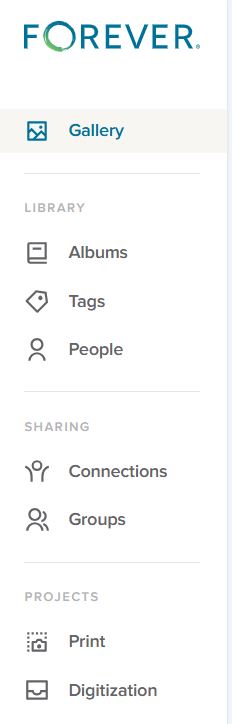
The menu you see on the right is the basic menu of your FOREVER Storage. Whenever you are in your personal storage account, this is what you will see on the left hand side. Some of the terms may seem familiar to you from other websites you’ve been on and chances are the uses are similar, but let’s make sure they actually mean what you think, because originally I assumed I did, and I was wrong.

The Gallery

In FOREVER land, all of your photos, videos and documents live in your Gallery. You have other tools like Albums, Tags and People to organize your access to these images, but the images don’t actually go there. They stay in the Gallery.

I didn’t understand that at first. I thought the Gallery was a place and Albums were a place and I didn’t need the items in two places. So, after I uploaded the first photos and put them in an Album, I deleted them from the Gallery. WRONG! Then I had an empty Gallery and an empty Album.

Thankfully, the Delete Bin stores deleted items for 30 days. I restored those I’d deleted to the Gallery, added them back into the Album and realized I’d learned an important lesson. Galleries on other sites work the same way, but I wasn’t familiar with them, because the only place I’d stored photos in the past was on my computer.

Images are added to the Gallery in two ways. In the upper right hand corner of the Gallery page is a blue Upload button to add images manually or the images can come there through the free FOREVER app, which can be set to automatically synch with Storage. Whether images are added manually or automatically, the Gallery will automatically sort them by the Date Uploaded (Newest First).

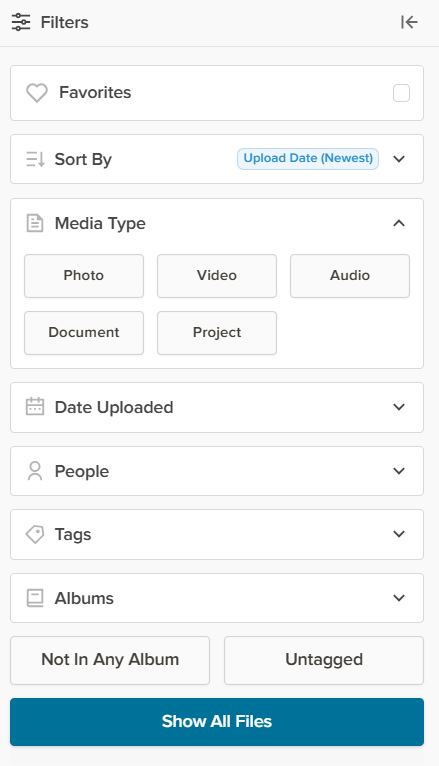
Beneath the word Gallery on the left side of the page (next to the Main Menu) there’s a Filter button and it will open up the Filter Menu, (illustrated below) which allows sorting by a wide variety of values.

The Favorites button will hide all images which have not been selected as a Favorite. Any image can be made a Favorite by double clicking the image to open the Lightbox and once there clicking the heart in the top row.

The Sort By button tells FOREVER how you want to see the images in your Gallery. As mentioned the automatic choice is Date Uploaded (Newest First). The other choices are Date Uploaded (Oldest First), Date Taken (Newest First), Date Taken (Oldest First), Names (A-Z), Names (Z-A), and File Size (Largest) or File Size (Smallest). At first you may wonder why they have so many choices. In part, that’s because people have different preferences, but the more I use my account, the happier I am FOREVER gives me so many choices.

Sorting by Media Types shows only one type of media at a time and the selections are Photo, Video, Audio, Document and Project. Date Taken allows you to pick a Date Range, from 2 days to whatever you need. People, obviously allows only images of the person you choose to show, but you will have to have set up people albums to select them from (which we’ll talk about another time). Tags works the same way as the People filter, but with Tags rather than People. Albums works like People and Tags with the Albums you set up.

The bottom two buttons – Not In Any Album and Not Tagged – are my favorites, because I try to keep my images organized in Albums with Tags. With those buttons I can quickly see how far behind I am, because it will show me just those images I need to work on.

Now, the real magic happens when you start getting fancy. You can mix & match the filters, choose more than one person, pick a date range and more – all at once. The more you narrow it down, the fewer images you see.

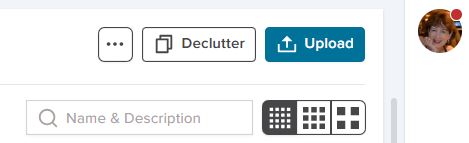
We’re almost through, but before I finish, I wanted to show you these last few buttons on the Gallery Page.

The box with the three buttons let’s you View a Slideshow. Now you can see why the filters can be so great. You could select just the images from a vacation you just had, hit the slideshow button, sit back and enjoy. The box will also give you automatic access to the delete bin, if you need it.

Declutter is something for another day, but it’s a great tool, and I’ve already told you how to use the Upload button.

The search bar allows you to search by text for a photo. Let’s say you know you had several photos you named “Bob’s Graduation”, but you weren’t sure exactly what album they were in. Just type “Bob’s Graduation” in the box and it will find the images.

That bar with the dots in them selects the size of the images in the Gallery. The more dots, the smaller the images. The less dots the larger. You’ll love that the thumbprints show the full image with orientation, not just some sliver or portion.

Memory Keeping, Photo Organization, Photo Organization Coach, Photography, Scrapbooking

Three Ways to Create #2

MEMORY SHARING: THREE WAYS TO CREATE PROJECTS #2

The Many Templates of Create & Print

Last week we navigated to the AutoBook Section of the FOREVER site. The first options shown (unless you’ve used the filter) will be AutoBooks. You select the photos and AI does the rest. This this feature is not unique to FOREVER, but you’ll find it easy to use and the resulting photo books are gorgeous.

Today we’ll once again go to Create & Print and select Photo Books, but this time we’ll skip the AutoBooks and look at all the template options. As with all Create & Print, you can choose your photos from your device or from your FOREVER storage. These beautifully designed photo book templates offer many cover choices and go from minimal page decor to fancy. I’m guessing you’ll be overwhelmed, so let’s start with the filter!

The Filter

Once you consider book size, cover selection and all the other options you have with FOREVER’s Create & Print Templates, you have literally thousands of choices to use for your project.

The FILTER BY Button addresses the basics. What size do you want your photo book to be? Will it be a Standard book or Deluxe Seamless? Will it be a Hardback or Soft Cover album? You can even let FOREVER know if you’re looking for a particular color palette or Black & White.

THEMES tells FOREVER what style of book you’re looking for. Classic, Modern or Rustic? Are you remembering a wedding, travel or holidays? These are just a few and you can mix and match. Perhaps you want a classic theme for a holiday wedding. Just check the boxes which apply to your project.

Next is another style question: # OF PHOTOS per page. Maybe you’ve got a series of school portraits and you want to put one on each page. Maybe you want more than one photo on the page, but you’re still looking for simple elegance. Few Photos would be your choice. Maybe you’ve just gotten back from the cruise of a lifetime and you have hundreds of photos for every port. You might be interested in Many Photos.

The final button is FEATURED. If you leave it at that, it will show you the default page – the way FOREVER decided to display the choices. However, click on it and it will toggle between Most Popular and Most Recent. Most Popular shows what most people select when they’ve used the filters you have. Most Recent shows you the newest designs in FOREVER.

Personalize

When you click PERSONALIZE after choosing the basic parameters of your photo book, you’ll be taken to the template of the book. First, you’ll customize the cover design with your colors, your fonts and your photos. Then page by page, you choose! FOREVER has selected a template for each page and if you’re in a hurry, maybe you just want to load your pictures using the page templates they selected. However, you can also choose a template from the 100 or so available page templates, each differing in style, number of photos, title and journal box. There’s also the option to add a QR code linked to a FOREVER file. You won’t have that option with the fish and the fly.

Once you’ve chosen a template with the number of photos you want to include on a page, you customize any Titles with your own words and fonts. Same with the journaling boxes. Do it your way!

If You Find the Templates Limiting…

Create & Print Templates are designed to make the creation of a photo book easy, but some of us want more control, because we just can’t be satisfied. We like a page template, but we’d like it better if it had a larger journaling box or no title or we need one more photo on it. Or maybe you just feel like you’d like to have a little more decoration on the page. Guess what! You’re not a Create & Print customer. You’re looking for Artisan 6, just like I was. Come back next week and let me tell you about my addiction.

FOREVER's Front Door
Memory Keeping, Photo Organization, Photo Organization Coach, Scrapbooking

Beginning at the Beginning

FOREVER's Front Door
Here’s where to start

MEMORY PRESERVATION: SUPPORT BEGINS ON THE VERY FIRST PAGE

FOREVER’s Front Door

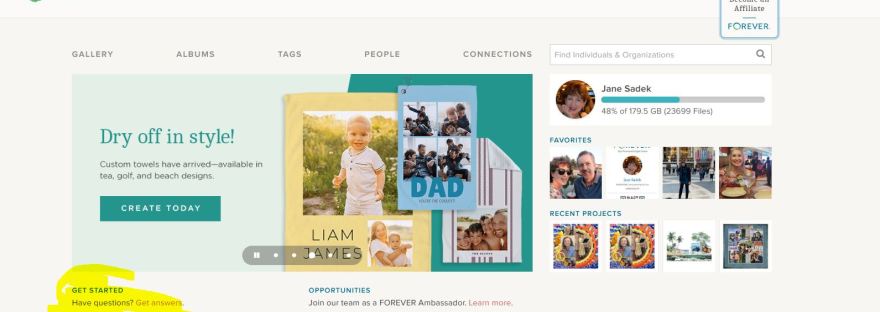
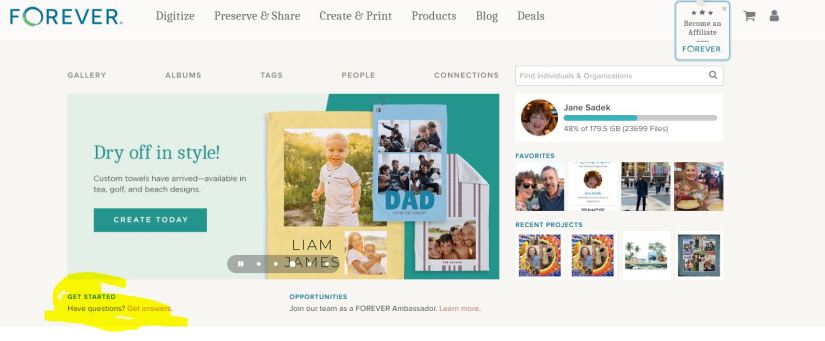
What you see above is the first page of the FOREVER website. The top row (Digitize, Preserve & Share, Create & Print, Products, Blog & Deals) are links to other pages on their website. Further along they invite you to a career with FOREVER, offer a shopping cart and then there’s the avatar which you can hover over to take you to various places in your FOREVER account.

You do have a FOREVER account, right. It’s free and they give you 2GB’s of storage so you can play around with things AND when you join, you get a $20 off coupon (if you verify your email address). So, if you haven’t joined, here’s the link: https://www.forever.com/ambassador/jane-sadek .

As you get to know FOREVER, you’ll find out that everything is hyper-connected. You can get to pretty much anything you want to get to on their site or yours with just a click, maybe two, and usually, because all of us are wired differently, there’s more than one way to get there.

For example, there are a couple of ways to get from FOREVER’s front door to the pages of your account. One way was the avatar on the top row. The second row is direct links to various parts of your account (GALLERY, ALBUMS, TAGS, PEOPLE & CONNECTIONS). (Then there’s a search bar to help you find other FOREVER people. Just type in their name and see if they are on FOREVER also. We’ll talk about Connections and Groups, later. I just wanted you to know what that was.)

Below the links to your pages, there’s a slideshow to show you some highlights of things to come. The one you see in the image above introduces FOREVER’s new towels. Yes, you can make personalized beach towels, sport towels and tea towels! That’s just the latest thing FOREVER has introduced.

GET STARTED

Now we’re where I wanted you to go. See, how under the slideshow I’ve highlighted “GET STARTED | Have Questions? Get answers.” Well, “Get answers” is a live link which will take you to the page I’ve inserted below. Let’s see what’s there.

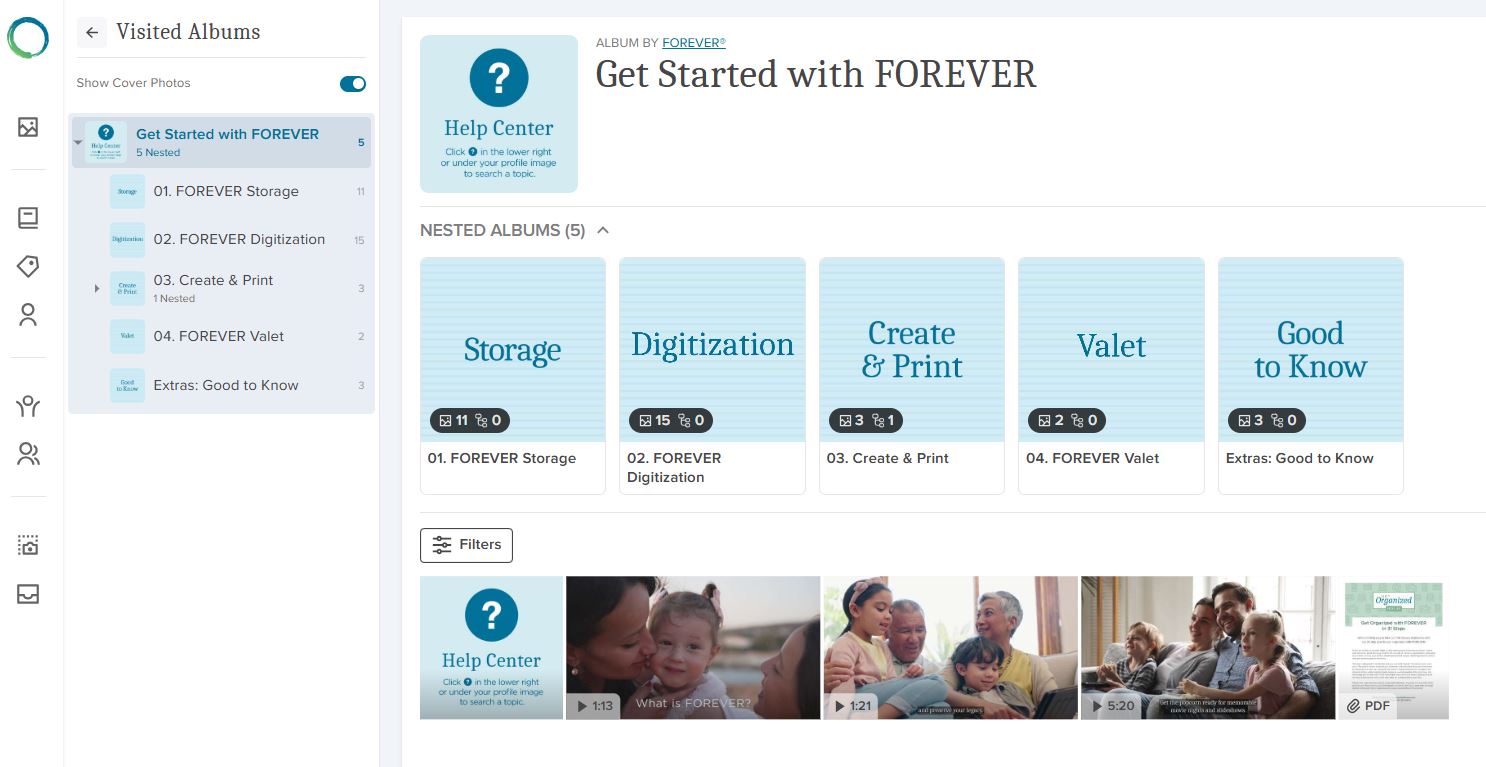
Remember how I told you FOREVER always offers several ways to get around, well here’s proof. On the far left is a column of icons. The green and blue FOREVER Circle will take you back to FOREVER’s home page. The rest of them take you to places in your storage. From below the FOREVER circle down, they take you to Your Gallery, Your Albums, Your Tags, Your People, Your Connections, Your Groups, Your Print Projects and Your Digitization Projects.

Screenshot of FOREVER's Get Started Page
Videos for Everything FOREVER

Next to that you have a small block next to a large block. The small block are short cuts to the items you see in the big block. You can reach those sections of the site by clicking the shortcut or one of the files in the large block. Whichever way you go, you’ll keep the first column and the small block on the right for navigation and you’ll find nested files under that. These “files” in FOREVER are called albums.

This section of FOREVER’s website is a sort of hybrid. If you had gone to the top row choices, that would have taken you into FOREVER’s site and from those pages, you would have to go back to the main page to get to your pages. If you had instead chosen the second row, you would be in your site and according to which section you were in, it might look like this three row configuration or only the two blocks on the right. The bottom line is that wherever you are, getting to the rest of it is easy.

SO THEN, WHAT DO WE HAVE HERE?

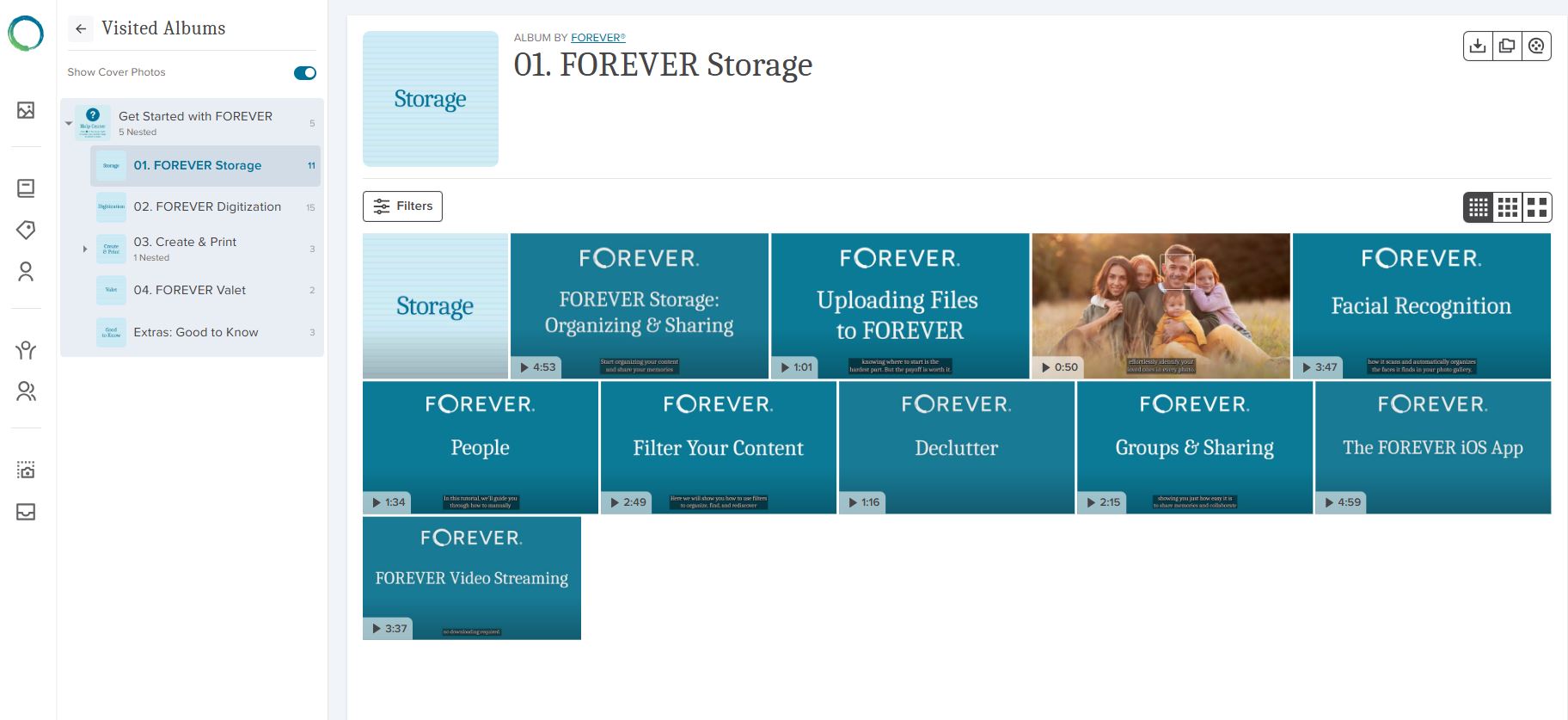
All that leads me to why we are here. The albums you see in the big block contain videos about using FOREVER. You can go directly to the album holding the videos related to what you want to know about. If, for instance, you clicked on “Storage”, you’d see the page I have inserted below. As you can see, most of these items have a small arrow and a time stamp in the lower left hand corner. That tells you they are videos. The items without a stamp will be simple images.

A Screenshot of the Storage Album in FOREVER's Website
Great Training Videos at your fingertips!

DIGGING DEEPER

If you click on the arrow in the corner of the video, it will play the video, because the actual FOREVER site has video streaming. If you hover over the video, a box appears which you can click. That allows you to copy or download a video. That functionality is there, because in your own storage you might not have video streaming, so you’d need to download a video to watch it. Autoplay is a great reason to add video streaming to your account and some day we’ll talk about that (or you can go to FOREVER now and watch the video you see in the image above!).

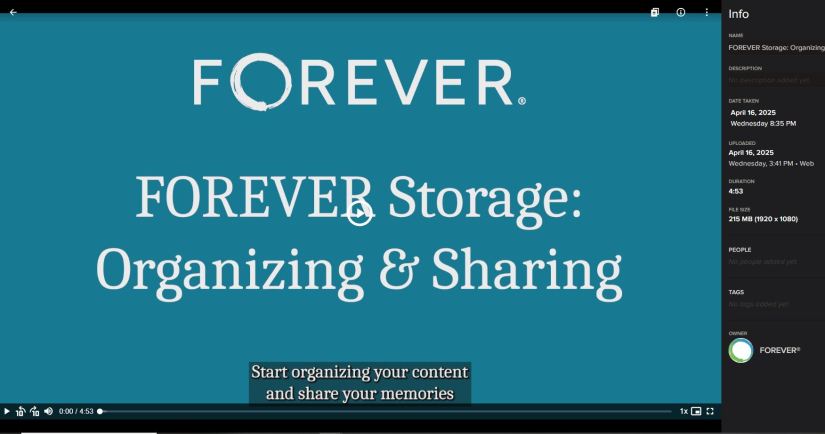
If instead you clicked on the item, it would take you into the light box I’ve inserted below. You could play the video from the video bar at the bottom and it also has an Info box. That tells you more information about the video and we’ll discuss the light box further in another blog, but I wanted to point it out, because just as FOREVER has a light box for the items in it’s albums, your albums will also have light boxes.

Screenshot of a FOREVER lightbox

And that’s that. Next week I will begin walking you through FOREVER storage or if you prefer, you could go watch the videos yourself at your convenience. Friday we’ll be making something fun for Memory Sharing and Monday we’ll be on the road, Memory Making! Stay with me!