
ART, Memory Keeping, Photo Organization, Photo Organization Coach, Photography

Curating Individual Images in FOREVER

MEMORY KEEPING 101: EVERY IMAGE MATTERS

Every Picture Tells a Story

A picture is worth a 1000 words, at least that’s the old saying, but if you don’t know anything about the people, the place or the occasion then that picture probably isn’t worth two cents. I’ve spent time over the last few months talking about the FOREVER Library, Albums and Tags. These are great tools, but with FOREVER, each image has a lightbox (you might call it a work page) and you can use it to make sure your images are always worth more than a couple of cents.

The Top Bar

Let’s start with the bar above the image, but skip the first few, because you’re not going to need those until you finish with the rest of the choices.

When you’re in the process of adding value to your images, you may first need to Rotate. Back in the days before digital, you could take the photo any way you wanted and then any rotation needed was done in your hand. Using smart phones, photos get shot in all sorts of angles, so to see them properly in your in your lightbox, just hit Rotate. The photo will fall to the right. To get it the way you want, you might have to use rotate several times.

Edit is next and it’s a biggie. Remember when you had film developed. You were stuck with whatever you took, but that’s not the case anymore. You have a built in editor in your lightbox and it does a lot.

Above the photo are plus and minus buttons which allow you to make the image larger and smaller in the light box. It doesn’t actually enlarge or reduce the real size of the image. However, the first button on the bottom is your Transform button and with that you can change the size of the photo.

When you press Transform the screen changes again. Now at the top are buttons which allow you to flip the photo horizontally or vertically. There are also buttons to rotate the photos to the left or the right.

Right below the photo is the Rotation selector. Instead of flipping the whole image, this bar will allow you to tilt the photo to the right or the left, so that everything can be square, even if you help the camera atilt.

At the bottom, you get to choose the size and shape of your image. Many of choices are pre-determined to help you out. You can choose square, 4:3 or 16:9. 4:3 is a sort of standard photo ratio and 16:9 is commonly known as widescreen.

The 4:3 aspect ratio describes a width of four units and a height of three units. These can be inches, lines, or pixels, depending on the object with that aspect ratio. When you divide the values, that is the width by the height, you get 1.33 (4 divided by 3 is 1.33)

https://boords.com/blog/what-is-the-4-3-aspect-ratio-definition-and-examples

But FOREVER is not through helping you. Most of you know Instagram likes squares, but if you do Facebook and have ever been frustrated trying to create a Profile Pictures, Ad, Post or Cover, here’s your solution!

If you’ve fiddled around with all the ratios and decide it was best to begin with, just choose Original. Whatever you choose, click the arrow on the bottom left to return to the lightbox and when you get there, be sure to save in the upper right hand corner.

Back in the lightbox, if you select Filter, then you’ve got a world of filters to choose from. I don’t use them much, but many people do. If you click the list icon, you’ll be able to access filters sorted by the types listed.

After Filters in the lightbox, you can choose Adjust. This is getting pretty fancy and most of us don’t get this deep, but I wanted you to know it was there. If the filters can’t fix what you think is wrong with the photo, then you have all these tools. When you click on each of them a scale will come up from -100% to +100%. Play around with them, see what they will do. You can’t mess the image up, because once you use the arrow on the left to go back to lightbox, you can say UNDO!

Next after Adjust in the lightbox is Text. Whether you want to put an X on a treasure map or just make a caption to go on your Christmas Card, here’s how to do it. When you click the Text button, you’ll see a text box. It will say, “Double Click to Edit”. You have a choice of size, font and alignment. Say what you want, change the font, change the color, change the size, change the alignment and move it where you want it. When you get back to the lightbox, you can undo or save. If you save, it create a copy. You always have your original, unless you choose to delete it.

Want stickers instead? Yes FOREVER’s got that, too. Right after the Text button is the Sticker button.

And after Sticker button is the Brush button. You can change the pixel size of the brushstroke and the color.

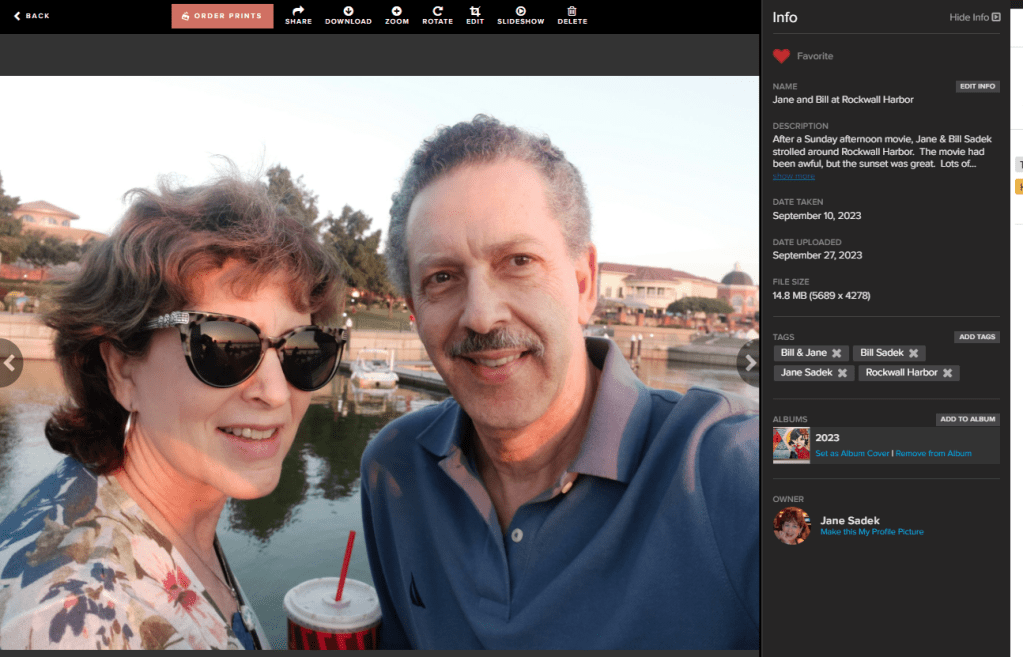
Do you see how I blurred out the background and put the focus on Bill and me. That would be the Focus button. There is both radial and mirrored blurring and you have a scale to select how much blurring you want.

Frames, your final editing choice lets you add a fun frame to your image. There’s this Film Frame, an Art Deco Frame, Polychrome, Wooden and more.

Back at the top in the lightbox, there’s Slideshow, which will start a slideshow and more through the album or library. When you’re done, you may decide to Delete the photo or Order Prints, but you’re more likely to want to share it.

When you click the share button this is what you get. It’s easy to share, but be careful! Know who you are sharing with, because giving them access will allow them to view, upload and download files from this album. They can’t delete anything, but if you start finding odd photos in your library, this could be the reason. All you have to do is delete them and turn off that share link.

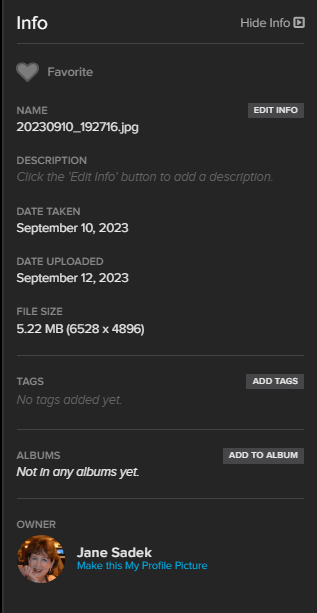
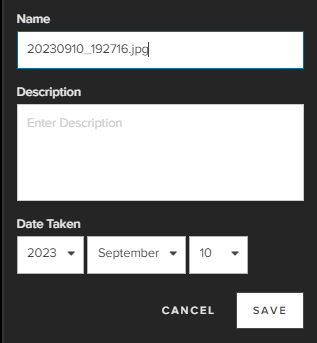
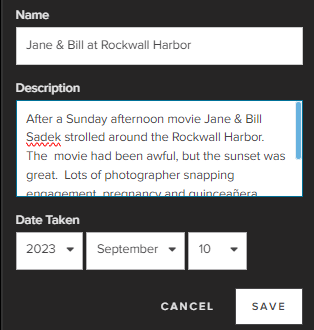
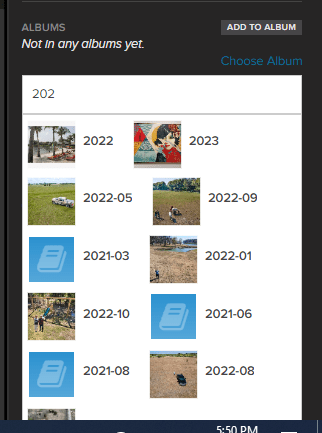
There’s a lot more you can do in your lightbox, but I think this is enough for today. We’ll come back to the Info, Tagging and Albums sections later.

Accommodations, Architecture, ART, Attractions, Decorative Arts, DESTINATIONS, Gardens, Photography, Road Trips, TRAVEL, United States

Detroit’s Art Deco Treasure

TRAVEL THERE: A STROLL IN DOWNTOWN DETROIT

The Guardian Building

We’d started our day in an empty world headquarters, had breakfast in ghost town food court and taken a ride on an abandoned monorail. We were beginning to wonder if anyone actually lived or worked in Detroit. Still, finding gems off the beaten path is one of my favorite things to do, so this hunt for The Guardian Building was just my cup of tea.

It was Travel Advisor which clued me in on the existence of a pristine Art Deco skyscraper in Downtown Detroit. Once we got off the People Mover I asked Google Maps to find The Guardian Building and as I thought, it was just around the corner from the monorail stop. Instead of trying to describe it, I’ll just share some of the photos we snapped.

Gorgeous, right? Like the Renaissance Center, there wasn’t much in the way of human occupation. There was a security guard behind a desk in the central lobby and up the stairs was a large open area. A barista lurked behind a coffee bar and there was a tour company office on the other side and that was it. Where were the rest of the inhabitants of Detroit?

Campus Martius Park

While the Riverfront and Greektown are obviously popular areas in Detroit, we’d be seeing those with the family later in the weekend, so I wanted to focus on things we wouldn’t see with them, which took us to this downtown park.

It was here we finally connected with humanity. As we strolled along a well landscaped path between the skyscrapers, we happened upon a beach bar. Yes, I said a beach bar. Sand, lounge chairs and drinks with fruit in them. Don’t believe me?

It would have suited me fine to take a load off and sample their wares, but Bill was not in lounging mode. He was doing his best to play tourist, but he was distracted. Not only were most of our credit cards compromised by hackers, but the market was open and we’d just turned over our real estate photography company to the new owner. We were supposed to be celebrating that last bit, but after nursing our enterprise to success for six years, we were having some separation anxiety. Was this guy going to be able to handle it? It’s not that we weren’t happy to see it go. We just didn’t want it back!

At the end of the park is One Campus Maritus, the Compuware headquarters, famous for this 14 story waterfall.

And that left one final stop along Woodward Avenue we wanted to visit, The Grand Circus. It’s not a circus with a tent, but a park in a circle. It was a much quieter venue than Campus Maritus with its beach bar and perhaps we would have skipped it altogether had we known, but it was right next to a People Mover station, so it turned out to be quite convenient.

On to our Next Accommodations

The People Mover took us back to Renaissance Center, where we claimed our rental car and headed to Pontiac/Auburn Hills. That was the location of the Residence Inn which would be our home away from home over the next few days. It was close to all the family events and had just what we wanted.

Certainly the Renaissance Center Marriott was more glamourous, but the Residence Inn offered a comfort the swanky hotel did not – a separate sitting room I could escape to each morning. I wake up so early out of habit, but Bill knows how to sleep late and I like to give him that luxury. On the way, we stopped at a grocery store to get some items to enjoy during our stay – wine, bottled water, fruit, protein bars etc.

I’m a pretty easy-going traveler. I don’t think I have ever rejected a room, even though there have been a few times I should have. Bill on the other hand is a little harder to please. He will go down to the desk and complain when he doesn’t like something. At the Residence Inn, he didn’t like the view. It’s a suburban Residence Inn, so I didn’t expect a view, but he did. We got a different room and don’t tell him, but I sort of liked the first one better. It seemed a little more convenient and not quite as dorm-like, but Bill did like the view better, so we stayed.

The Family Weekend

Over the next few days, we were involved with family. We had a get together at a local restaurant Friday night and the big Gender Reveal at a Country Club Saturday. Sunday we hung out at the Riverfront, had lunch in Greek town and a game of golf in the afternoon. On Monday, the main event was an absolute feast, fit for a Pharaoh with all our Egyptian favorites. While it was a lot of fun, it wouldn’t be of much interest to anyone outside the family. (It’s a boy by the way. Our Grand Nephew will arrive in October.)

After the feast, we went back towards Detroit and stayed at the Smithfield Westin. It was a nice hotel, but we were just there to sleep. In the morning I was finally getting to do something that had been on every version of my itinerary the Detroit Institute of Art. Come back next week and enjoy our visit.

DFW Metroplex, Photo Organization, Photo Organization Coach, Photography, Scrapbooking

VALET Your Way to Done

MEMORY KEEPING 101: EASY FILE MIGRATION

FOREVER for Memories

When it comes to file storage, you’ve got a lot of choices, but if those files are memories, in the form of images or audio, then you need FOREVER, because that’s where your photos will be safe now and for generations to come.

Safe, because you own it. Safe, because it’s technologically secure. Safe, because it’s guaranteed for your life plus 100 years. Safe because it’s triple backed up in a variety of geographical locations. Safe, because it’s not mined for advertising. Safe, because it won’t be deleted, compressed or transferred.

Most people have their memories spread out over three types of media. They have some things in hard copy – photos, videos, slides, movies, audio etc. The most recent memories are on their phone. And squeezed in between these two are all the places you may have digital photos other than your phone – your pc, your laptop, hard drives, thumb drives, floppy discs, CD’s, DVD’s, even camera cards.

FOREVER – a Place for Everything!

FOREVER is ready for all your memories. We have the very best digitization – bar none- in the industry (and in a few weeks will have the largest, most extensive facility) for all that hard copy media. Then every FOREVER storage account comes with it’s own free app, which will upload all your photos from your phone and continue to synch them as you take them should you desire.

All the rest can be uploaded from your devices, but in the past that could have been an obstacle for potential users. If your images were spread all over your digital life with no type of organization, then a move to FOREVER storage would protect your mess, but it would still be a mess. If your images were neatly organized in one or two places, then a move to FOREVER storage would have, once again, protected your images, but unless you took the time to carefully move them, folder by folder, you’d just have a safe mess. In either case, interested parties might hesitate to make the jump.

VALET Solves Both Problems

VALET is an app for high speed uploading and downloading, but it does more than that.

If your images are spread all over the place in a wide variety of media with no rhyme or reason, then you’ll love VALET. It will sort your images into dated albums by year and by month, as you upload them into FOREVER, and it will do it so quickly you’ll be amazed. When it’s done, all your memories will be safe and organized.

If your photos are neatly organized on your device(s), then you’ll love VALET even more. It will upload your photos into nested albums, based on the organization you have on your device and it will do it so fast you’ll barely believe it. When it’s done, all your photos will be safe and organized.

Here’s the best part! You can try out VALET for free for 30 days, even though you could probably move all your pictures in a matter of minutes or hours. Because it is a trial, it does not have the download feature available, but when moving to FOREVER, it’s all about the upload.

However, if you’re someone who moves a lot of images around or you’ve got so many photos, so many places you can’t get them all uploaded in 30 days, then VALET is only $60 a year. It was developed for use by photo professionals and professional organizers, so there is a pro level of the app which costs more, but for most of us, the standard VALET will do everything we’ll ever need it to do.

If you’re like some folks who just couldn’t face the trials and tribulations of moving your photos into FOREVER then I have to tell you, that excuse no longer holds water. If you’re still unsure about it, call me. I can either walk you through it in a ZOOM meeting or if necessary, come to your house, sit at your and do it for you!

Architecture, Attractions, DESTINATIONS, Restaurants & Bars, Road Trips, TRAVEL, Travel Planning, United States

Day Tripping in Detroit

TRAVEL THERE: TOURIST TIME FOR BILL & JANE

Finding the Right Mix

Confession, Bill and I are happy when it’s just us two. It’s not that we don’t love our family and friends, nor does it have anything to do with not wanting to spend time with them. We just like to find the right mix of time for us and time with them.

Our weekend in Michigan was going to be full to bursting with family time from a happy hour on Friday evening to a family feast on Monday evening. So, Friday morning we decided to play tourists on our own.

Plans Are Made to be Changed

I cannot count the times I rearranged our itinerary in the months before our trip, but I thought I had a pretty good plan put together a few weeks before our arrival. Then I did some double checking, just in case – and it was a good thing! The hours posted in March for my chosen attractions had changed in May! I had to completely revamp my schedule in the days just before we left.

My plan, when we departed on Thursday, included getting up early and heading off to Greenfield Village at the Henry Ford on Friday morning. Well, after the bumps in the road on our travel day, getting Mr. Bill up early the next morning to go to a historical amusement part, didn’t sound as good as it had back in Dallas.

If I had been traveling with my bestie, we’re both early risers by nature, so it would have just been another day of fun for us. However, getting an exhausted Bill up early and out of our hotel room, to go to an amusement park, wasn’t going to kick off our vacation with the right foot.

Because of the accumulated travel difficulties, we’d missed out on a walking tour of Downtown Detroit I’d planned for Thursday evening. So, I changed my plans again. We’d take our time getting up and checking out of our hotel room and then do our Detroit walking tour, beginning with the People Mover.

Breakfast in Renaissance Center

In 1996 General Motors opened the first phase of Renaissance Center in homage to itself. This was to be, and still is, their world headquarters. It is a beautiful grouping of buildings, but it is also a ghost town. On a Friday morning it should be abustle with the comings and goings of the world, but it seemed virtually empty. It was us, a few maintenance people and a group of rambunctious children meeting for a field trip.

It was a little spooky wandering around in the vast empty lobby of the Renaissance Towers. Just outside the Marriott lobby, a sign promised several dining choices, but we just wanted to grab a quick breakfast, not have dinner at a steak or seafood venue. The People Mover Food Court sounded like what we needed, especially since we were also looking for the People Mover, but getting to it was a new challenge.

With a little direction from the cleaning crew, we took an elevator to a lower level and found the epicenter of the ghost town. The ambitious plans of the designers were evident, as were the resulting disappointment. An attractive seating area for hundreds of patrons with spots for many food vendors filled a large portion of the lower level, but it echoed emptily with a few orders from the field trip participants to the last food vendor standing.

Their menu was a cross between a short order grill and a gyro stand. The menu offered schwerma that didn’t actually exist, so Bill settled on something else from the Mediterranean menu and I got a grilled cheese sandwich. It wasn’t bad, but it wasn’t all that good either. Time for the People Mover.

The People Mover

I missed the People Mover in my initial Detroit research, but our family mentioned a free monorail in some of our correspondence, so I looked a little further because free city transportation sounded like a great thing. The sign announcing the presence of the People Mover Food Court led me to believe the Food Court and the People Mover would be adjacent to one other, but after breakfast we discovered my assumption was wrong.

The signage in the building is awful and as I mentioned, there were hardly any fellow humans walking around in it. The cleaning people, who had sent us to the Food Court, seemed a little vague about the People Mover’s location, but then we ran into an elevator repairman. He got us going in the right direction, but it was still hard to find. We went through a little trial and error before we actually found it.

Bill was ready to just walk where we wanted to go, because it wasn’t far, but I wanted to include a report on the People Mover here, so I pressed on. We did eventually find it, but the discovery was like happening up on an abandoned amusement park. As we waited, we’d just about given up again, when a security guard arrived and assured us we were in the right place. The monorail would arrive shortly.

To my dismay, I discovered the monorail traveled in only one direction and that direction was in the opposite direction of where I wanted to go. However, the circular route isn’t all that long, so we boarded the car when it came and took in an aerial tour of Downtown Detroit.

It wasn’t long until we’d made it all around and were arriving at our stop. I got my bearings and headed to the Guardian Building. Come back next week, because you’ll want to find out about that Art Deco beauty.

DFW Metroplex, Memory Keeping, Photo Organization, Photo Organization Coach, Photography, Scrapbooking

Win, Win, Win

MEMORY KEEPING 101: FOREVER REFERRALS PAY OFF THREE WAYS

An Easy Win for You

Most of us would love to refer our friends to our friends, but it can get complicated. With FOREVER it’s easy. In fact, it’s so easy, some people do it without even realizing it.

From the App

Every FOREVER storage owner gets a free app which makes their photos accessible on their phones. If you’ show someone a photo from your collection and they say, “Oh I love it, can you share it?” You can say, “Sure!” and use the handy-dandy share symbol, but you can also be a hero.

You can also say, “I’d love to share it! Can I send you an invitation to join FOREVER? It’s free and it will make it really easy to share not only this photo, but anything else I want to share with you now and later.” If they say yes, and why wouldn’t they, then you’ve kicked off a great opportunity – for you, for your friend and for me!

Once your friend accepts your invitation, sharing photos and albums is very easy – not just that photo, but you’ve got an easy connection for sharing other items whenever you want. In addition, your friend immediately starts to enjoy some of the benefits of FOREVER and they will get a very special gift – but more about that later.

From Your Online Storage

Let’s say you’ve just uploaded all your vacation photos from your recent trip to Disney. Your kids are so cute and you know someone who would love to see them, but how are you going to send them? We’ve all been there. There’s too many to text, your email will convert it to some file you’re friend or kin may or may not be able to open or any other of the various things which can happen digitally. You just wish you could let them see them right there in your account. Well, you can.

You can hit the share button or your can be a hero! With the share button, they’ll get photos they can look at and download, but when you’re a hero, you give them their own access to FOREVER.

Just go to the person icon on the top right of your account, click on refer a friend and choose the way you want to share. In your invitation say, “I want to share some photos with you and FOREVER is an easy way to do it. Just sign up for free with this link.” when they connect with you, sharing will be easy.

So, How Do You Win, They Win and I Win?

When you send them the link and they verify their free membership, they get a $20 Off Welcome Coupon they can use any time in the next 60 days. That gives them time to see the photos you shared with them and they’ll get 2 GB of free storage to play with. When they make their first purchase, whether that’s storage, a digitation box or a print item, you’ll automatically get a $20 Off Coupon to use. That’s how you win and they win.

The more you refer, the more you win! Every time you refer someone who becomes a FOREVER customer, you get a $20 coupon with their first order. Want to buy something a little out of your budget? You can stack up to 3 coupons on any purchase, on top of any FOREVER deal and a FOREVER Club discount.

I will confess though, I am the biggest winner. First of all, I get a new client and that’s the best thing I can think of. What makes it better is that both you and your friend have been rewarded by FOREVER. Those $20 off coupons don’t come out of my pocket. That’s a present from FOREVER. But you know what? I always get a reward from FOREVER, whenever I get a new paying client from a referral link, whether the link came from one of my clients or from me.

So, when you refer a friend to me, who becomes my new paying client, you win, they win and I win in more ways than one. And let me tell you something! Those clients who send me referrals are my favorite clients and rest assured, I find ways to reward you. Please be a hero and refer a friend today!!

DFW Metroplex, Memory Keeping, Photo Organization Coach, Photography

Get Down to Business with FOREVER

MEMORY KEEPING 101: MEMORABLE BUSINESS GIFTS

Coffee Mugs, Water Bottles, Magnets, Coasters and More

Most of the time, when I’m talking about the amazing photo gifts offered by FOREVER, I’m talking to individuals about items for them to gift to family and friends, but if you have a business, FOREVER could be your resource for gifts and giveaways your clients will love. We not only have the usual suspects like Coffee Mugs, Water Bottles and such, but we also have very unique, totally customizable ideas you will love.

The first thing business people want to know is, “How much?” My first question would be, “When do you need them?” FOREVER offers a variety of deals every month. I can see at the first of every month what the deals would be and if you don’t like the deals this month, hang on and let’s see what they have next month. For most items FOREVER offers (with the exception of storage, digitization and family history research), the deals can get as good as 50% off. Also, depending on how many you need, there might be a volume discount available.

But why FOREVER instead of one of the many other vendors on the internet? Well, to begin with, there’s me. I’m a local small businessperson and you know me. I know you, too, and I am going to take care of you. I am not a bot. I’m not an anonymous person on the phone. I’m not some app. I’m me.

Personalized Gifts should be Unique

I’m also not a template. When you order online from most vendors, you have to fill in their template and hope it turns out like you wanted. What’s more, they’re usually sourcing their offerings from someone else who is selling stuff to who knows how many other companies. In the end, your personalized gift looks just like every other personalized gift.

FOREVER has templates, too, if you want to go that route, but they also have their own designers on staff for those templates. FOREVER doesn’t merely look in some wholesale catalog and offer up what everyone else offers. They design what they want and then work with the printers to develop their unique templates for products unique to FOREVER.

But you’re not stuck with a template. You can send me your stuff, tell me what you want it to look like and I’ll design it for you. If you have no idea what you want, beyond you want something, I can also take it from there. Artisan is a design product unique to FOREVER. It began as a tool for digital scrapbooking which these days can be used to put a unique custom design on whatever FOREVER offers.

Quality First

Another reason to choose FOREVER is the quality of their products. I don’t know about you, but in my days before FOREVER, I ordered a lot of things that looked great on my computer screen, only to open the box when it arrived and drop it in the trash. It was what I ordered, but not what I wanted. Even more embarrassing, I’ve drop shipped things to people, thinking I’d sent something amazing, only to discover it was something awful. You won’t feel that way with FOREVER. They just don’t offer bargain basement products. You can get some version of their products a lot cheaper elsewhere, but I can assure you it won’t be the same thing. You might pay more, but you are going to be more satisfied.

So, let’s talk. Bring your budget and your ideas. I’ll be sure you have wonderful items for client gifts and promotional items. I hope you’ll contact me soon!

DFW Metroplex, Memory Keeping, Photo Organization, Photo Organization Coach, Photography, Scrapbooking

Tag Along for Organizing

MEMORY KEEPING 101YOUR FOREVER TAGGING TOOL

Three Levels of Organization

With your FOREVER Permanent Storage you have three ways to organize your media. I have told you about two in recent weeks, the Library and Albums. By way of review, your Library is where all the photos in your account reside. Whether you upload them to the Library or an Album, the actual photo will be stored in the Library and your Albums are merely a way of accessing them. For that reason, you can add a photo to as many albums as you like without taking up more storage.

Your Library has a variety of tools you can use to sort, filter and order the images. You can also use the search bar to find images by tags, file name or description. Some people find this to be all they really need and they never get around to using the Albums or Tagging. Most of us love having other tools for curating.

I find Albums to be my favorite curating tool. I choose the categories I want for my top level Albums and then nest related albums beneath them. I can continue to nest other albums under those secondary albums for as deep as I need. It is important to note the images are not “in” the albums, they only show up there. (I will confess that initially I thought I was supposed to “move” images into albums and then I could delete them out of the library. Thankfully, the images remain in the Delete Bin for 30 days and I was able to rescue them, but then I had to repopulate my Albums.)

So Why Tag?

Until I found FOREVER, I was never happy with the way any program, app or service wanted me to organize my photos. Some people identify with organizing by year or with pre-designated categories. I didn’t. If creating your own album names is threatening to you, I will be happy to help you set up something, but for me, the ability to set up my own system was pure heaven.

If you want to know more about how I set up my account, see my post about Albums. It works for me, but I was even happier when I discovered the cross-referencing power of tagging. I’m not always interested in looking at a photo in the context it was taken. Instead I want to find a photo for a certain purpose.

One of the best examples of why you might need tagging involves other people. Let’s say there’s a birthday or anniversary coming up and your family/friends want to gather up great photos of the honoree. Without tagging, you’d have to recall what years or events or places you were with that person to find the images of them. If you’ve tagged your photos with the name of the people in your photos, then all you have to do is go to the Tags section of your storage and find the file for that person. Then enjoy choosing from all the images you have of that person. FOREVER even allows you to show them in a variety of orders to assist in your search for just the right photos. You can also click the hearts as you find those you like.

Multi-Level Tags

But that’s only one reason why you might want to use tags. You can use them for lots of things besides identifying people. The most important photos in my account are my travel photos, so I created a tag called “Travel.” That way, if I’m just in the mood to see a variety of travel photos, I can go to my tags and choose travel. I created a tag for “Cruises” and also for each country, state and/or city I have visited. If I want to see all the photos from my trips to Egypt – boom. I have a “Museums” tag, but also other tags for favorite museums so I can go directly to those.

When it comes to people, I have a tag for “Family” and for “Jane and Friends”, as well as for family members and close friends of which I have lots of photos. I have a Tag for “Bill and Jane” in case I just want photos which have both of us in them.

See, I can have as many tags as I want, so I don’t have to be stingy. If I think I might need to find something using a certain tag, I create it – but that’s me. Some people would be overwhelmed by all those tags. Well then, you do it your way!

So How Do You Do It?

There are many ways to go about tagging. I will go through those I use most often, but there is no wrong or right way to do it.

From the Library

If you want to do some high level tagging, like “Travel” or “Family” then the easiest way is to go to the Library and instead of “All Files”, select to see “Not Tagged”. From that view, start clicking the circle on all the photos you want to include in a tag. (You can do up to 500 at a time.)

As you click you’ll be taken to an area where you have a choice of actions including “Add Tags”. Once you have chosen all you want to include, clicking “Add Tags” will take you here.

Then you just start typing in the tags you want. You can either add new tags or as you type, FOREVER will match what you have typed with available tags. Hit the “Add Tags” button and you are done.

From Albums

If you want to tag from an Album, you have to go deep enough to be in a file with photos in it. You cannot tag the Albums. Then you do exactly what you did in the Library. Start clicking and you will be in an area where you had the same choices you did above and you will do exactly the same thing.

From Individual Images

Whether you are in the Library or the Albums, you can always choose to click on an individual image (not the selection circle) and you will end up on a page like this. On the right side in the middle is the tag section. Click on the “Add Tags” button.

This box opens up and you can start typing, just as you did in the “Add Tags” box from the Library and the Albums section.

Go Give It a Try

If you already have a storage account, go online and give this handy tool a try. If not, it’s free to join FOREVER and you get your own 2GB trial account. Upload some photos and try tagging. I promise you can’t hurt FOREVER!

DFW Metroplex, Memory Keeping, Photo Organization, Photo Organization Coach, Photography, Scrapbooking

The FOREVER App is FREE with Storage

MEMORY KEEPING 101: ACCESS IMAGES WITH YOUR PHONE INSTEAD OF HAVING THEM ON YOUR PHONE

Having Images on Your Phone

Let’s face it! Smartphones have spoiled us! Some people do their whole life with their phone. They don’t have a desktop and their laptop might have dust on it, but their phone goes with them everywhere and they use it for everything.

Of course, you want to be able to share images with your phone, but you don’t have to have them on the phone to do that. In fact, having your photos on your phone creates all kinds of problems. What if the phone is stolen, you lose it, you run over it with your car or whatever other disaster might happen. Are the photos on your phone backed up? All of them? Or just some of them? Do you know how to access them?

Losing your phone, however that happens is awful. I know, because I left my phone on top of my car one time and drove away. I only thought of it when it sailed off my car onto the highway and was run over by multiple vehicles – it wasn’t pretty.

You know what else is awful? When I hear someone say, “I can’t take any photos because my phone it full. Phones come with free storage, like a drug dealer gives away free drugs. The point is to get you hooked and once you are, they’ve got you. Breaking away can seem overwhelming, but once you have the ease and security of FOREVER, you’ll discover it’s worth it.

Sure, there are lots of solutions available. You can rent storage or more storage, according to your situation, and upload to the cloud. You can go through and delete a bunch of photos. You could download the images to your computer or move them to some service like Google Photos. Yeah, but chances are you really don’t want to do any of those. You’d just like some sort of magic to happen.

Accessing Photos With Your Phone

So, what you’d like to have happen is for the photos on your phone to be somewhere safe, magically. Well, I can kind of do that for you. It will still suck if your phone gets lost, stolen or destroyed, but with everything else you’ll have going on, you’ll know your photos are safe, that monthly storage charge will disappear and you won’t get that darned notification your phone is full every time you turn around.

When you buy storage from FOREVER, you pay for it once and you get a free app to access the images on your phone. You can buy more when you need it, but paying for it will not be something you have to do the rest of your life. You’re not getting dinged every month for some little (or large) payment for your rented cloud space. In fact, your photos are guaranteed safe for your lifetime plus 100 years, so whoever comes after you won’t have to pay that annoying little fee either.

With the app, you can back-up whatever images you have on your phone and then you can set it to synch with FOREVER every time you take a photo. If your phone says you can’t take anymore photos, just laugh and hit the delete button. How good does freedom feel?

More Than Backing-Up & Synching

The FOREVER App does a whole lot more for you than back-up and synch with the photos you take. You get all the power of the FOREVER Library, Albums and Tagging Features, as well. Most of the things you can do on the FOREVER website, you can also do in the app. If you want to find out about the Library, then see THIS post. If you want to find out about the Albums, see THIS post. If you want to find out about Tagging, come back next week.

If you’ve ever scrolled and scrolled and scrolled to share a photo, then you’ll love the tools FOREVER has to organize, show and share your images. With a few clicks, instead of random scrolling, you can find that beach pic from years ago. And whether your sharing with some across the coffee table or across the world, it’s easier than you can imagine.

So, if your phone is holding your photos ransom, charging rental fees which will never go away (even if your photos do), then lets talk about FOREVER.

DFW Metroplex, Memory Keeping, Photo Organization, Photo Organization Coach, Photography, Scrapbooking

What Is The FOREVER Club & What Does It Do?

MEMORY KEEPING 101: 5% OFF EVERYTHING & FREE STORAGE

What the Club is not!

People are wary of getting signed up for stuff and I don’t blame them. Too often we are promised the world and all we get is a monthly charge for something and we can’t get rid of it.

One minute a friend is telling you about some miracle cosmetic and the next you discover you’ve joined their “team.” Or you sign up for some sort of discount, only to discover you suddenly have both a membership fee and a quota. I hate that.

FOREVER is different. It is always free to sign up and there is never an obligation to buy anything. FOREVER does not want you to join my team. Being a FOREVER Ambassador is a serious career path, not a discount program. Various discounts are available all the time without being anything except one of my FOREVER customers.

What the Club is!

However, if you are a frequent flyer with FOREVER or you’ve got a big purchase you want to make, then the Club could be something you are interested in. It is really a budgeting tool. You choose the amount of investment you want to make on a monthly basis, for as long as you want to make it and then you get out of the Club – easily by the way. You don’t have any hoops to jump through to end the membership. Just go online, access your account and stop the club, whenever.

When you use the Club to budget your Memory Keeping expenses, then FOREVER will reward you two ways. First, they’ll give you a 5% discount on virtually everything and you’ll get a gift of storage anytime you stay in the Club for 3 consecutive months.

Ways to Save

There are a number of ways to go about using the Club.

Dribblers like me

I myself am a dribbler. I invest $25/month each month, primarily so I can get that extra 5% off whatever I buy. You know how you can go into a store with a great coupon, but you can only use it on full price merchandise or there are so many other restrictions the coupon is not worth the paper it’s printed on. Or the company’s ongoing promotions without the coupon are a better value than the coupon. That’s not happening in FOREVER.

With FOREVER, I can spend my $25 whenever I want to and only a very few items are excepted from the 5% discount. I also get to stack it up with whatever other deals and discounts are going on – including welcome coupons and referral coupons. That makes it a true bonus, not a come on.

And you know what else, on top of saving 5% on virtually everything, I like that 1/2 GB added to my storage every quarter. It might not be much, but it’s something and if I get it every three months like clockwork, it does add up.

Strategic Savers

Other people are more strategic in their investment plan. When they want something specific, they set a budget for their expense and save up for it. Let’s say someone wants to get a FOREVER BOX and pack it full of scrapbook pages. I’d sit down with them and estimate how much they’d need to spend for their box credit and overage to digitize all their pages.

Just for this discussion, let’s assume they have 500 page sides to digitize at the retail price of about $2 each and they want to invest $100 a month until they’ve saved up enough. Well, first we’d plan on them waiting until there was a 40% off deal going on, because that’s the biggest discount that’s ever offered for digitization. That takes the $1000 price tag down to $600 and their 5% discount would take it down to $570. $570 divided by $100 Club payments equals 6 months and that means they’d save up for that amount of time. During this period, they’d get 2GB of storage every 3 months, so after 6 months they’d have 4 GB.

Want to know something else? We’d make sure they bought their box on Club Weekend when Club Members can get free shipping, which would save them another $30 or so. So, this customer using monthly deals and the Club would get approximately $1078 worth of FOREVER for $600. That is value!

The Club Installment Plan

Some folks like instant gratification and don’t want to wait a six months to buy what they want. Let’s say someone has the same $100.00 a month, but they want to go ahead and buy 250 GBs of storage right now, on the installment plan.

Well, first they’d join the Club and invest their first $100. Forever storage rarely (if ever) has anything more than a 25% discount, which is available virtually all the time. So, they wouldn’t need to wait on a sale. The retail price is $2499 and with the 25% discount, it would be $1875. Then the Club discount would take it down another 5% to $1782 and they would choose the 24 month installment plan (about $75/mo). They’d set their monthly Club investment to go towards the future payments of their installment plan and each month, FOREVER would charge $100 to their credit card.

Since each month they’d pay in $25 more than they needed for a month’s installment, after 18 months they’d have enough to pay off the other 6 months. They would have earned 2 GB of storage every quarter for a total of 12. So, for $1800 they spent, they would have gotten $2600 worth of value.

These are just a few basic ways of using the Club. People who want to make really large investments, such as permanent streaming or Terabyte Storage packages, sometimes get very fancy in their maneuvering.

Review the Basics

So, your monthly investment can be as low $25 and the largest is $250, but nothing is stopping you from stacking up as many Club Memberships as you want. If you only have one purchase to make and all you want to do is get 5% off, you’ll want to get in and then get out as soon as your purchase is made. However, I do recommend staying in the Club for 3 months at a time so you can earn the free storage and take advantage of deals like free shipping. If you decide to stop investing, your dollars never expire, so you can never lose them, but your discount is only good during the months when you are actively paying into the Club.

If that’s no clearer than mud, I’ll be happy to answer whatever other questions you may have. Just give me a call at 972-971-5263.

Decorative Arts, DFW Metroplex, Gardens, Memory Keeping, Photo Organization, Photo Organization Coach, Photography, Scrapbooking, Shopping

Pre-Designed (But Flexible) Photo Projects

MEMORY KEEPING 101: DESIGN & PRINT PROJECTS

AutoPrint vs. Design & Print

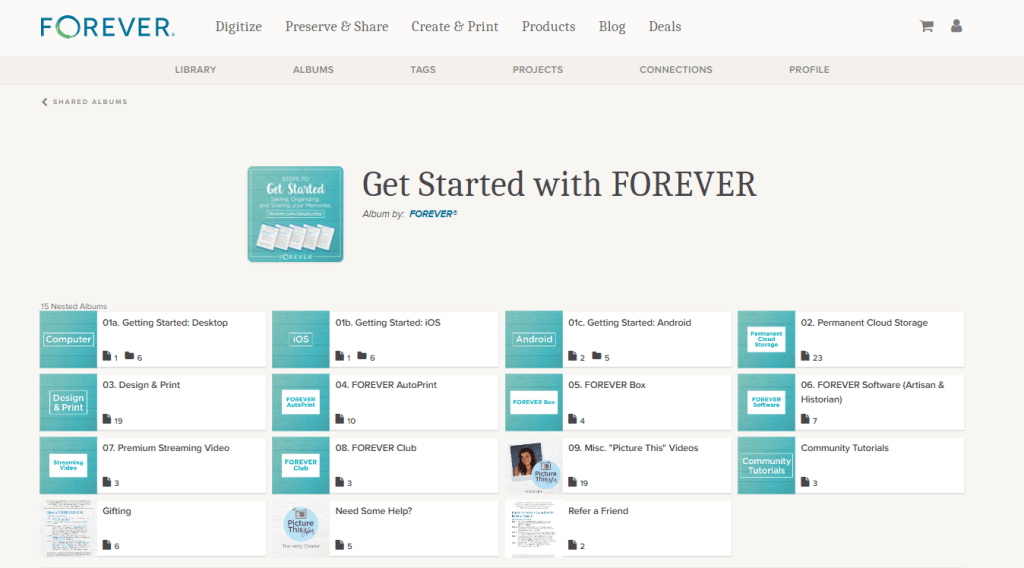
Last month I walked you through a couple of easy, peasy AutoPrint projects step-by-step. AutoPrint is what you want to use to create very quick projects. The layouts are very simple and while you can make some edits, the primary goal is done.

Design & Print is the next level of (shall we say) fussiness. You want more in the way of decoration and more opportunities to add your own touches, but you also want the heavy of lifting of design to have been done by someone else.

Available Projects

While AutoPrint and Design & Print offer many of the same projects for you to choose from, there are some differences. I have compared the AutoPrint Offerings with the Design & Print Options.

  • Photo Books (In AutoPrint you have all these choices with each photo boo. In Design & Print, options for size, binding and style depend on design chosen, but all of these can be found in various designs.)
    • Sizes 8X8 -12X12
    • Softbound & Hardbound
    • Standard & Layflat
  • Photo Gifts (Varies)
    • Coaster Sets (Both)
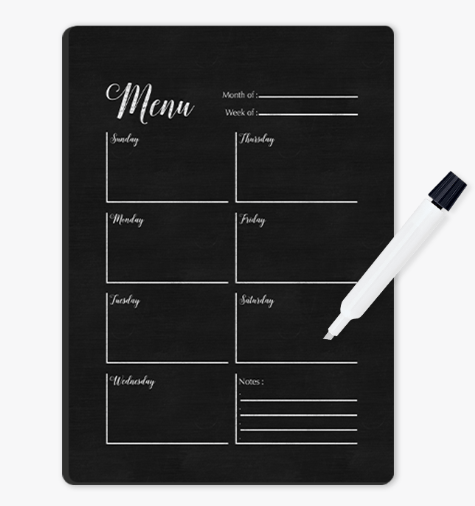
    • Tabletop Panels (Both)
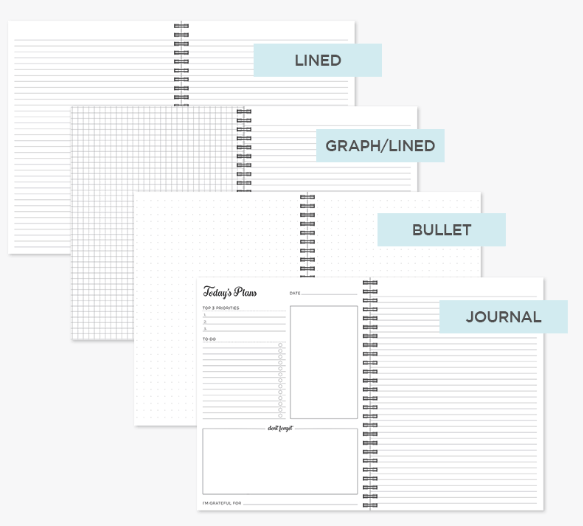
    • Notebooks (AP Only)
    • Magnets (Both)
    • Ornaments (D&P Only)
    • Puzzles(D&P Only)
    • Blankets (D&P Only)
  • Drinkware (Varies)
    • Water Bottles (Both)
    • Photo Mugs (Both)
    • Frosted Glasses (D&P Only)
  • Wall Decor (D&P Only)
    • Canvas Prints
    • Metal Panels
  • Cards (D&P ONly)
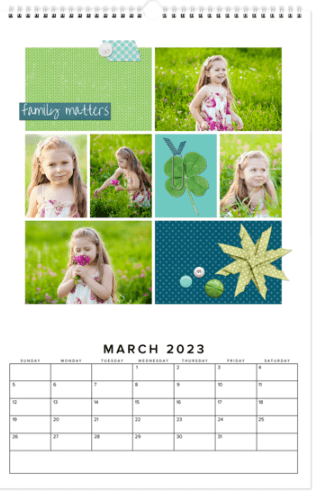
  • Calendars (D&P Only)
  • Photo Prints (AP Only)
    • Glossy & Lustre
    • Sizes 4X6 – 11X14

Selecting Your Photos and Your Design

When you have a project you want to do in Design & Print, I suggest you first go to your albums and set up one for the project. Then add all the photos you want to include in your project into the album. It’s also a good idea to get them into the order you want them to be in the project. This will not only get you prepared for making the project, but it could help you decide which design to use.

Then it’s time to choose the design for your project. According to your point of view, this part is either your favorite thing about the project or your biggest headache.

If you like shopping online, this part is fun. You can go in and browse around, checking available options for size, style, material and etc.. You can put together your whole project and then decide you want to change the design or the layout. You’ll love it.

I’ll admit it makes me a little crazy. In prepping for this post, I went in to find a coaster set project to walk you through and hit a brick wall. Artisan is my favorite way to design in FOREVER because I like to start with a blank page, but many people find a blank page daunting. They want a design template. FOREVER offers three design options because different people like different things.

Let’s Make a Blanket

Since I’m definitely not in the mood for coasters, let’s make a blanket. I’ll use the photos I have tagged as Floral for the images on the blanket. On FOREVER I would hover over the “Create & Print” Tab and a selection box comes up offering AutoPrint, Design & Print and Digital Scrapbooking & Deign. Under Design & Print, Photo Gifts are in the center and Blankets are at the bottom of that list. Click “Blankets.”

There are many, many design to choose from, but for this project I wanted to include as many floral photos as possible, so I used the “# Of Photos” filter to find the blanket designs which included the most images. I got two choices. (Ignore the pricing. The image I included shows the deals available on the day I wrote this post, not the day you are reading it)

When I clicked on the Photo Grid Blanket, here’s the screen I got. It advises me of all the options I have. There are two sizes, two orientations and two materials available to me and there is a big PERSONALIZE button. Let’s do that.

So, I went in and added a photo for each space and chose a Bible verse as my text. If I clicked on “Layouts,” the designer offered four options, but this was the one with the most spaces, so I chose it. I could still select my size, orientation and material. Then I could add it to my cart and order it!

I like this a lot, but honestly, I would prefer a design without text and I’d probably choose a different background color. And that’s why I love Artisan, but that lesson will be next month. Here’s the link to the project so you can take a look at it: https://www.forever.com/app/users/jane-sadek–1/containers/c7f1ebef-e74c-4069-9d00-0c75dfd7daf8/6ao6nbcgjnp7v0b3adq7j2lrt