

MEMORY KEEPING: CUSTOMER SERVICE YOUR WAY!
Call Out or Scroll Down for Help
When it comes to Memory Keeping, I am at your service. Whether you’re brand new to the idea of preserving and sharing your memories, a long time scrapbooker or my very best digital customer, I hope you know I always love to hear from you. I’m always interested in the projects you’re working on and if you’re having problems, I want to know about it. Often, I know the answer right away and you’re back in business in the click of a button
I can’t know everything though and for some things we’ll need to reach out to FOREVER’s customer service department. Often I’ll send the inquiry to them via email and copy you in, so they’ll know you’re not alone and we’ve addressed the basics already. However, you can also reach out to FOREVER on your own, if you like.
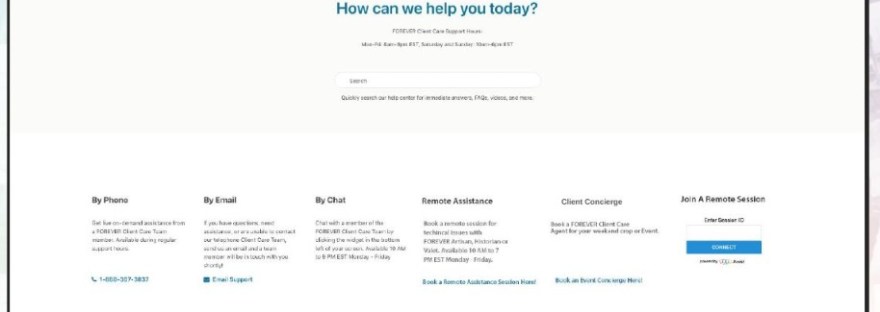
The black box above is in the right hand corner of each page. Click on Help Center and you’ll get this larger menu, which will give you Customer Service your way:
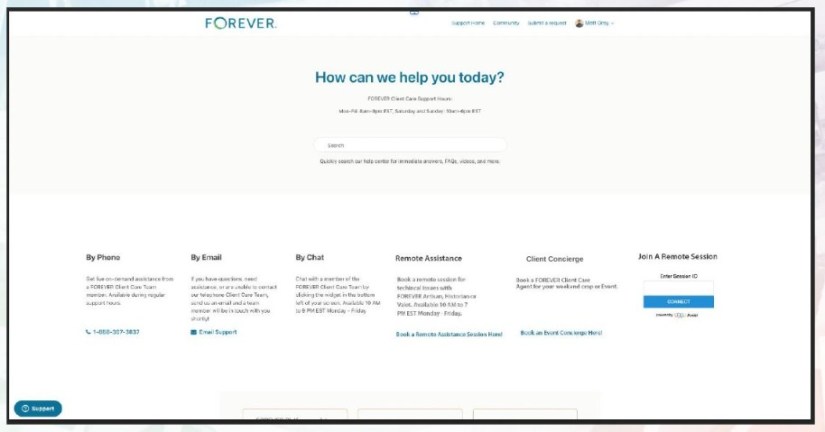
If you’d like to call, Customer Service is available Mon-Fri: 8am-9pm EST, Saturday and Sunday: 10am-6pm EST. I’m not a phone person myself, so I don’t call often, but when I do I find a friendly, helpful, knowledgeable person on the other end. Like all call-in services though, you will have to wait in a que, but it’s not usually an unreasonable wait.
I do most of my inquires via email. My situation is rarely urgent and with email I can explain the whole situation, including screen shots and photos. I immediately get back an email confirming FOREVER has gotten my inquiry and they provide a few FAQ’s and answers at the bottom of the email, which could potentially solve the problem on the spot and close out the request. Soon, I’ll have a personalized answer, which usually resolves my issue.
I’ve also used the chat feature. If it’s during chat hours, they get right back to me and if it’s an easy fix, the whole thing can be over in a couple of minutes. If they can’t solve it there, then they’ll put you in the que for a call.
Book Your Remote Assistance – Danno!
Sometimes, you may need remote assistance – especially if your computer blows up and you lose Artisan. You know that’s what happened to me in July. The old process was in place, but my conversations and the screen sharing were great. Since July, they’ve made a few changes. These days, you can go directly to the page above and schedule your screen sharing appointment with a technician. No more mystery as to when someone will call. This page is where you’ll log in when your session is scheduled. Easy peasy! (Client Concierge is for people having crops, so you won’t need that.)
So, if you run into trouble with FOREVER, you have a smorgasbord of solutions. Don’t hesitate to call on me or whatever version of customer service suits you. You’ll get the help you need.


 jane sadek