
MEMORY PRESERVATION: SUPPORT BEGINS ON THE VERY FIRST PAGE
FOREVER’s Front Door
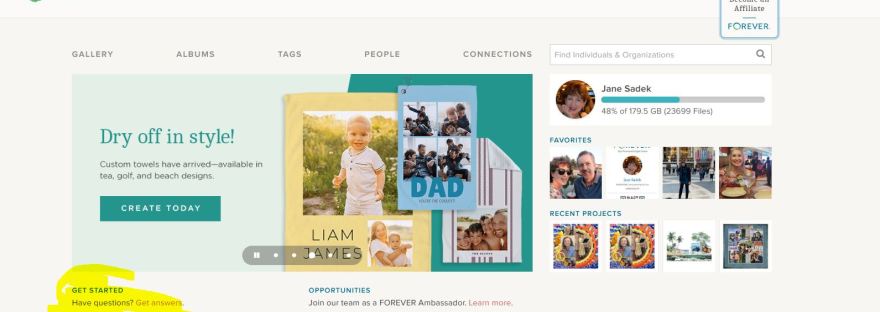
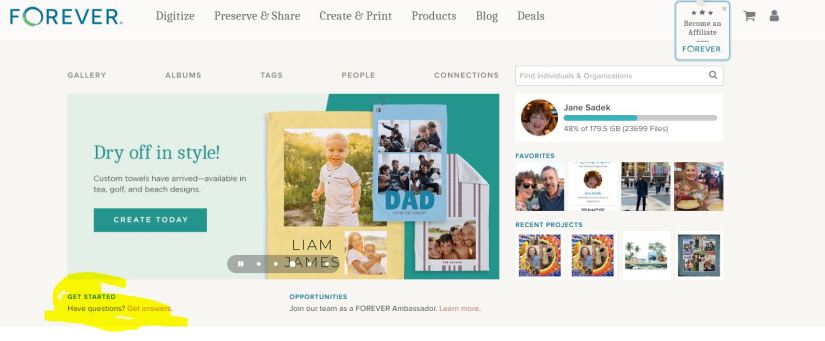
What you see above is the first page of the FOREVER website. The top row (Digitize, Preserve & Share, Create & Print, Products, Blog & Deals) are links to other pages on their website. Further along they invite you to a career with FOREVER, offer a shopping cart and then there’s the avatar which you can hover over to take you to various places in your FOREVER account.
You do have a FOREVER account, right. It’s free and they give you 2GB’s of storage so you can play around with things AND when you join, you get a $20 off coupon (if you verify your email address). So, if you haven’t joined, here’s the link: https://www.forever.com/ambassador/jane-sadek .
As you get to know FOREVER, you’ll find out that everything is hyper-connected. You can get to pretty much anything you want to get to on their site or yours with just a click, maybe two, and usually, because all of us are wired differently, there’s more than one way to get there.
For example, there are a couple of ways to get from FOREVER’s front door to the pages of your account. One way was the avatar on the top row. The second row is direct links to various parts of your account (GALLERY, ALBUMS, TAGS, PEOPLE & CONNECTIONS). (Then there’s a search bar to help you find other FOREVER people. Just type in their name and see if they are on FOREVER also. We’ll talk about Connections and Groups, later. I just wanted you to know what that was.)
Below the links to your pages, there’s a slideshow to show you some highlights of things to come. The one you see in the image above introduces FOREVER’s new towels. Yes, you can make personalized beach towels, sport towels and tea towels! That’s just the latest thing FOREVER has introduced.
GET STARTED
Now we’re where I wanted you to go. See, how under the slideshow I’ve highlighted “GET STARTED | Have Questions? Get answers.” Well, “Get answers” is a live link which will take you to the page I’ve inserted below. Let’s see what’s there.
Remember how I told you FOREVER always offers several ways to get around, well here’s proof. On the far left is a column of icons. The green and blue FOREVER Circle will take you back to FOREVER’s home page. The rest of them take you to places in your storage. From below the FOREVER circle down, they take you to Your Gallery, Your Albums, Your Tags, Your People, Your Connections, Your Groups, Your Print Projects and Your Digitization Projects.
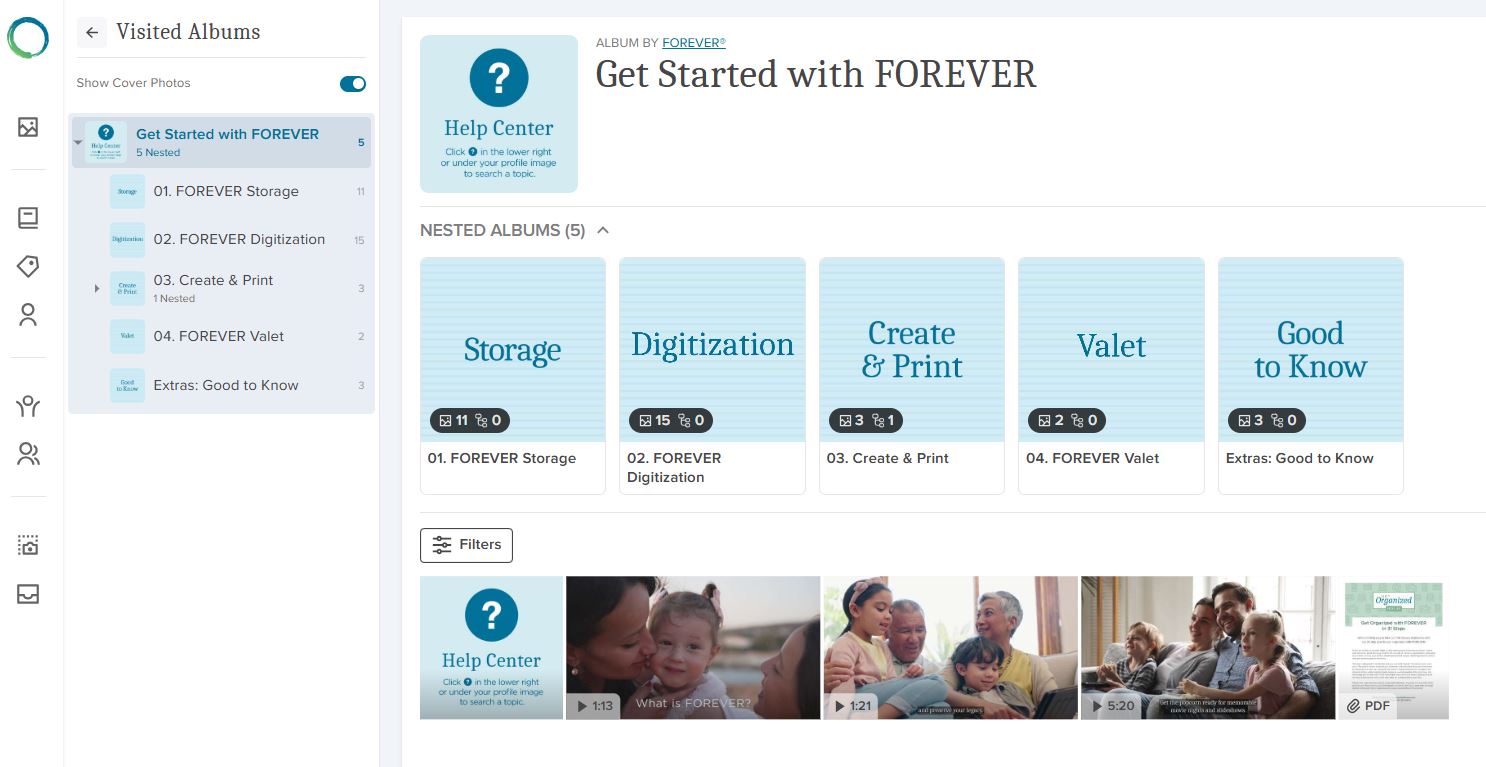
Next to that you have a small block next to a large block. The small block are short cuts to the items you see in the big block. You can reach those sections of the site by clicking the shortcut or one of the files in the large block. Whichever way you go, you’ll keep the first column and the small block on the right for navigation and you’ll find nested files under that. These “files” in FOREVER are called albums.
This section of FOREVER’s website is a sort of hybrid. If you had gone to the top row choices, that would have taken you into FOREVER’s site and from those pages, you would have to go back to the main page to get to your pages. If you had instead chosen the second row, you would be in your site and according to which section you were in, it might look like this three row configuration or only the two blocks on the right. The bottom line is that wherever you are, getting to the rest of it is easy.
SO THEN, WHAT DO WE HAVE HERE?
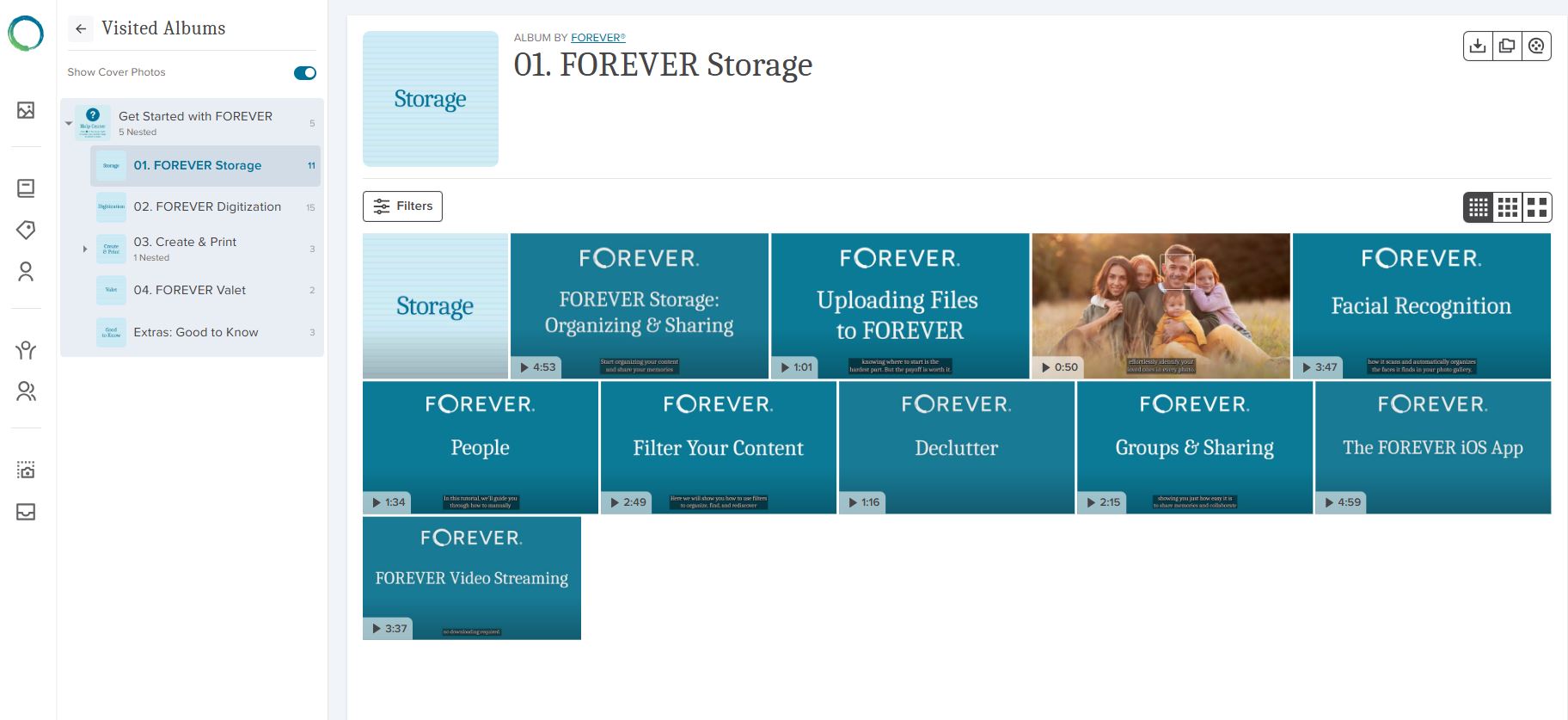
All that leads me to why we are here. The albums you see in the big block contain videos about using FOREVER. You can go directly to the album holding the videos related to what you want to know about. If, for instance, you clicked on “Storage”, you’d see the page I have inserted below. As you can see, most of these items have a small arrow and a time stamp in the lower left hand corner. That tells you they are videos. The items without a stamp will be simple images.
DIGGING DEEPER
If you click on the arrow in the corner of the video, it will play the video, because the actual FOREVER site has video streaming. If you hover over the video, a box appears which you can click. That allows you to copy or download a video. That functionality is there, because in your own storage you might not have video streaming, so you’d need to download a video to watch it. Autoplay is a great reason to add video streaming to your account and some day we’ll talk about that (or you can go to FOREVER now and watch the video you see in the image above!).
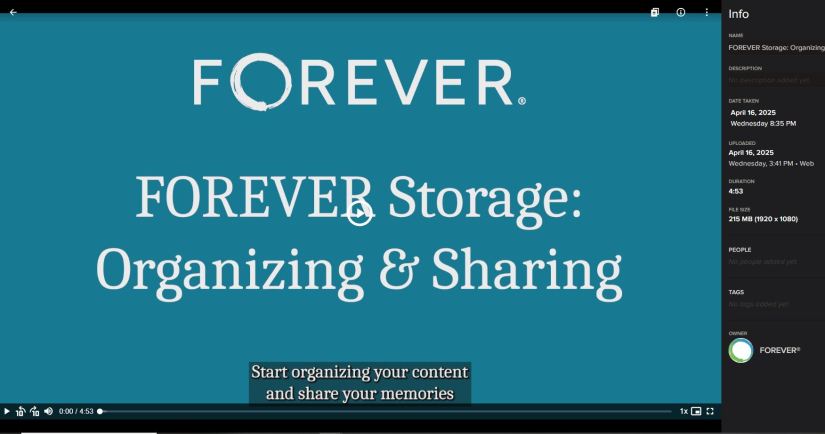
If instead you clicked on the item, it would take you into the light box I’ve inserted below. You could play the video from the video bar at the bottom and it also has an Info box. That tells you more information about the video and we’ll discuss the light box further in another blog, but I wanted to point it out, because just as FOREVER has a light box for the items in it’s albums, your albums will also have light boxes.
And that’s that. Next week I will begin walking you through FOREVER storage or if you prefer, you could go watch the videos yourself at your convenience. Friday we’ll be making something fun for Memory Sharing and Monday we’ll be on the road, Memory Making! Stay with me!


 jane sadek